



Question: Instructions 1.) Crexte a file call it with the form axercire_1_finst nume_last nume. Include the underneores in your fle numa. 2.) Create the following variables
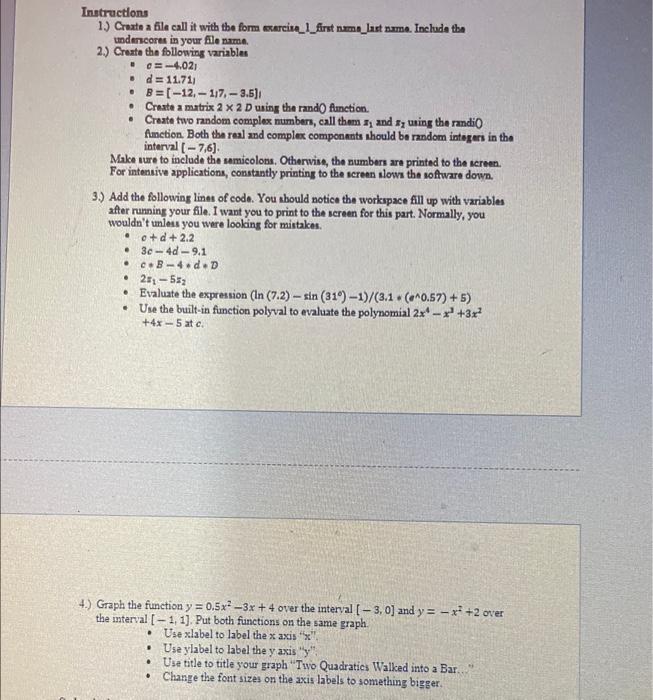
Instructions 1.) Crexte a file call it with the form axercire_1_finst nume_last nume. Include the underneores in your fle numa. 2.) Create the following variables - =4,021 - d=11.711 - B=[12,1,7,3.5] - Craxta a matrix 22D using the rand 0 function. - Create two random complex numbers, call them x1 and x2 uring the rendiO Ametion. Both the real and complex componants ahould be random integers in the interval [7,6]. Make sure to include the semicolons. Otherwise, the numbers are printed to the sereen. For intensive applications, constantly printing to the screen slows the software down. 3.) Add the following lines of code. You should notice the workapace fill up with variables after running your file. I want you to print to the sereen for this part. Normally, you wouldn't unlest you were looking for mistakes. - o+d+2.2 - 3c4d9.1 - c=B4dD - 2z15z2 - Evaluate the expression (ln(7.2)sin(31)1)/(3.1(a0.57)+5) - Use the built-in function polyval to evaluate the polynomial 2x4x3+3x2 +4x5 at c 4.) Graph the function y=0.5x23x+4 over the interyal [3,0] and y=x2+2 over the interval [1,1]. Put both functions on the same graph. - Use xlabel to label the x axis " x ". - Use ylabel to label the y axis " y "t, - Use title to title your graph "Two Quadratics Walked into a Bar. - Change the font sizes on the axis labels to something bigger
Step by Step Solution
There are 3 Steps involved in it

Get step-by-step solutions from verified subject matter experts