



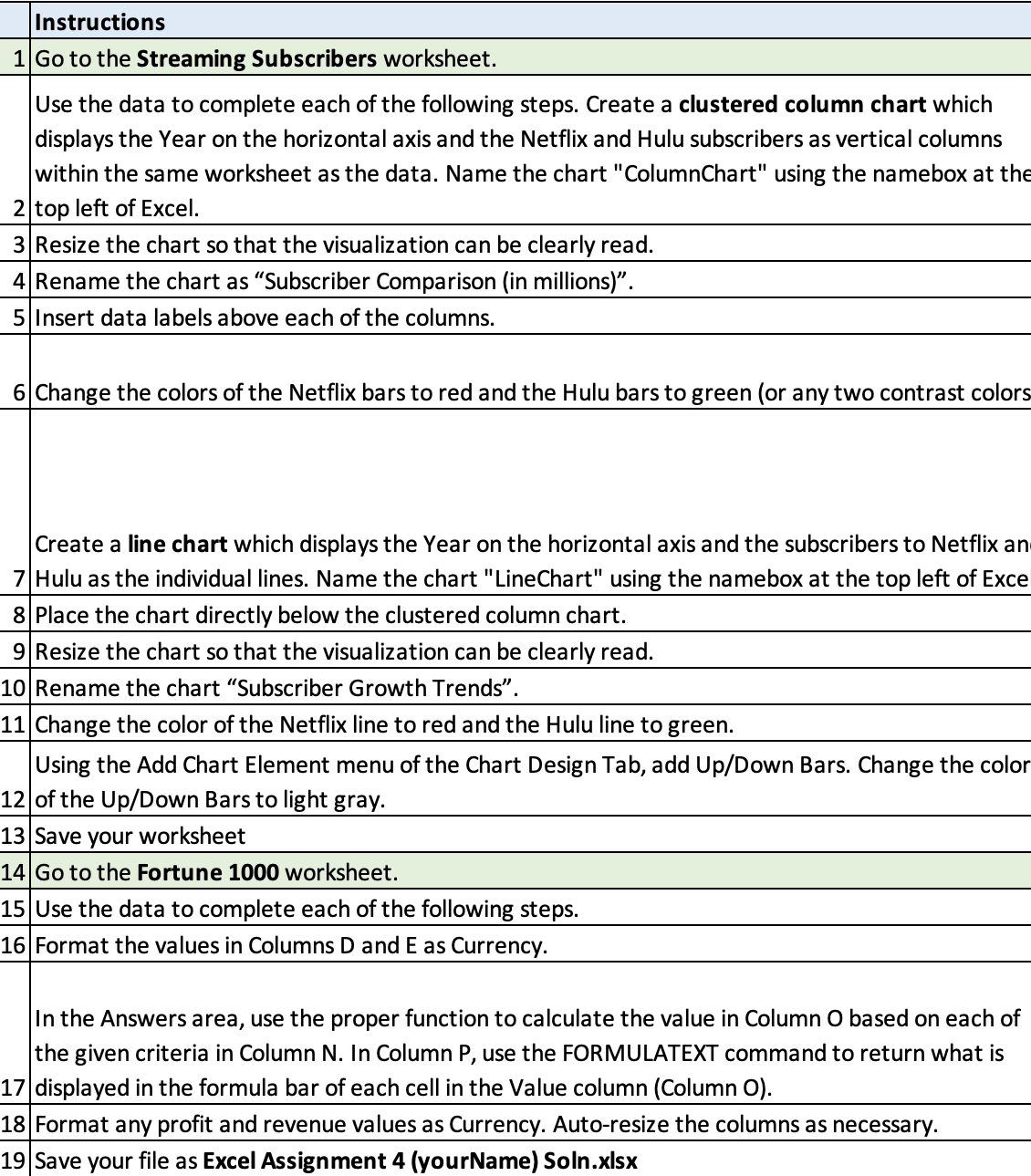
Question: Instructions 1 Go to the Streaming Subscribers worksheet. Use the data to complete each of the following steps. Create a clustered column chart which displays
Instructions
Go to the Streaming Subscribers worksheet.
Use the data to complete each of the following steps. Create a clustered column chart which displays the Year on the horizontal axis and the Netflix and Hulu subscribers as vertical columns within the same worksheet as the data. Name the chart "ColumnChart" using the namebox at the
top left of Excel.
Resize the chart so that the visualization can be clearly read.
Rename the chart as "Subscriber Comparison in millions
Insert data labels above each of the columns.
Change the colors of the Netflix bars to red and the Hulu bars to green or any two contrast colors
Create a line chart which displays the Year on the horizontal axis and the subscribers to Netflix an
Hulu as the individual lines. Name the chart "LineChart" using the namebox at the top left of Exce
Place the chart directly below the clustered column chart.
Resize the chart so that the visualization can be clearly read.
Rename the chart "Subscriber Growth Trends".
Change the color of the Netflix line to red and the Hulu line to green.
Using the Add Chart Element menu of the Chart Design Tab, add UpDown Bars. Change the color
of the UpDown Bars to light gray.
Save your worksheet
Go to the Fortune worksheet.
Use the data to complete each of the following steps.
Format the values in Columns D and E as Currency.
In the Answers area, use the proper function to calculate the value in Column O based on each of the given criteria in Column N In Column P use the FORMULATEXT command to return what is
displayed in the formula bar of each cell in the Value column Column O
Format any profit and revenue values as Currency. Autoresize the columns as necessary.
Save your file as Excel Assignment yourName Soln.xlsx
Step by Step Solution
There are 3 Steps involved in it
1 Expert Approved Answer
Step: 1 Unlock

Question Has Been Solved by an Expert!
Get step-by-step solutions from verified subject matter experts
Step: 2 Unlock
Step: 3 Unlock