







Question: Instructions: After selecting a project topic, describe the project. For example: The goal of this project is to produce a blockbuster movie based on the
Instructions: After selecting a project topic, describe the project. For example: "The goal of this project is to produce a blockbuster movie based on the life of Buckminster Fuller, the famous architect, author, designer, theorist, and inventor." |
Proposed Timeline Instructions: Using MS Project, create a first-level work breakdown, including major deliverable milestones and preliminary resource inputs. Then, insert the timeline into the Word document. |
Budget Instructions: This section should include a preliminary estimate of the budget for the movie. For example, if you were making a movie, you would need to have an idea of staff costs (director, actors, grips, etc.) as well as productions costs (location costs, set construction, film). Put your preliminary resources into MS Project and then insert the resource report into your proposal document. |
Benefits Instructions: This section should discuss the benefits from the project. In other words, why you are proposing the project. For instance, how much money do you expect to make? What is the expected return on investment? What is the social impact? The benefits will depend on the type of project proposed. |
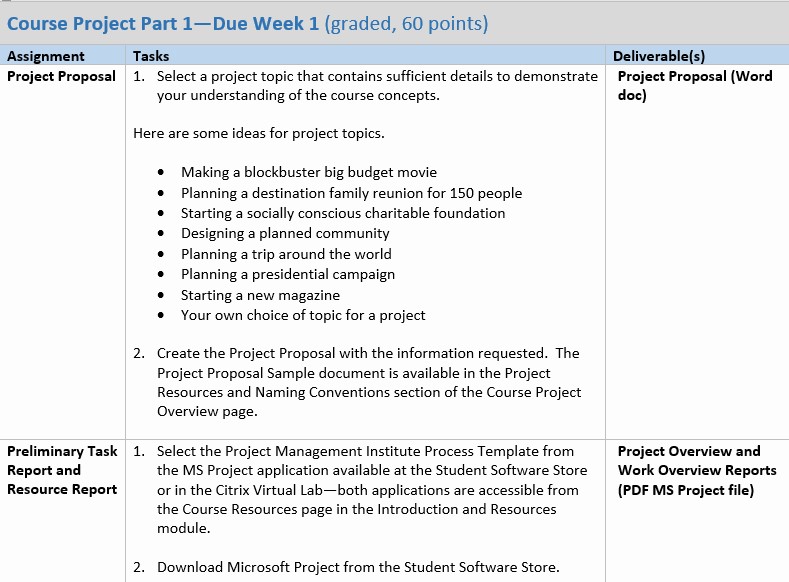
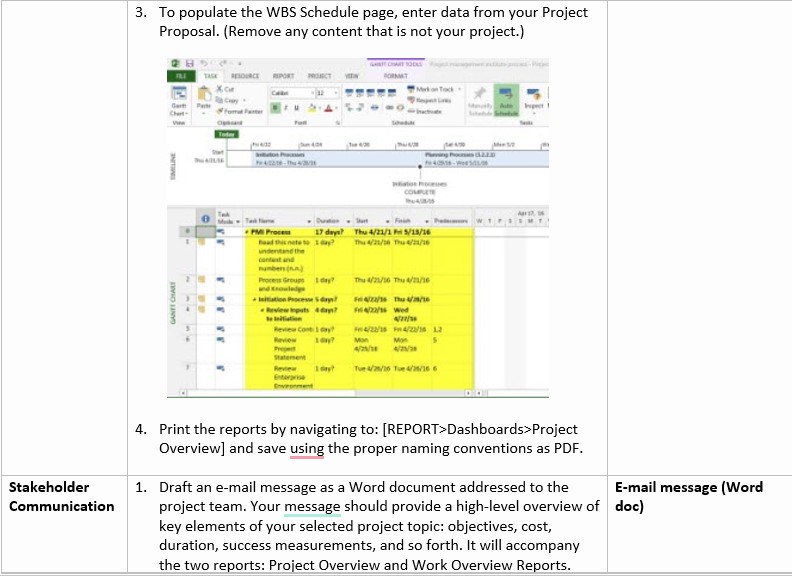
Course Project Part 1Due Week 1 [graded ED points} Assignment Tasks DeliverableIs} Project Proposal 1. Select a project topic that contains sufficient details to demonstrate Project Proposal {Word 1your understanding ofthe course concepts. doc) Here are some ideas for project topics. Making a blockbuster big budget movie Planning a destination family.r reunion for 150 people Starting a socially.r conscious charitable foundation Designing a planned comm unitv Planning a trip around the world Planning a presidential campaign Starting a new magazine Your own choice of topic for a project 2. Create the Project Proposal with the information requested. The Project Proposal Sample document is available in the Project Resources and Naming Conventions section ofthe Course Project Overview page. Preliminaryr Task 1. Select the Project Management Institute Process Template from Project Overview and Report and the MS Project application available at the Student Software Store Work Overview Reports Resource Report or in the ICitrii-r 1|firtual Labboth applications are accessible from [PDF MS Project file} the Course Resources page in the Introduction and Resources module. 2. Download Microsoft Project from the Student Software Store. 3. To populate the WBS Schedule page, enter data from your Project Proposal. (Remove any content that is not your project.) IMELINE PV Procom THI WTVIG THE LIFE LANTT CHART MARNI Wed 4. Print the reports by navigating to: [REPORT> Dashboards>Project Overview] and save using the proper naming conventions as PDF. Stakeholder 1. Draft an e-mail message as a Word document addressed to the E-mail message (Word Communication project team. Your message should provide a high-level overview of |doc) key elements of your selected project topic: objectives, cost, duration, success measurements, and so forth. It will accompany the two reports: Project Overview and Work Overview Reports
Step by Step Solution
There are 3 Steps involved in it

Get step-by-step solutions from verified subject matter experts
 Study Help