







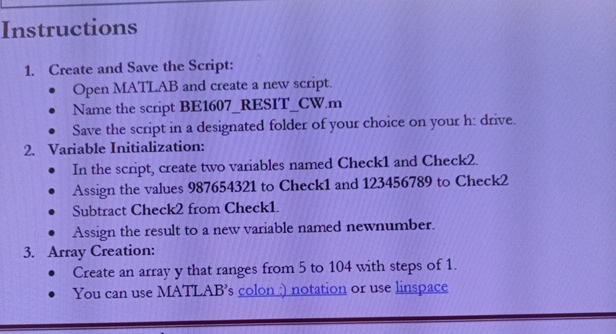
Question: Instructions Create and Save the Script: Open MATLAB and create a new script. Name the script BE 1 6 0 7 _ RESIT _ CW
Instructions
Create and Save the Script:
Open MATLAB and create a new script.
Name the script BERESITCWm
Save the script in a designated folder of your choice on your h: drive.
Variable Initialization:
In the script, create two variables named Check and Check
Assign the values to Check and to Check
Subtract Check from Check
Assign the result to a new variable named newnumber.
Array Creation:
Create an array y that ranges from to with steps of
You can use MATLAB's colon: notation or use linspace
Step by Step Solution
There are 3 Steps involved in it
1 Expert Approved Answer
Step: 1 Unlock

Question Has Been Solved by an Expert!
Get step-by-step solutions from verified subject matter experts
Step: 2 Unlock
Step: 3 Unlock
 Study Help