







Question: Instructions: Created a WORDLE android App using Kotlin and android Studio. This is what the app should look like. NB: Please provide codes for creating
Instructions: Created a "WORDLE" android App using Kotlin and android Studio.
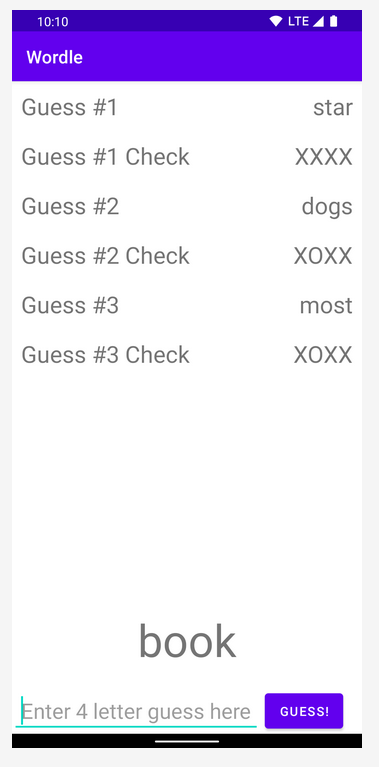 This is what the app should look like.
NB: Please provide codes for creating the app. Do not post instructions to create the app without the codes to do it.
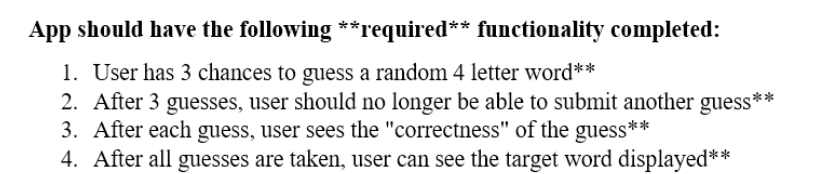
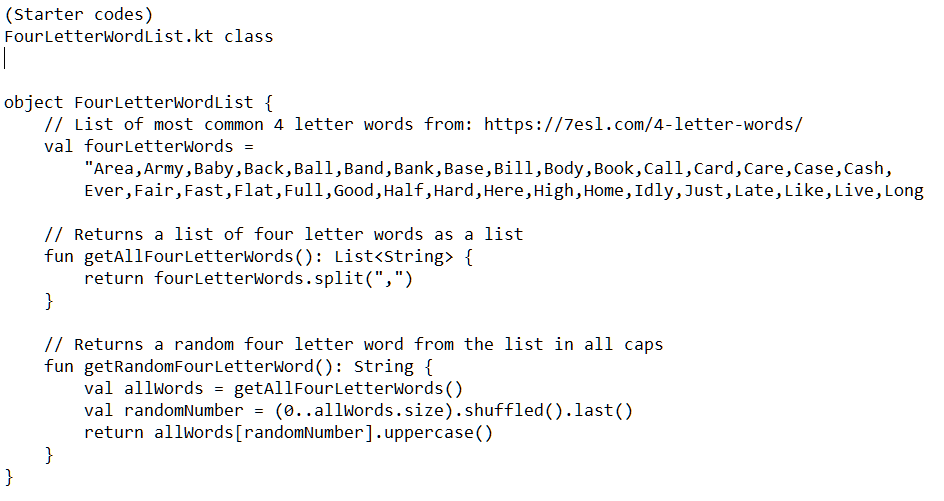
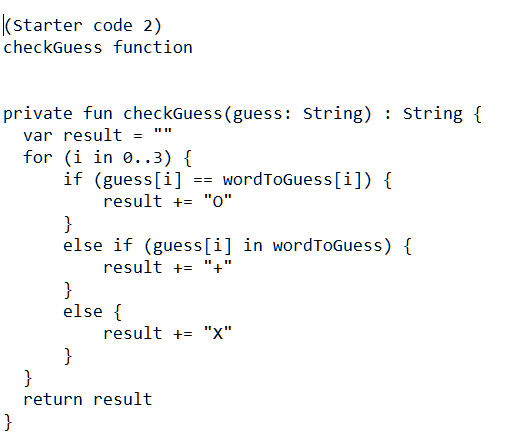
App should have the following ** required functionality completed: 1. User has 3 chances to guess a random 4 letter word** 2. After 3 guesses, user should no longer be able to submit another guess** 3. After each guess, user sees the "correctness" of the guess** 4. After all guesses are taken, user can see the target word displayed** (starter code 2) checkGuess function private fun checkGuess(guess: string) : string \{ var result =" " for (i in 0.3 ) \{ if (guess [i]== wordToGuess [i]){ result += "0" else if (guess[i] in wordToGuess) \{ result += "+" else \{ \} result +="x" return result 10:10 Wordle Guess \#1 star Guess \#1 Check XXXX Guess \#2 dogs Guess \#2 Check XOXX Guess \#3 most Guess \#3 Check XOXX book Enter 4 letter guess here GUESS
Step by Step Solution
There are 3 Steps involved in it

Get step-by-step solutions from verified subject matter experts
 Study Help