







Question: Instructions For this exercise, you will create a Student class to hold student data. You should create appropriate variables in your student class to store
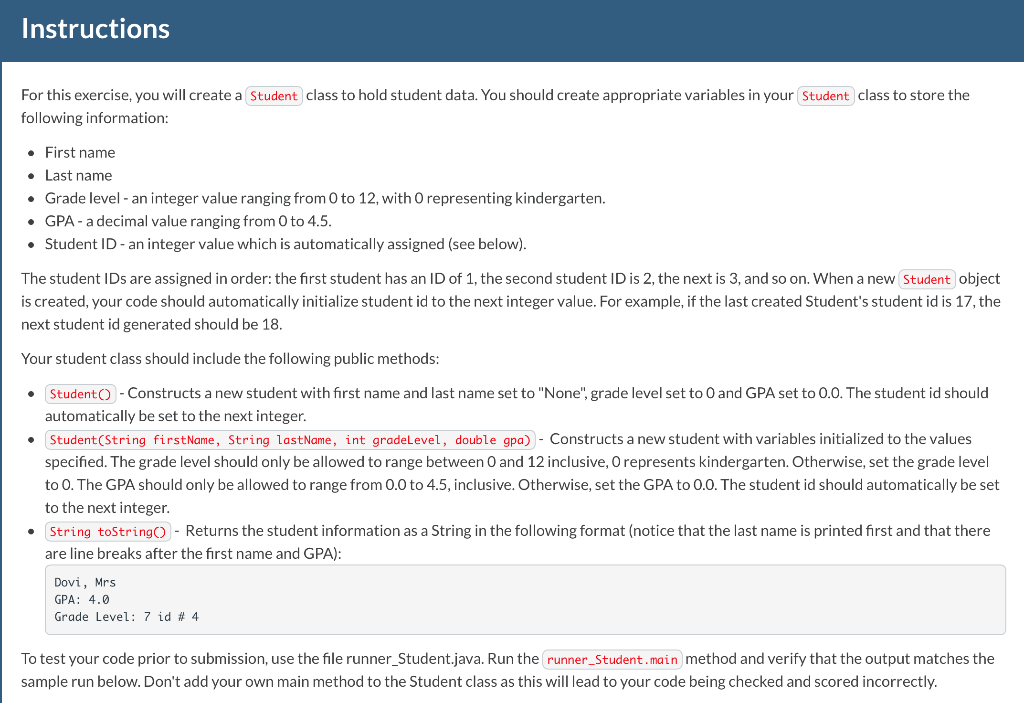
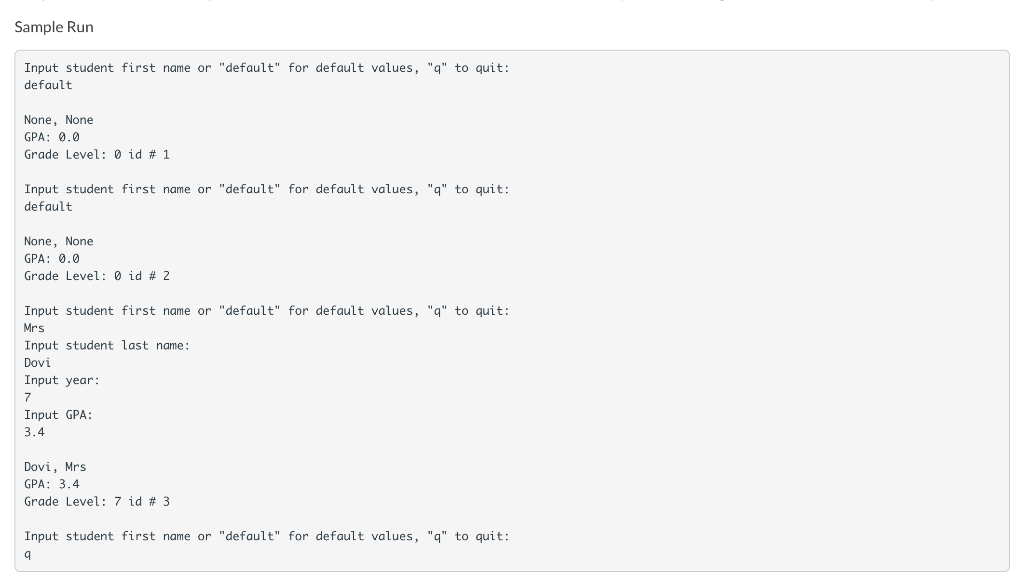
Instructions For this exercise, you will create a Student class to hold student data. You should create appropriate variables in your student class to store the following information: First name Last name Grade level - an integer value ranging from 0 to 12, with O representing kindergarten. GPA - a decimal value ranging from 0 to 4.5. Student ID - an integer value which is automatically assigned (see below). The student IDs are assigned in order: the first student has an ID of 1, the second student ID is 2, the next is 3, and so on. When a new Student object is created, your code should automatically initialize student id to the next integer value. For example, if the last created Student's student id is 17, the next student id generated should be 18. Your student class should include the following public methods: Student - Constructs a new student with first name and last name set to "None", grade level set to 0 and GPA set to 0.0. The student id should automatically be set to the next integer. Student(String firstName, String lastName, int gradeLevel, double gpa) - Constructs a new student with variables initialized to the values specified. The level should only be allowed to range between 0 and 12 inclusive, o represer kind Otherwise, set the grade level to 0. The GPA should only be allowed to range from 0.0 to 4.5, inclusive. Otherwise, set the GPA to 0.0. The student id should automatically be set to the next integer. String toStringo - Returns the student information as a String in the following format (notice that the last name is printed first and that there are line breaks after the first name and GPA): Dovi, Mrs GPA: 4.0 Grade Level: 7 id #4 To test your code prior to submission, use the file runner_Student.java. Run the runner_Student.main method and verify that the output matches the sample run below. Don't add your own main method to the Student class as this will lead to your code being checked and scored incorrectly. Sample Run Input student first name or "default" for default values, "q" to quit: default None, None GPA: 0.0 Grade Level: o id # 1 Input student first name or "default" for default values, "q" to quit: default None, None GPA: 0.0 Grade Level: 0 id # 2 Input student first name or "default" for default values, "q" to quit: Mrs Input student last name: Dovi Input year: 7 Input GPA: 3.4 Dovi, Mrs GPA: 3.4 Grade Level: 7 id # 3 Input student first name or "default" for default values, "q" to quit
Step by Step Solution
There are 3 Steps involved in it

Get step-by-step solutions from verified subject matter experts
 Study Help