







Question: Instructions Part 1 Download and Use Java API documents Download the Java API documents from: https://www.oracle.com/java/technologies/javase-jdk11-doc-downloads.html You will need to review, and accept the
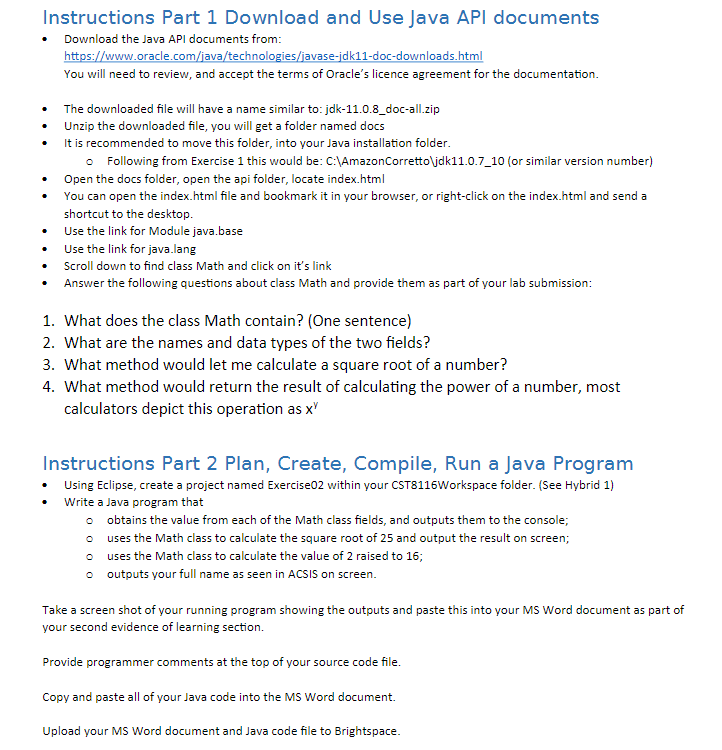
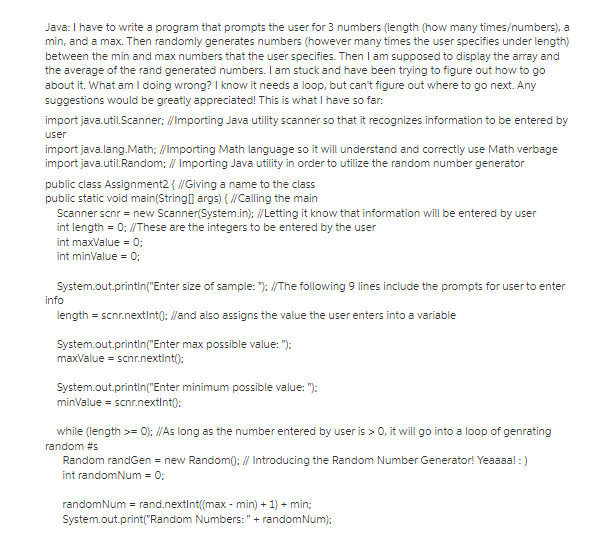
Instructions Part 1 Download and Use Java API documents Download the Java API documents from: https://www.oracle.com/java/technologies/javase-jdk11-doc-downloads.html You will need to review, and accept the terms of Oracle's licence agreement for the documentation. The downloaded file will have a name similar to: jdk-11.0.8_doc-all.zip Unzip the downloaded file, you will get a folder named docs It is recommended to move this folder, into your Java installation folder. o Following from Exercise 1 this would be: C:\AmazonCorretto\jdk11.0.7_10 (or similar version number) Open the docs folder, open the api folder, locate index.html You can open the index.html file and bookmark it in your browser, or right-click on the index.html and send a shortcut to the desktop. Use the link for Module java.base Use the link for java.lang Scroll down to find class Math and click on it's link Answer the following questions about class Math and provide them as part of your lab submission: 1. What does the class Math contain? (One sentence) 2. What are the names and data types of the two fields? 3. What method would let me calculate a square root of a number? 4. What method would return the result of calculating the power of a number, most calculators depict this operation as x Instructions Part 2 Plan, Create, Compile, Run a Java Program Using Eclipse, create a project named Exercise02 within your CST8116Workspace folder. (See Hybrid 1) Write a Java program that o obtains the value from each of the Math class fields, and outputs them to the console; o uses the Math class to calculate the square root of 25 and output the result on screen; uses the Math class to calculate the value of 2 raised to 16; o outputs your full name as seen in ACSIS on screen. Take a screen shot of your running program showing the outputs and paste this into your MS Word document as part of your second evidence of learning section. Provide programmer comments at the top of your source code file. Copy and paste all of your Java code into the MS Word document. Upload your MS Word document and Java code file to Brightspace. Java: I have to write a program that prompts the user for 3 numbers (length(how many times/numbers), a min, and a max. Then randomly generates numbers (however many times the user specifies under length) between the min and max numbers that the user specifies. Then I am supposed to display the array and the average of the rand generated numbers. I am stuck and have been trying to figure out how to go about it. What am I doing wrong? I know it needs a loop, but can't figure out where to go next. Any suggestions would be greatly appreciated! This is what I have so far: import java.util.Scanner; //Importing Java utility scanner so that it recognizes information to be entered by user import java.lang.Math; //Importing Math language so it will understand and correctly use Math verbage import java.util.Random; // Importing Java utility in order to utilize the random number generator public class Assignment2 { //Giving a name to the class public static void main(String[] args) { //Calling the main Scanner scnr = new Scanner(System.in); //Letting it know that information will be entered by user int length = 0; //These are the integers to be entered by the user int maxValue = 0; int minValue = 0; System.out.println("Enter size of sample: "); //The following 9 lines include the prompts for user to enter info length = scnr.nextInt(): //and also assigns the value the user enters into a variable System.out.println("Enter max possible value: "); maxValue = scnr.nextInt(): System.out.println("Enter minimum possible value: "); minValue = scnr.nextInt(): while (length >= 0): //As long as the number entered by user is > O, it will go into a loop of genrating random #s Random randGen = new Random():// Introducing the Random Number Generator! Yeaaaa! :) int randomNum = 0; randomNum = rand.nextInt((max- min) + 1) + min; System.out.print("Random Numbers: " + randomNum);
Step by Step Solution
There are 3 Steps involved in it

Get step-by-step solutions from verified subject matter experts
 Study Help