







Question: Instructions: Perform the following steps: 1. Using Paint, open the file seniorlogo.png (attached in the bottom) 2. Determine the x- and y-coordinates necessary to create
Instructions: Perform the following steps:
1. Using Paint, open the file seniorlogo.png (attached in the bottom) 2. Determine the x- and y-coordinates necessary to create three rectangular clickable areas and two polygonal areas (for Parcheesi and Poker) on the graphical image. ( Write down these coordinates for later use. 3. create a new HTML file with the title Lab 5-1 in the title section. Add the text links, as shown in Figure 539 (The attached webpage screenshot). 4. Insert the image seniorlogo.png. Use the usemap attribute usemap="#menubar" in the tag. 5. Enter the tags required to create the image map named menubar.5. Enter the tags required to create the image map named menubar. 6. Enter the tags required to define three rectangular and two polygonal clickable areas on the seniorlogo.png image. Use the x- and y-coordinates determined in Step 2 and set the href attribute to display the sample.html Web page (attached in the bottom) 7. Add a navigation bar of text links at the bottom of the Web page. Include the special character ¦ in between the text links to display the broken vertical bar.
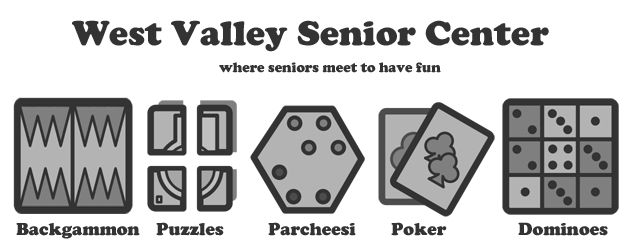
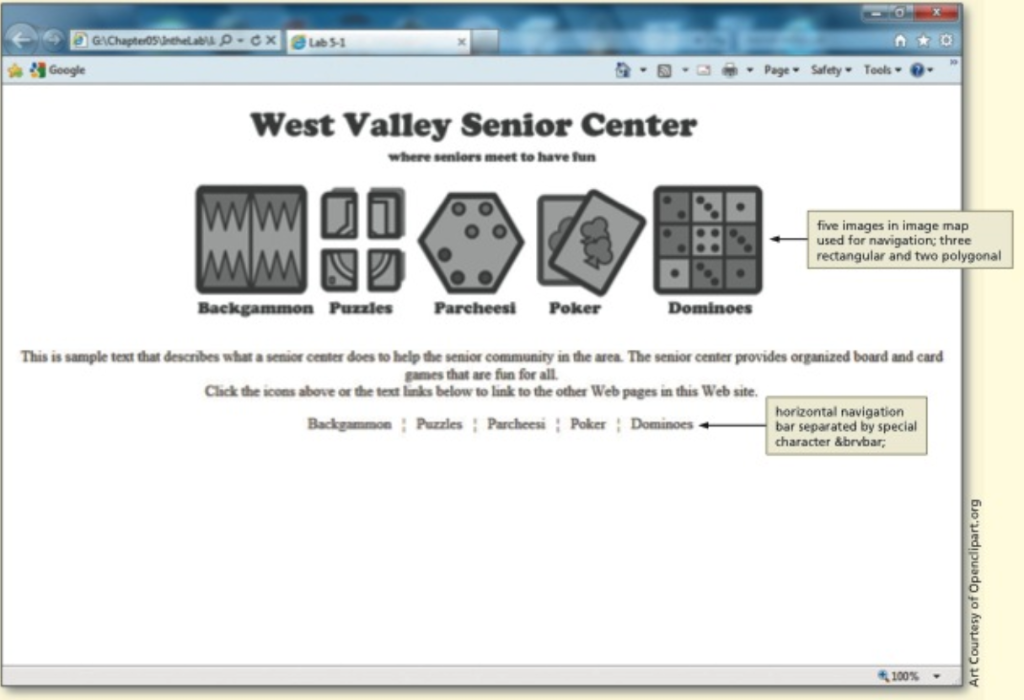
West Valley Senior Center where seniors meet to have fun Backgammon Puzzles Parcheesi Poker Dominoes
Step by Step Solution
There are 3 Steps involved in it

Get step-by-step solutions from verified subject matter experts
 Study Help