







Question: Instructions: Project Setup: Create a new Android project in Android Studio named is your Set the minimum SDK of the project to API 2 6
Instructions:
Project Setup:
Create a new Android project in Android Studio named is your Set the minimum SDK of the project to API Move the Fleet.java, Airship.java, and Wizard.java model classes from the previous lab into a new package These classes will be the model part of your application. Make sure they function properly.Ensure you do not link files; instead, copy them into your project.
Createadd the following assets:
fleet.csv Download fleet.csvOpen this document with ReadSpeaker docReader: Contains airship details.wizards.csv Download wizards.csvOpen this document with ReadSpeaker docReader: Contains wizard details.Both files should be placed in the assets folder of your Android project. The data will be loaded dynamically instead of hardcoding the information into the app.
Application Structure:
Main Activity MainActivityjava:
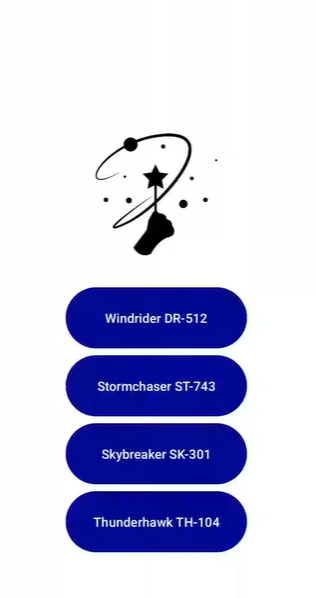
The app will open with a screen activitymain.xmlthat shows:
Title and logo of the Council of Wizards.Buttons displaying airships' names and registries.Each button should correspond to an airship.
When an airship button is clicked, the user will be directed to a new screen showing detailed information about the airship.
This activity will implement the View.OnClickListener interface using anonymous inner classes to handle the click events of each airship button.
When a button is clicked, it should pass the airships registry to the AirshipActivity.java, which will use the registry to filter the wizard data.
Airship Activity AirshipActivityjava:
This screen activityairship.xmlwill display:
Airship information: Name and registry.A list of wizards assigned to the selected airship, including:
Wizards name and rank.Wizard's image. you can use these images Download these imagesOpen this document with ReadSpeaker docReaderor choose your own
The wizard list will be populated by reading the corresponding wizards.csv file, filtering the wizards by airship registry.This activity will retrieve the airships registry from the intent passed by MainActivity and use this registry to filter the wizard data from the wizards.csv file.
when the ship is selected from the main screen provided, it should display like this with one image next to each namerole:
Stormchaser ST
First Officer:
Kalthor
Navigator:
Sylvia
Engineer:
Rylar
Step by Step Solution
There are 3 Steps involved in it
1 Expert Approved Answer
Step: 1 Unlock

Question Has Been Solved by an Expert!
Get step-by-step solutions from verified subject matter experts
Step: 2 Unlock
Step: 3 Unlock
 Study Help