







Question: Instructions: The structure for the Outlets table is shown in Table A1A -1 and the data is shown in Table A1A-2. The structure for the
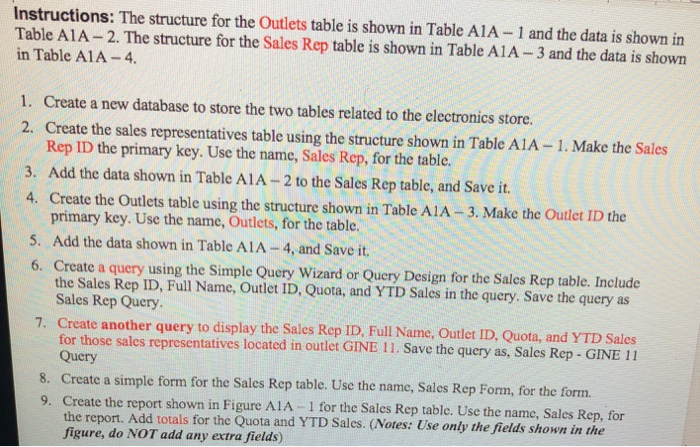
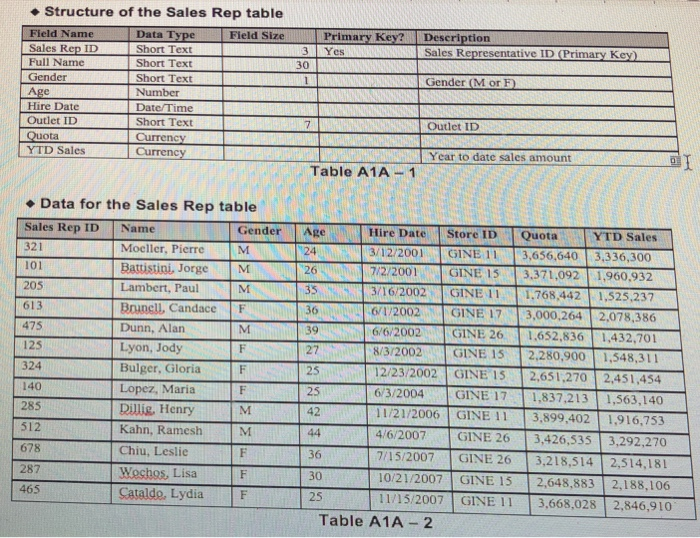
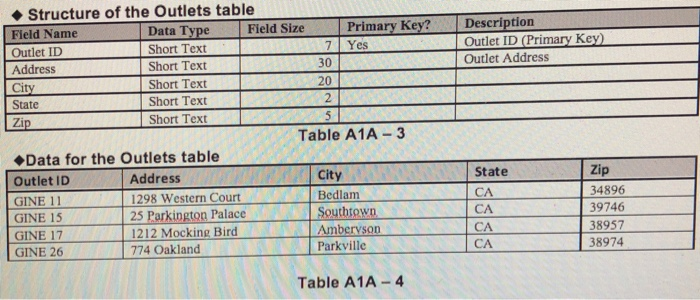
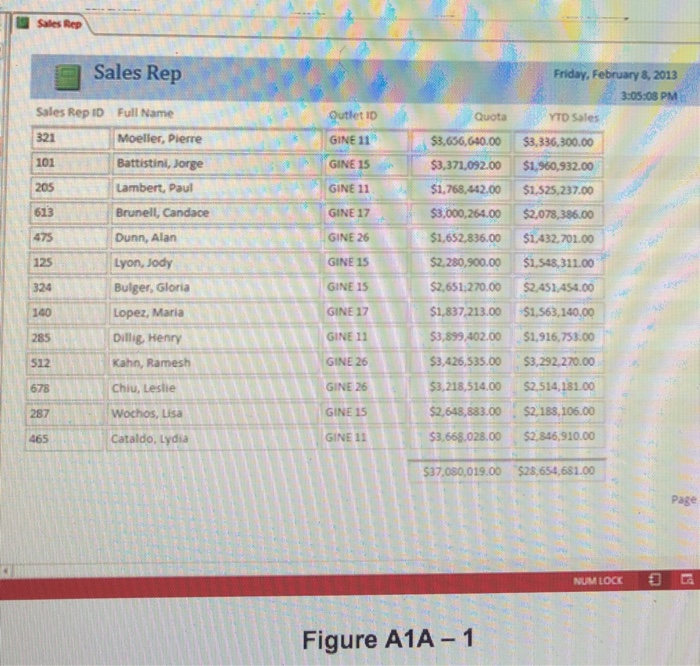
Instructions: The structure for the Outlets table is shown in Table A1A -1 and the data is shown in Table A1A-2. The structure for the Sales Rep table is shown in Table A1A-3 and the data is shown in Table A1A-4. 1. Create a new database to store the two tables related to the electronics store. 2. Create the sales representatives table using the structure shown in Table A1A-1. Make the Sales Rep ID the primary key. Use the name, Sales Rep, for the table. 3. Add the data shown in Table A1A- 2 to the Sales Rep table, and Save it. 4. Create the Outlets table using the structure shown in Table AIA-3. Make the Outlet ID the primary key. Use the name, Outlets, for the table. 5. Add the data shown in Table AlA -4, and Save it. 6. Create a query using the Simple Query Wizard or Query Design for the Sales Rep table. Include the Sales Rep ID, Full Name, Outlet ID, Quota, and YTD Sales in the query. Save the query as Sales Rep Query 7. Create another query to display the Sales Rep ID, Full Name, Outlet ID, Quota, and YTD Sales GINE 11. Save the query as, Sales Rep GINE 11 for those sales representatives located in outlet Query 8. Create a simple form for the Sales Rep table. Use the name, Sales Rep Form, for the form. 9. Create the report shown in Figure AIA-1 for the Sales Rep table. Use the name, Sales Rep, for the report. Add totals for the Quota and YTD Sales. (Notes: Use only the fields shown in the figure, do NOT add any extra fields)
Step by Step Solution
There are 3 Steps involved in it

Get step-by-step solutions from verified subject matter experts
 Study Help