



Question: Instructor note: zyBooks catalog This lab illustrates that you can use spaces in a string to format your output. You can judge how many spaces
Instructor note:
zyBooks catalog
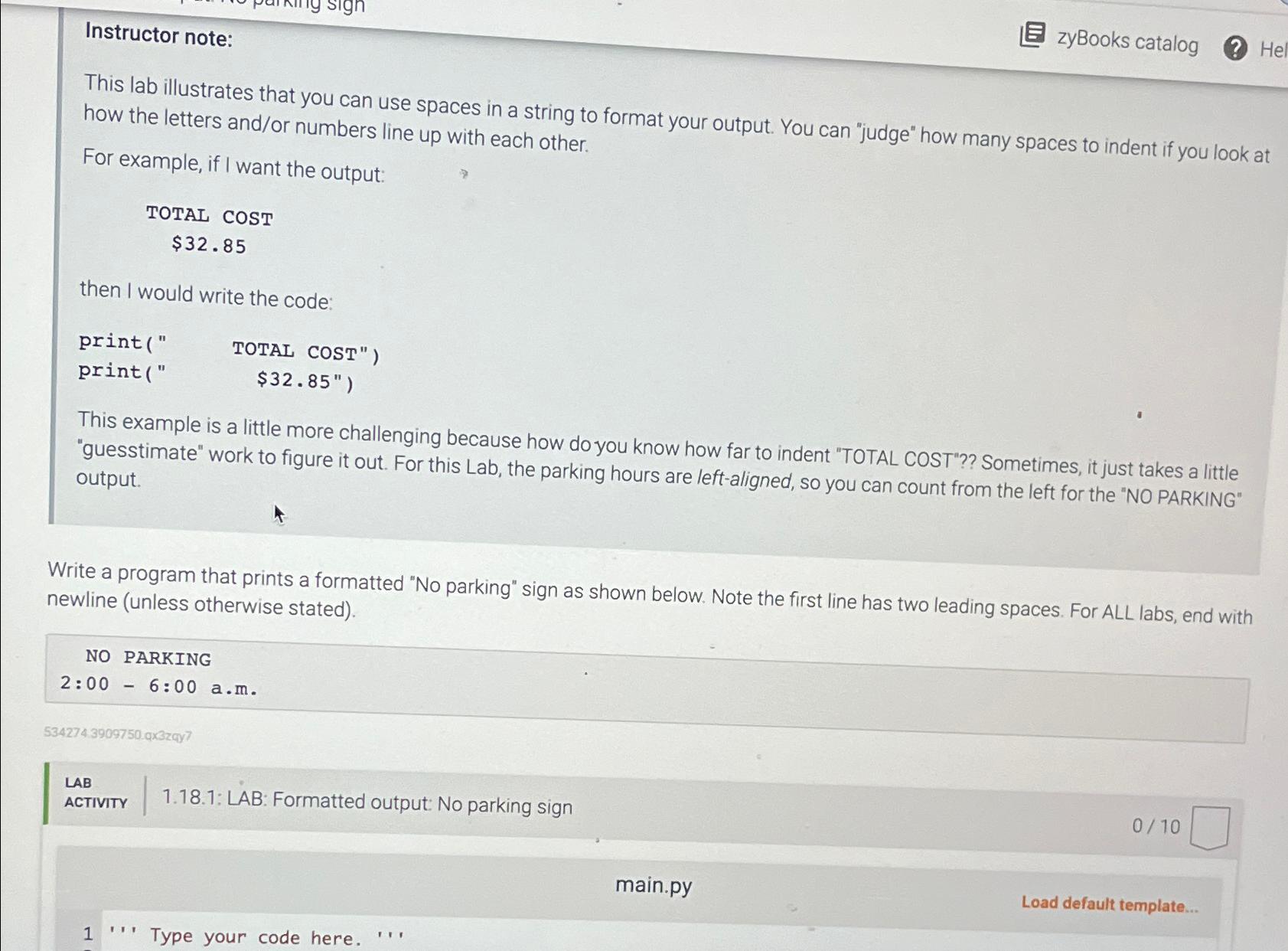
This lab illustrates that you can use spaces in a string to format your output. You can "judge" how many spaces to indent if you look at how the letters andor numbers line up with each other.
For example, if I want the output:
TOTAL COST
$
then I would write the code:
print
print$
This example is a little more challenging because how do you know how far to indent "TOTAL COST"?? Sometimes, it just takes a little "guesstimate" work to figure it out. For this Lab, the parking hours are leftaligned, so you can count from the left for the NO PARKING" output.
Write a program that prints a formatted No parking" sign as shown below. Note the first line has two leading spaces. For ALL labs, end with newline unless otherwise stated
NO PARKING
:: am
LAB
ACTIVITY
: LAB: Formatted output: No parking sign
main.py
Load default template...
Step by Step Solution
There are 3 Steps involved in it
1 Expert Approved Answer
Step: 1 Unlock

Question Has Been Solved by an Expert!
Get step-by-step solutions from verified subject matter experts
Step: 2 Unlock
Step: 3 Unlock