







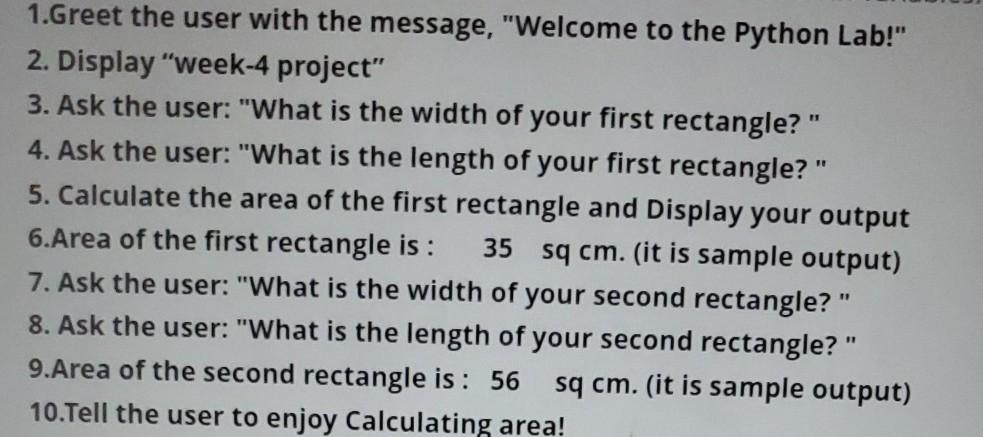
Question: intro programing class work with jupyter please 1.Greet the user with the message, Welcome to the Python Lab! 2. Displayweek-4 project 3. Ask the user:
intro programing class work with jupyter please
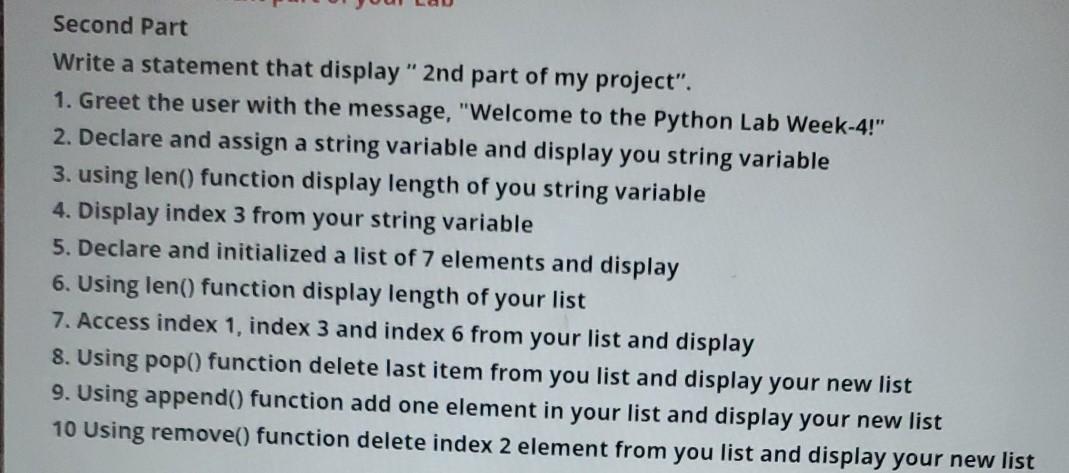
1.Greet the user with the message, "Welcome to the Python Lab!" 2. Display"week-4 project" 3. Ask the user: "What is the width of your first rectangle?" 4. Ask the user: "What is the length of your first rectangle?" 5. Calculate the area of the first rectangle and Display your output 6.Area of the first rectangle is : 35 sq cm. (it is sample output) 7. Ask the user: "What is the width of your second rectangle?" 8. Ask the user: "What is the length of your second rectangle?" 9.Area of the second rectangle is: 56 sq cm. (it is sample output) 10.Tell the user to enjoy Calculating area! Second Part Write a statement that display" 2nd part of my project". 1. Greet the user with the message, "Welcome to the Python Lab Week-4!" 2. Declare and assign a string variable and display you string variable 3. using len() function display length of you string variable 4. Display index 3 from your string variable 5. Declare and initialized a list of 7 elements and display 6. Using len() function display length of your list 7. Access index 1, index 3 and index 6 from your list and display 8. Using pop() function delete last item from you list and display your new list 9. Using append() function add one element in your list and display your new list 10 Using remove() function delete index 2 element from you list and display your new list
Step by Step Solution
There are 3 Steps involved in it

Get step-by-step solutions from verified subject matter experts
 Study Help