







Question: Intro to python language python 9:09 PM @ 33% ..1 T-Mobile Done 9 of 13 r.com cor W /HW4preview-10576239 Down Page 05 0 - 2
 language python
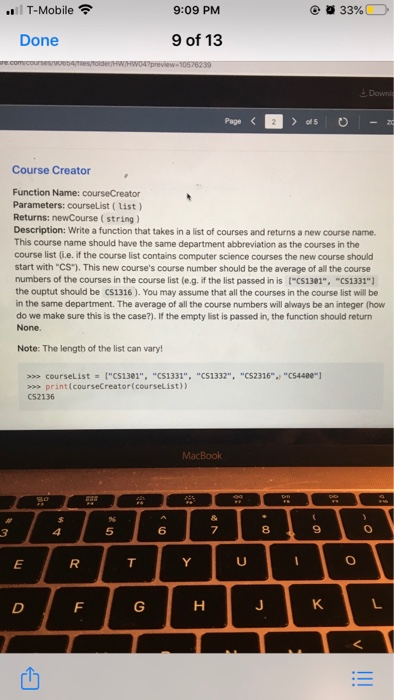
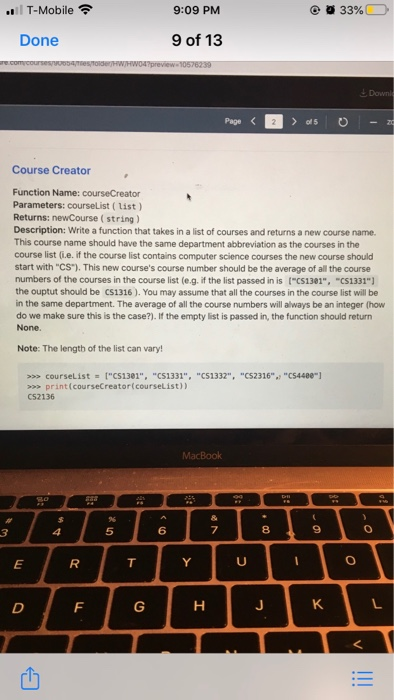
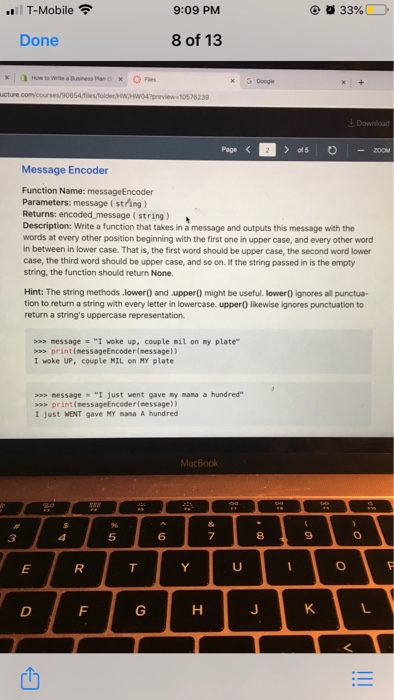
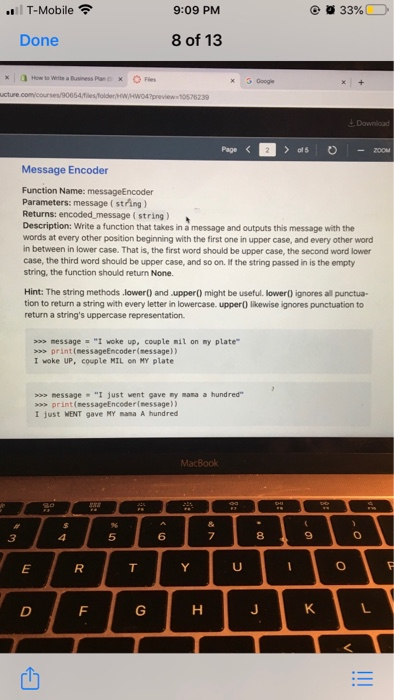
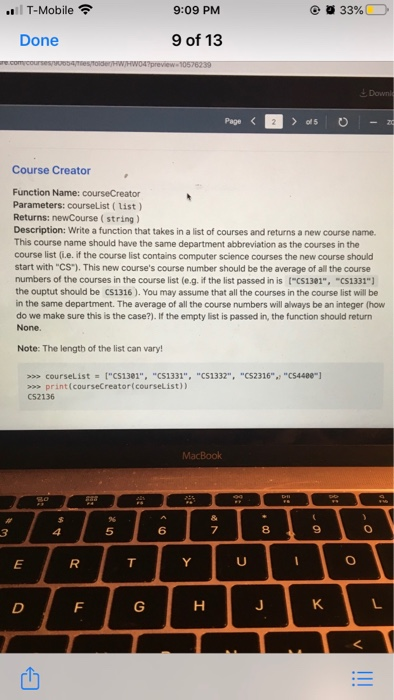
9:09 PM @ 33% ..1 T-Mobile Done 9 of 13 r.com cor W /HW4preview-10576239 Down Page 05 0 - 2 Course Creator Function Name: courseCreator Parameters: courseList (list) Returns: newCourse (string) Description: Write a function that takes in a list of courses and returns a new course name. This course name should have the same department abbreviation as the courses in the course list (ie, if the course list contains computer science courses the new course should start with "CS"). This new course's course number should be the average of all the course numbers of the courses in the course list (e.g. if the list passed in is ("C51301", "C51331"] the ouptut should be 051316). You may assume that all the courses in the course list will be in the same department. The average of all the course numbers will always be an integer (how do we make sure this is the case?). If the empty list is passed in the function should return None. Note: The length of the list can vary! >>> courseList = ["C51301", "C51331", "C51332", "C52316",, "C54480" >>> print(courseCreator courselist)) C52136 MacBook E FoHk14 9:09 PM @ 33% ..1 T-Mobile Done 9 of 13 r.com cor W /HW4preview-10576239 Down Page 05 0 - 2 Course Creator Function Name: courseCreator Parameters: courseList (list) Returns: newCourse (string) Description: Write a function that takes in a list of courses and returns a new course name. This course name should have the same department abbreviation as the courses in the course list (ie, if the course list contains computer science courses the new course should start with "CS"). This new course's course number should be the average of all the course numbers of the courses in the course list (e.g. if the list passed in is ("C51301", "C51331"] the ouptut should be 051316). You may assume that all the courses in the course list will be in the same department. The average of all the course numbers will always be an integer (how do we make sure this is the case?). If the empty list is passed in the function should return None. Note: The length of the list can vary! >>> courseList = ["C51301", "C51331", "C51332", "C52316",, "C54480" >>> print(courseCreator courselist)) C52136 MacBook E FoHk14 9:09 PM @ 33% ..T-Mobile Done 8 of 13 How to Write a Business Plan Fies X 5 Google ucture.com/courses/90654/ folderWHW04 preview10526239 Download - 2000 Pago as o Message Encoder Function Name: messageEncoder Parameters: message (string) Returns: encodedmessage(string) Description: Write a function that takes in a message and outputs this message with the words at every other position beginning with the first one in upper case, and every other word in between in lower case. That is, the first word should be upper case, the second word lower case, the third word should be upper case, and so on. If the string passed in is the empty string, the function should return None. Hint: The string methods lower) and upper() might be useful lower ignores all punctua- tion to return a string with every letter in lowercase. upper likewise ignores punctuation to return a string's uppercase representation >>> message = "I woke up. couple mil on my plate" >>>print(messageEncoder message)) I woke UP, couple MIL on MY plate >>> message "I just went gave my mana a hundred >>>print(messageEncoder (message)) I just WENT gave NY nama A hundred MacBook 10 2 9:09 PM @ 33% ..T-Mobile Done 8 of 13 How to Write a Business Plan Fies X 5 Google ucture.com/courses/90654/ folderWHW04 preview10526239 Download - 2000 Pago as o Message Encoder Function Name: messageEncoder Parameters: message (string) Returns: encodedmessage(string) Description: Write a function that takes in a message and outputs this message with the words at every other position beginning with the first one in upper case, and every other word in between in lower case. That is, the first word should be upper case, the second word lower case, the third word should be upper case, and so on. If the string passed in is the empty string, the function should return None. Hint: The string methods lower) and upper() might be useful lower ignores all punctua- tion to return a string with every letter in lowercase. upper likewise ignores punctuation to return a string's uppercase representation >>> message = "I woke up. couple mil on my plate" >>>print(messageEncoder message)) I woke UP, couple MIL on MY plate >>> message "I just went gave my mana a hundred >>>print(messageEncoder (message)) I just WENT gave NY nama A hundred MacBook 10 2 9:09 PM @ 33% ..1 T-Mobile Done 9 of 13 r.com cor W /HW4preview-10576239 Down Page 05 0 - 2 Course Creator Function Name: courseCreator Parameters: courseList (list) Returns: newCourse (string) Description: Write a function that takes in a list of courses and returns a new course name. This course name should have the same department abbreviation as the courses in the course list (ie, if the course list contains computer science courses the new course should start with "CS"). This new course's course number should be the average of all the course numbers of the courses in the course list (e.g. if the list passed in is ("C51301", "C51331"] the ouptut should be 051316). You may assume that all the courses in the course list will be in the same department. The average of all the course numbers will always be an integer (how do we make sure this is the case?). If the empty list is passed in the function should return None. Note: The length of the list can vary! >>> courseList = ["C51301", "C51331", "C51332", "C52316",, "C54480" >>> print(courseCreator courselist)) C52136 MacBook E FoHk14
Step by Step Solution
There are 3 Steps involved in it

Get step-by-step solutions from verified subject matter experts
 Study Help