







Question: Introduction For this lab, you will demonstrate your ability to subnet a network, configure the network adaptor of a PC , configure a VLAN on
Introduction
For this lab, you will demonstrate your ability to subnet a network, configure the network adaptor of a PC configure a VLAN on a Cisco switch, and document a network using Microsoft Visio or similar application.
Create Subnets
Create four subnets, one for each department, from the IP address Create a table like the one below and upload it to the lab submission link. Review the Chapter slides if necessary.
tableManagement,Accounting,Marketing,OperationsNetwork Address,First IP Address,Second IP Address,Broadcast Address,Subnet Mask,VLAN
Configure PCs
Open Cisco Packet Tracer and add four PCs to the workspace. Configure the IP address, subnet mask, and gateway for each. Review the Cisco Switch VLAN Configuration Lab found in Chapter if necessary.
Configure VLANs
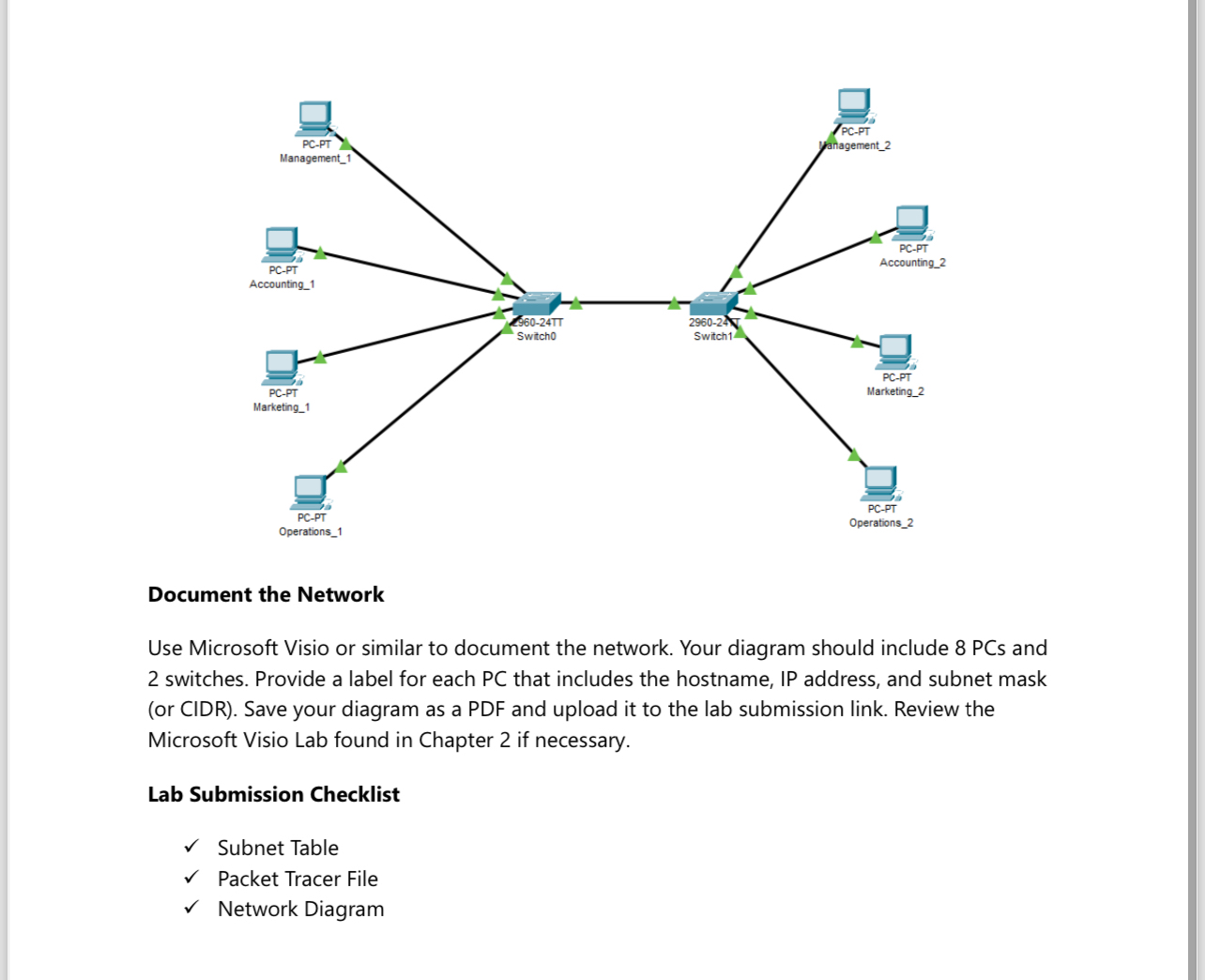
Configure VLANs, one for each department, and one trunk port on each switch. Connect the trunk ports, one configured on each switch, together. Connect one PC from each department to the corresponding VLAN on each switch. Each switch should have a PC for Management, Accounting, Marketing, and Operations. See the example below. Review the Cisco Switch VLAN Configuration Lab found in Chapter if necessary. Save and upload your Packet Tracer file to the lab submission link.
Document the Network
Use Microsoft Visio or similar to document the network. Your diagram should include PCs and switches. Provide a label for each PC that includes the hostname, IP address, and subnet mask or CIDR Save your diagram as a PDF and upload it to the lab submission link. Review the Microsoft Visio Lab found in Chapter if necessary.
Lab Submission Checklist
Subnet Table
Packet Tracer File
Network Diagram
Step by Step Solution
There are 3 Steps involved in it
1 Expert Approved Answer
Step: 1 Unlock

Question Has Been Solved by an Expert!
Get step-by-step solutions from verified subject matter experts
Step: 2 Unlock
Step: 3 Unlock
 Study Help