







Question: Introduction: This lab provides an introduction to the basic networking commands and the configurations of DHCP service and wireless service on a Home Router. Objectives:
Introduction: This lab provides an introduction to the basic networking commands and the
configurations of DHCP service and wireless service on a Home Router.
Objectives:
To get familiar with the basic networking commands.
To get familiar with router configurations.
Equipment Required:
PC
Home Router.
Smart phone.
Straight through network cables.
A Network
Address
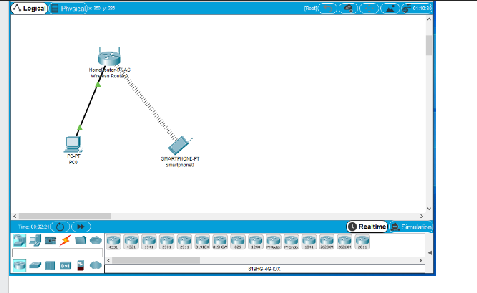
Start Packet Tracer log in if asked to do so and drag a PC Home Router and a Smart phone to
the workspace
Connect the PC to one of the four LAN ports of the Home Router with a straight network cable. Fivaran
Step by Step Solution
There are 3 Steps involved in it
1 Expert Approved Answer
Step: 1 Unlock

Question Has Been Solved by an Expert!
Get step-by-step solutions from verified subject matter experts
Step: 2 Unlock
Step: 3 Unlock
 Study Help