







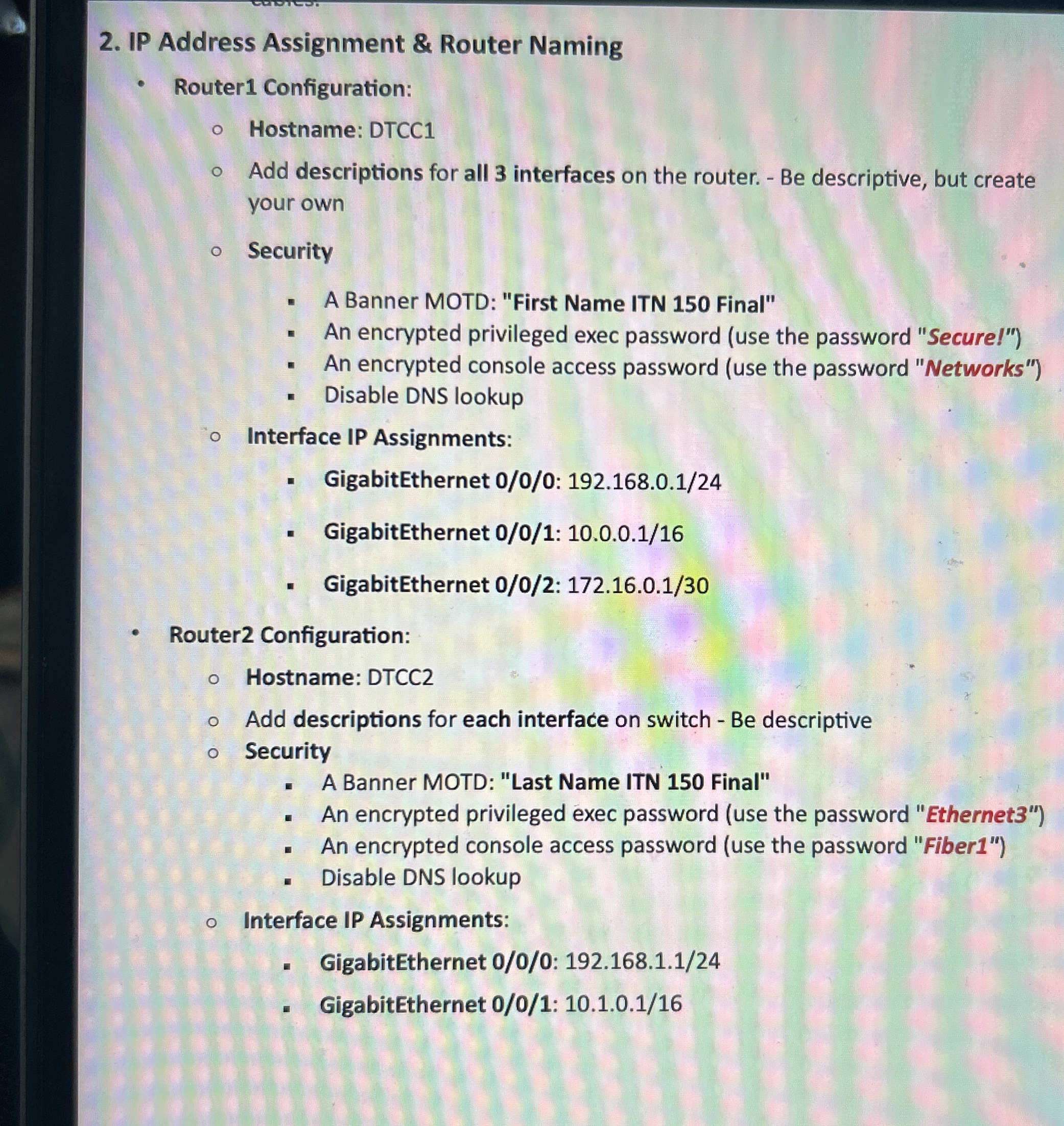
Question: IP Address Assignment & Router Naming Router 1 Configuration: Hostname: DTCC 1 Add descriptions for all 3 interfaces on the router. - Be descriptive, but
IP Address Assignment & Router Naming
Router Configuration:
Hostname: DTCC
Add descriptions for all interfaces on the router. Be descriptive, but create your own
Security
A Banner MOTD: "First Name ITN Final"
An encrypted privileged exec password use the password "Secure!"
An encrypted console access password use the password "Networks"
Disable DNS lookup
Interface IP Assignments:
GigabitEthernet :
GigabitEthernet :
GigabitEthernet :
Router Configuration:
Hostname: DTCC
Add descriptions for each interface on switch Be descriptive
Security
A Banner MOTD: "Last Name ITN Final"
An encrypted privileged exec password use the password "Ethernet
An encrypted console access password use the password "Fiber
Disable DNS lookup
Interface IP Assignments:
GigabitEthernet :
GigabitEthernet :
Gigabit Ethernet :
Step by Step Solution
There are 3 Steps involved in it
1 Expert Approved Answer
Step: 1 Unlock

Question Has Been Solved by an Expert!
Get step-by-step solutions from verified subject matter experts
Step: 2 Unlock
Step: 3 Unlock
 Study Help