







Question: It is in python 3.6 can you put exaxtly as is in zybooks plese, thank you. 5.21 Extend previous LAB (Maximum and minimum) Instructor note:
It is in python 3.6 can you put exaxtly as is in zybooks plese, thank you.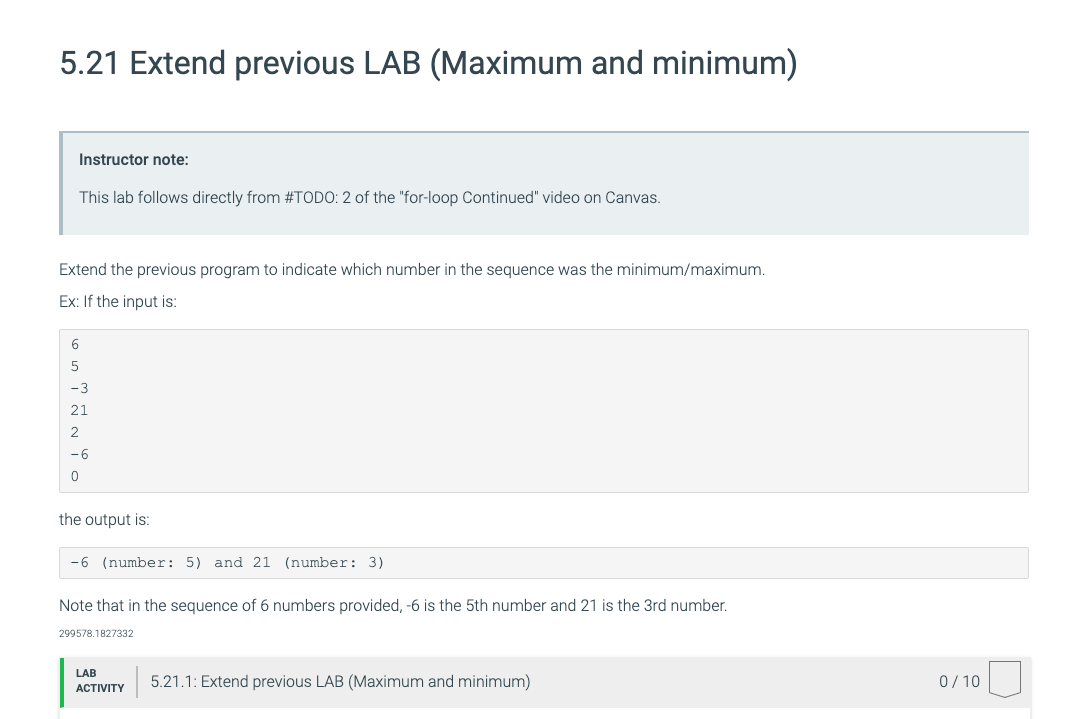
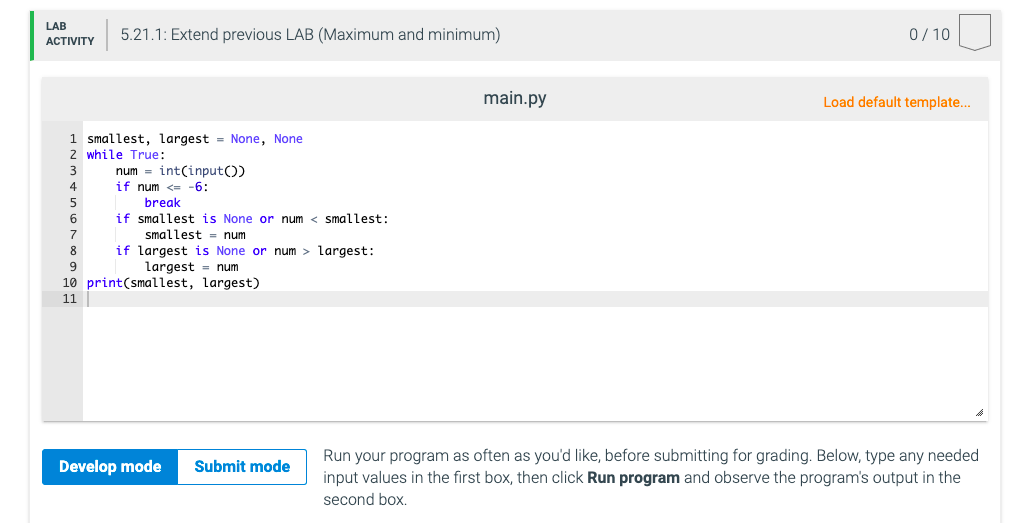
5.21 Extend previous LAB (Maximum and minimum) Instructor note: This lab follows directly from #TODO: 2 of the "for-loop Continued" video on Canvas. Extend the previous program to indicate which number in the sequence was the minimum/maximum. Ex: If the input is: 6 5 -3 21 2 -6 0 the output is: -6 (number: 5) and 21 (number: 3) Note that in the sequence of 6 numbers provided, -6 is the 5th number and 21 is the 3rd number. 299578.1827332 LAB ACTIVITY 5.21.1: Extend previous LAB (Maximum and minimum) 0/10 LAB ACTIVITY 5.21.1: Extend previous LAB (Maximum and minimum) 0/10 main.py Load default template... 1 smallest, largest = None, None 2 while True: num = int(input) if num largest: 9 largest = num 10 print(smallest, largest) 11 Develop mode Submit mode Run your program often as you'd like, before submitting for grading. Below, type any needed input values in the first box, then click Run program and observe the program's output in the second box
Step by Step Solution
There are 3 Steps involved in it

Get step-by-step solutions from verified subject matter experts
 Study Help