



Question: NEED HELP ASAP!! the first and last picture explains how to do it but i not able to figure it out Using the string commands
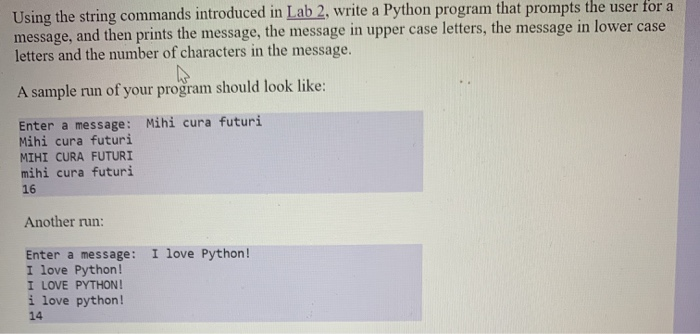
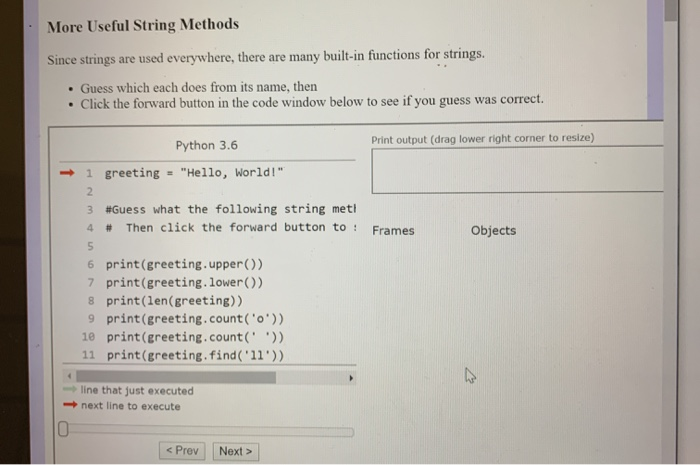
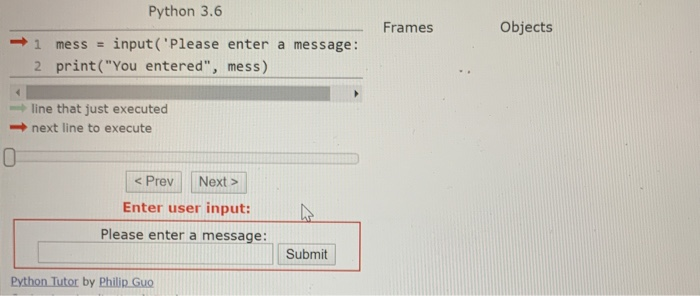
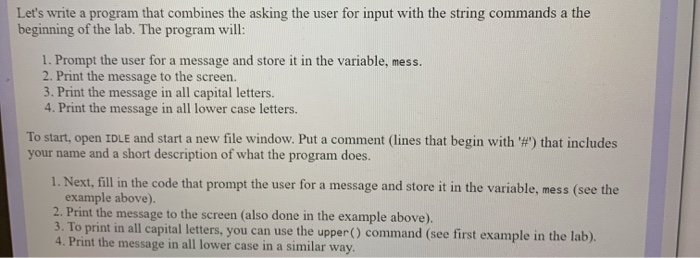
Using the string commands introduced in Lab 2, write a Python program that prompts the user for a message, and then prints the message, the message in upper case letters, the message in lower case letters and the number of characters in the message. A sample run of your program should look like: Enter a message: Mihi cura futuri Mihi cura futuri MIHI CURA FUTURI mihi cura futuri 16 Another run: I love Python! Enter a message: I love Python! I LOVE PYTHON! i love python! 14 More Useful String Methods Since strings are used everywhere, there are many built-in functions for strings. . Guess which each does from its name, then . Click the forward button in the code window below to see if you guess was correct. Print output (drag lower right corner to resize) Python 3.6 1 greeting = "Hello, World!" 3 #Guess what the following string meti 4 # Then click the forward button to : Frames Objects 6 print(greeting.upper() 7 print(greeting.lower() 8 print(len(greeting)) 9 print(greeting.count('0')) 10 print(greeting.count(' ')) 11 print (greeting.find('11')) line that just executed next line to execute Python 3.6 Frames Objects 1 mess = input('Please enter a message: 2 print("You entered", mess) line that just executed next line to execute Enter user input: Please enter a message: Submit Python Tutor by Philip Guo Let's write a program that combines the asking the user for input with the string commands a the beginning of the lab. The program will: 1. Prompt the user for a message and store it in the variable, mess. 2. Print the message to the screen. 3. Print the message in all capital letters. 4. Print the message in all lower case letters. To start, open IDLE and start a new file window. Put a comment lines that begin with '') that includes your name and a short description of what the program does. 1. Next, fill in the code that prompt the user for a message and store it in the variable, mess (see the example above). 2. Print the message to the screen (also done in the example above). 3. To print in all capital letters, you can use the upper() command (see first example in the lab). 4. Print the message in all lower case in a similar way
Step by Step Solution
There are 3 Steps involved in it

Get step-by-step solutions from verified subject matter experts