







Question: It's required in Visual Studio using WPF Adopt a Dog from our Kennel Objective of this WPF Windows App. Expand your knowledge on reading data
It's required in Visual Studio using WPF
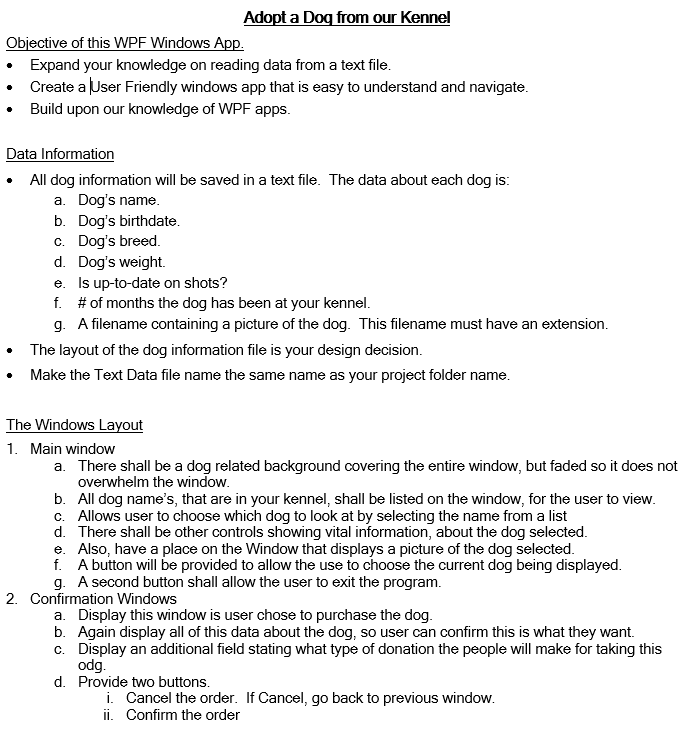
Adopt a Dog from our Kennel Objective of this WPF Windows App. Expand your knowledge on reading data from a text file. Create a User Friendly windows app that is easy to understand and navigate. Build upon our knowledge of WPF apps. Data Information All dog information will be saved in a text file. The data about each dog is: a. Dog's name. b. Dog's birthdate. c. Dog's breed. d. Dog's weight. e. Is up-to-date on shots? f. # of months the dog has been at your kennel. g. A filename containing a picture of the dog. This filename must have an extension. The layout of the dog information file is your design decision. Make the Text Data file name the same name as your project folder name. The Windows Layout 1. Main window a. There shall be a dog related background covering the entire window, but faded so it does not overwhelm the window. b. All dog name's, that are in your kennel, shall be listed on the window, for the user to view. C. Allows user to choose which dog to look at by selecting the name from a list d. There shall be other controls showing vital information, about the dog selected. e. Also, have a place on the Window that displays a picture of the dog selected. f. A button will be provided to allow the use to choose the current dog being displayed. g. A second button shall allow the user to exit the program. 2. Confirmation Windows a. Display this window is user chose to purchase the dog. b. Again display all of this data about the dog, so user can confirm this is what they want. c. Display an additional field stating what type of donation the people will make for taking this odg. d. Provide two buttons. i. Cancel the order. If Cancel, go back to previous window. ii. Confirm the order Adopt a Dog from our Kennel Objective of this WPF Windows App. Expand your knowledge on reading data from a text file. Create a User Friendly windows app that is easy to understand and navigate. Build upon our knowledge of WPF apps. Data Information All dog information will be saved in a text file. The data about each dog is: a. Dog's name. b. Dog's birthdate. c. Dog's breed. d. Dog's weight. e. Is up-to-date on shots? f. # of months the dog has been at your kennel. g. A filename containing a picture of the dog. This filename must have an extension. The layout of the dog information file is your design decision. Make the Text Data file name the same name as your project folder name. The Windows Layout 1. Main window a. There shall be a dog related background covering the entire window, but faded so it does not overwhelm the window. b. All dog name's, that are in your kennel, shall be listed on the window, for the user to view. C. Allows user to choose which dog to look at by selecting the name from a list d. There shall be other controls showing vital information, about the dog selected. e. Also, have a place on the Window that displays a picture of the dog selected. f. A button will be provided to allow the use to choose the current dog being displayed. g. A second button shall allow the user to exit the program. 2. Confirmation Windows a. Display this window is user chose to purchase the dog. b. Again display all of this data about the dog, so user can confirm this is what they want. c. Display an additional field stating what type of donation the people will make for taking this odg. d. Provide two buttons. i. Cancel the order. If Cancel, go back to previous window. ii. Confirm the order
Step by Step Solution
There are 3 Steps involved in it

Get step-by-step solutions from verified subject matter experts
 Study Help