







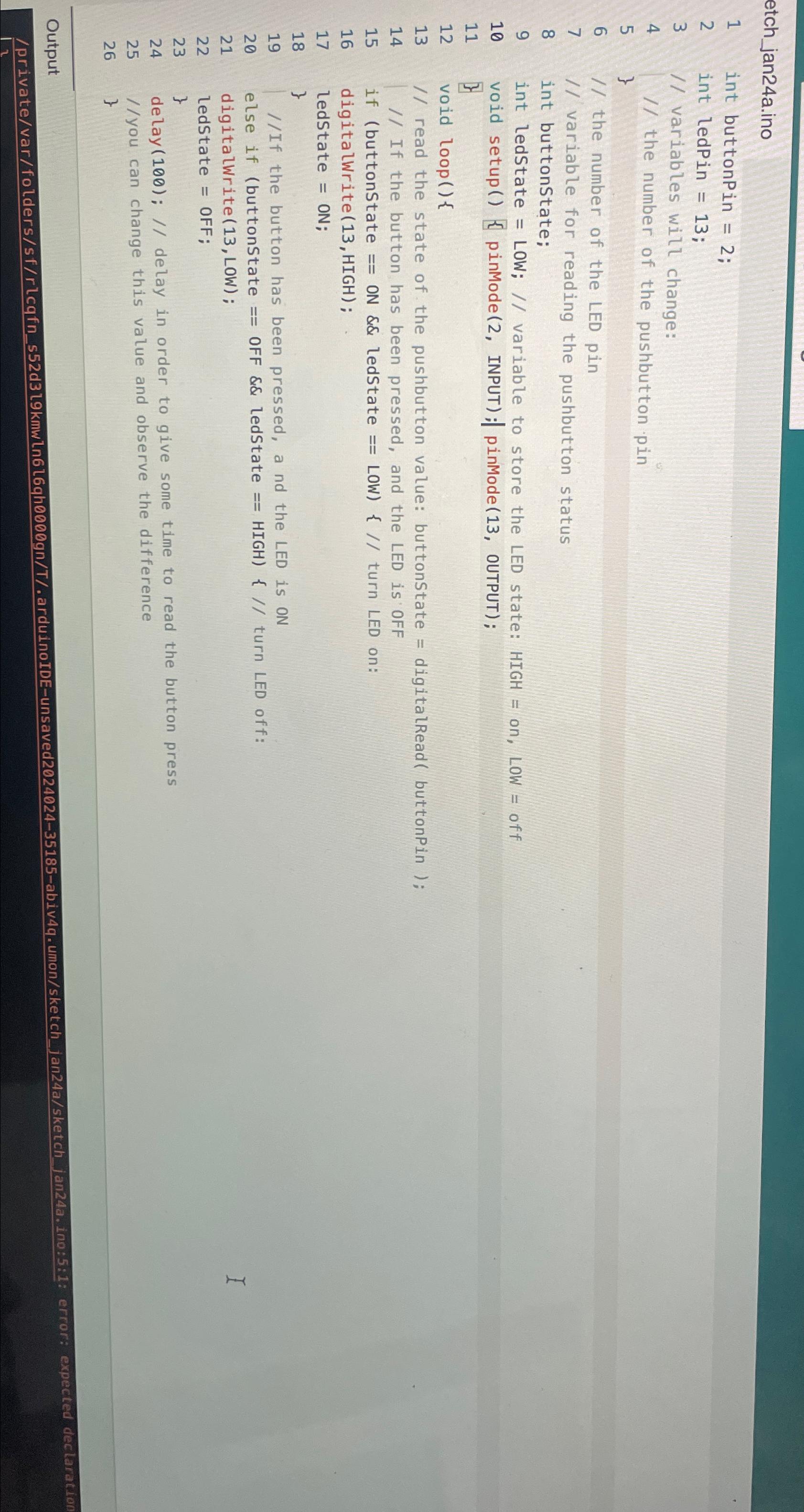
Question: jan 2 4 a . ino int buttonPin = 2 ; int ledPin = 1 3 ; / / variables will change: / / the
janaino
int buttonPin ;
int ledPin ;
variables will change:
the number of the pushbutton pin
the number of the LED pin
variable for reading the pushbutton status
int buttonstate;
int ledState LOW; variable to store the LED state: HIGH on LOW off
void setup pinMode INPUT; pinMode OUTPUT;
void
read the state of the pushbutton value: buttonState digitalRead buttonPin ;
If the button has been pressed, and the LED is OFF
if buttonstate ON && ledState LOW turn LED on:
digitalWriteHIGH ;
ledState ON;
If the button has been pressed, a nd the LED is ON
else if buttonstate OFF & ledState HIGH turn LED off:
digitalWrite LOW ;
ledState OFF ;
delay; delay in order to give some time to read the button press
you can change this value and observe the difference
Output
privatevarfolderssfrlcqfndlkmwlnlqhgnTarduinoIDEunsavedabivqumonsketchjanasketchjana ino::: error: expected declaration
Step by Step Solution
There are 3 Steps involved in it
1 Expert Approved Answer
Step: 1 Unlock

Question Has Been Solved by an Expert!
Get step-by-step solutions from verified subject matter experts
Step: 2 Unlock
Step: 3 Unlock
 Study Help