Question: java (AdjustPanel.java) WExercise 2: (2 points) Java Project: _LABO6_Television Objective: To learn how to create simple containers: JFrame and JPanel, and create JComponents and put

java
java (AdjustPanel.java) WExercise 2: (2 points) Java Project: _LABO6_Television Objective: To learn

(AdjustPanel.java)

how to create simple containers: JFrame and JPanel, and create JComponents and

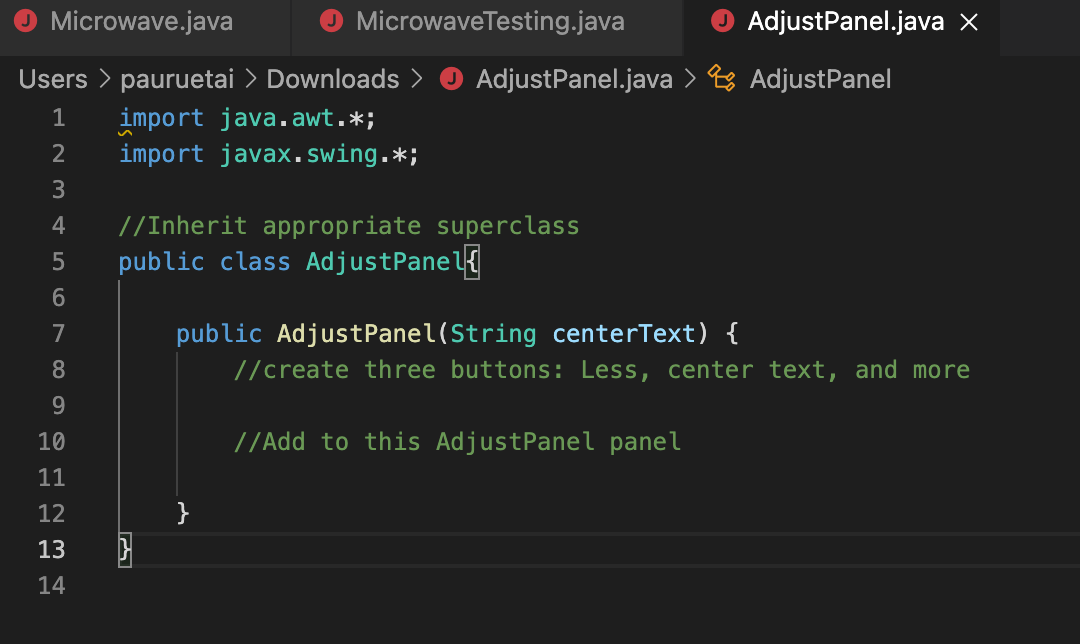
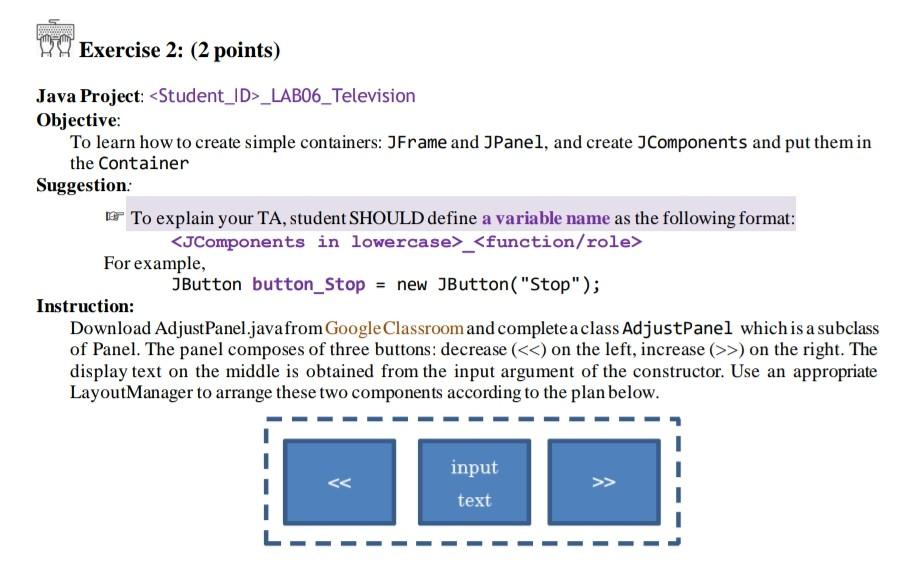
WExercise 2: (2 points) Java Project: _LABO6_Television Objective: To learn how to create simple containers: JFrame and JPanel, and create JComponents and put them in the Container Suggestion: To explain your TA, student SHOULD define a variable name as the following format: _ For example, JButton button_Stop = new JButton("Stop"); Instruction: Download Adjust Panel.javafrom Google Classroom and complete a class AdjustPanel which is a subclass of Panel. The panel composes of three buttons: decrease (>) on the right. The display text on the middle is obtained from the input argument of the constructor. Use an appropriate LayoutManager to arrange these two components according to the plan below. input text Microwave.java MicrowaveTesting.java AdjustPanel.java x Users > pauruetai > Downloads > AdjustPanel.java > Pro AdjustPanel import java.awt.*; 2 import javax.swing.*; 1 3 4 //Inherit appropriate superclass public class AdjustPanel 5 6 7 public AdjustPanel(String centerText) { //create three buttons: Less, center text, and more 8 9 //Add to this AdjustPanel panel 10 11 12 } 13 } 14

Step by Step Solution

There are 3 Steps involved in it

1 Expert Approved Answer
Step: 1 Unlock blur-text-image
Question Has Been Solved by an Expert!

Get step-by-step solutions from verified subject matter experts

Step: 2 Unlock
Step: 3 Unlock

Students Have Also Explored These Related Databases Questions!