Question: java (ControlPanel.java) Anton Exercise 3: (2 points) Java Project: _LABO6_ Television Objective: To learn how to create simple containers: JFrame and JPanel, and create JComponents

java
java (ControlPanel.java) Anton Exercise 3: (2 points) Java Project: _LABO6_ Television Objective:

(ControlPanel.java)

To learn how to create simple containers: JFrame and JPanel, and create

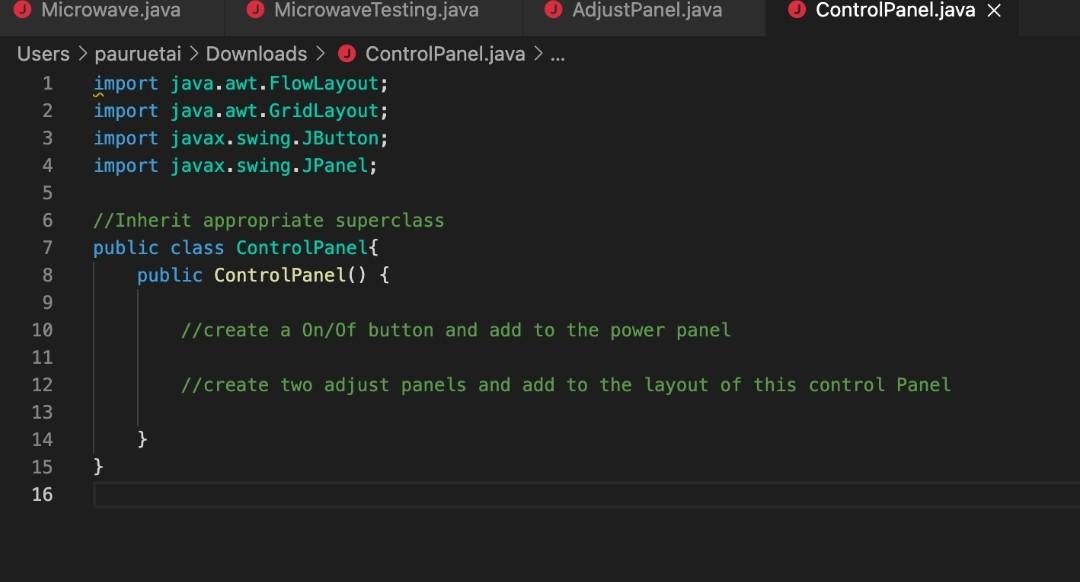
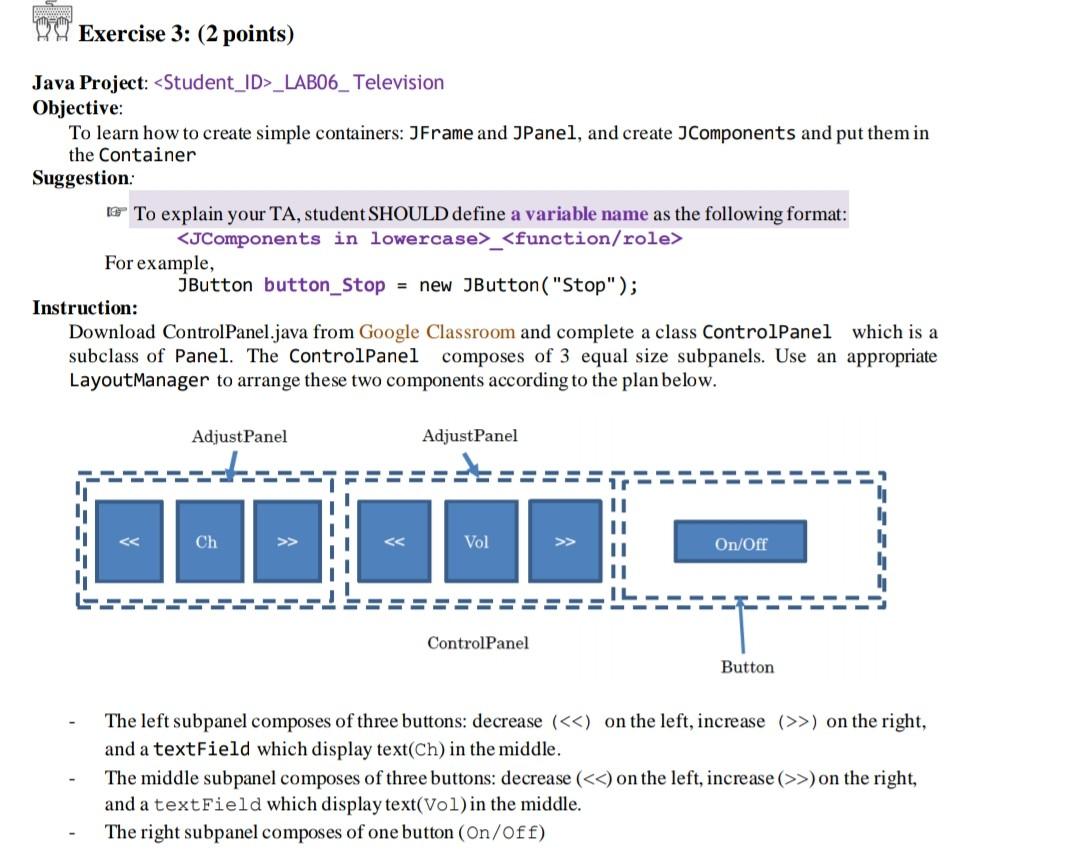
Anton Exercise 3: (2 points) Java Project: _LABO6_ Television Objective: To learn how to create simple containers: JFrame and JPanel, and create JComponents and put them in the Container Suggestion: To explain your TA, student SHOULD define a variable name as the following format: _ For example, JButton button_Stop = new JButton("Stop"); Instruction: Download Control Panel.java from Google Classroom and complete a class Controlpanel which is a subclass of Panel. The Controlpanel composes of 3 equal size subpanels. Use an appropriate LayoutManager to arrange these two components according to the plan below. Adjust Panel Adjust Panel Ch >> Vol On/Off Control Panel Button The left subpanel composes of three buttons: decrease (>) on the right, and a textField which display text(Ch) in the middle. The middle subpanel composes of three buttons: decrease (>) on the right, and a textField which display text(Vol)in the middle. The right subpanel composes of one button (On/Off) Microwave.java Microwave Testing.java AdjustPanel.java Controlpanel.java X Users > pauruetai > Downloads > Controlpanel.java > 1 import java.awt. FlowLayout; 2 import java.awt.GridLayout; 3 import javax.swing.JButton; 4 import javax.swing.JPanel; 5 6 //Inherit appropriate superclass 7 public class ControlPanel{ 8 public Control Panel() { 9 10 // create a On/Of button and add to the power panel 11 12 //create two adjust panels and add to the layout of this control Panel 13 14 } 15 } 16

Step by Step Solution

There are 3 Steps involved in it

1 Expert Approved Answer
Step: 1 Unlock blur-text-image
Question Has Been Solved by an Expert!

Get step-by-step solutions from verified subject matter experts

Step: 2 Unlock
Step: 3 Unlock

Students Have Also Explored These Related Databases Questions!