







Question: Java. almost done, just need to fix something to make the output not having the space after the number in each line. Print numbers 0,
Java. almost done, just need to fix something to make the output not having the space after the number in each line.
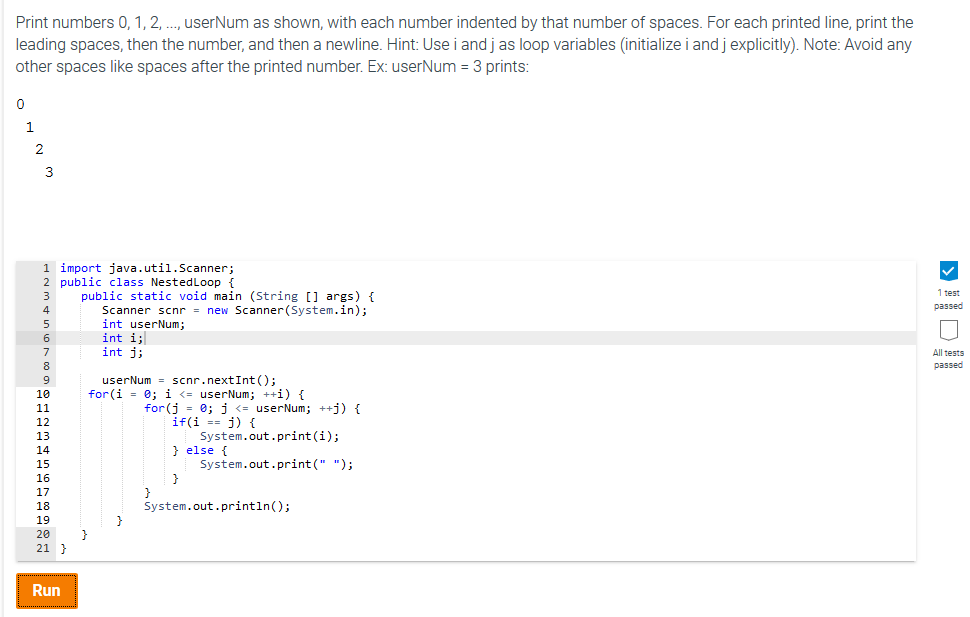
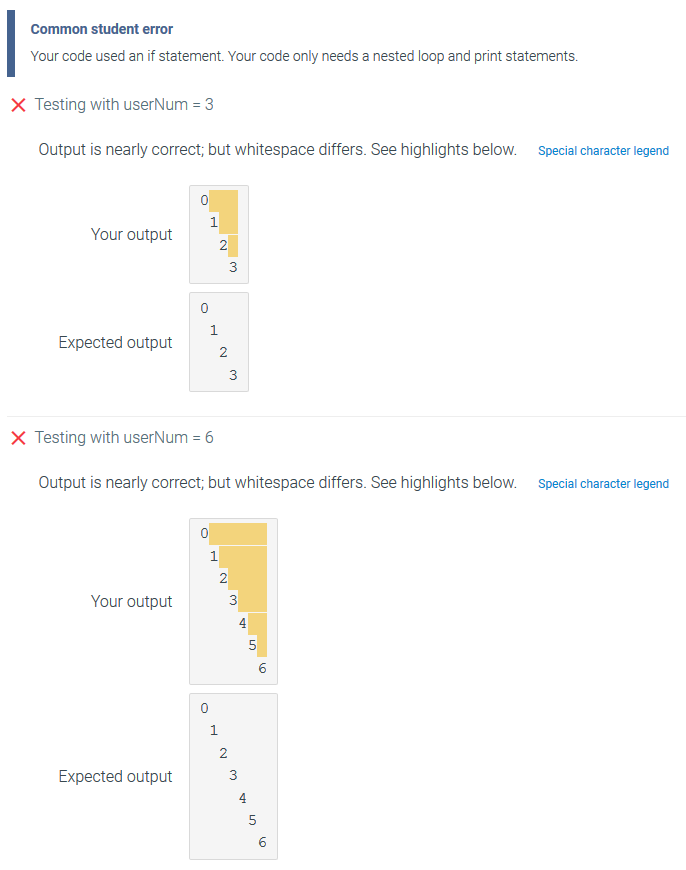
Print numbers 0, 1, 2, ..., userNum as shown, with each number indented by that number of spaces. For each printed line, print the leading spaces, then the number, and then a newline. Hint: Use i and j as loop variables (initialize i and j explicitly). Note: Avoid any other spaces like spaces after the printed number. Ex: userNum = 3 prints:
0 1 2 3
import java.util.Scanner; public class NestedLoop { public static void main (String [] args) { Scanner scnr = new Scanner(System.in); int userNum; int i; int j;
userNum = scnr.nextInt(); for(i = 0; i
Print numbers 0,1, 2, .., userNum as shown, with each number indented by that number of spaces. For each printed line, print the leading spaces, then the number, and then a newline. Hint: Use i and j as loop variables (initialize i and j explicitly). Note: Avoid any other spaces like spaces after the printed number. Ex: userNum 3 prints 0 2 1 import java.util.Scanner; 2 public class NestedLoop t 3 public static void main (String [ args) 4 1 test passed Scanner scnr- new Scanner (System.in); int userNum; int i; int j; All tests passed 6 8 9 10 userNum scnr.nextInt(); 12 if(i) f System.out.print(i); else t 14 15 16 17 18 19 20 21 System.out.print(" "); System.out.println); Run Common student error Your code used an if statement. Your code only needs a nested loop and print statements. X Testing with userNum 3 Output is nearly correct, but whitespace differs. See highlights below. Special character legend 1 Your output 3 Expected output 2 3 Testing with user um-6 Output is nearly correct, but whitespace differs. See highlights below. Special character legend 1 2 Your output 3 2 Expected output 3
Step by Step Solution
There are 3 Steps involved in it

Get step-by-step solutions from verified subject matter experts
 Study Help