Question: JAVA: can you explain how the following compareTo method works (included the main for reference) and explain why the -1 is needed in the else
JAVA: can you explain how the following compareTo method works (included the main for reference) and explain why the -1 is needed in the else if statement
-------
public class Animal implements Comparable { private String name; private String kind; private double age; public Animal(String animalName, String animalKind, double animalAge) { this.name = animalName; this.kind = animalKind; this.age = animalAge; } public String printInfo() { if (age > 1) return String.format("%-10s%.1f years \t %-10s", kind, age, name); else { age = 12 * age; return String.format("%-10s%.1f months \t %-10s", kind, age, name); } } @Override public int compareTo(Animal other) { if(kind.compareTo(other.kind) != 0) return kind.compareTo(other.kind); else if (Double.compare(age, other.age) != 0) return -1 * Double.compare(age, other.age); else return name.compareTo(other.name); } }
--------
package shelterproject;
import java.util.*;
public class Shelter { private String shelterName; private ArrayList animals; public Shelter(String name) { this.shelterName = name; animals = new ArrayList(); } public void addAnimal(Animal a) { animals.add(a); } public void listAnimals() { Collections.sort(animals); System.out.println("Welcome to " + shelterName + " Shelter"); System.out.println("===================================="); System.out.printf("%-10s%-10s \t %-10s ", "Kind", "Age", "Name" ); System.out.println("------------------------------------"); for(Animal a: animals) System.out.println(a.printInfo()); System.out.println("------------------------------------"); }
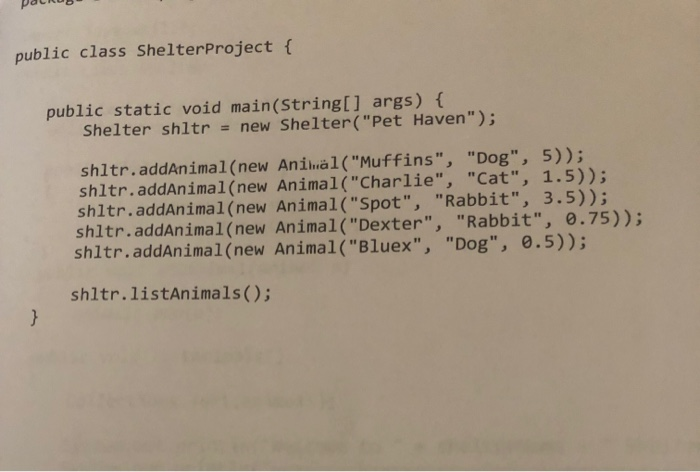
DalRUS public class Shelter Project { public static void main(String[] args) { Shelter shltr = new Shelter("Pet Haven"); shltr.addAnimal(new Animal("Muffins", "Dog", 5)); shltr.addAnimal(new Animal("Charlie", "Cat", 1.5)); shltr.addAnimal(new Animal("Spot", "Rabbit", 3.5)); shltr.addAnimal(new Animal("Dexter", "Rabbit", 0.75)); shltr.addAnimal(new Animal("Bluex", "Dog", 0.5)); shltr.listAnimals()









 Study Help