







Question: JAVA Coding: A circular buffer, circular queue, cyclic buffer or ring buffer is a data structure that uses a single, fixed-size buffer as if it
JAVA Coding:
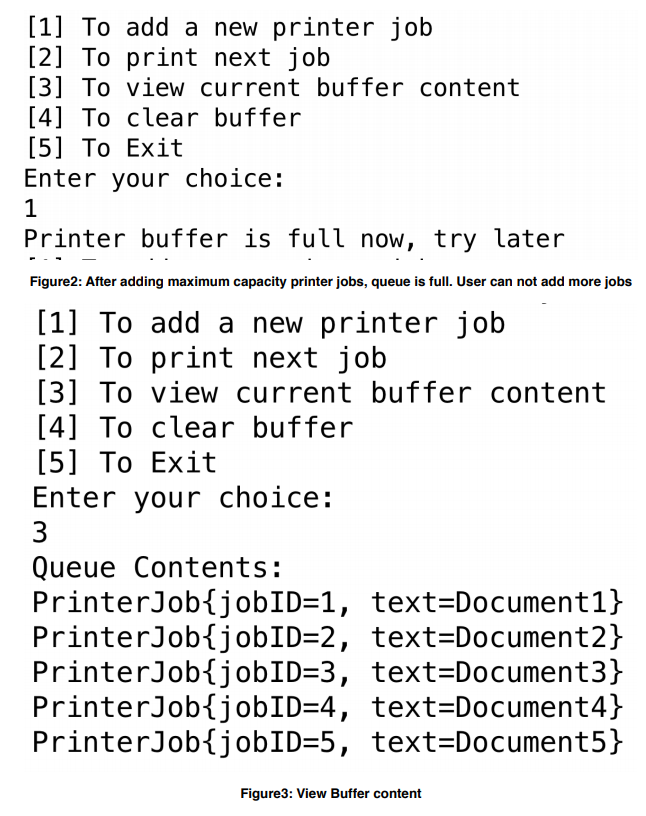
A circular buffer, circular queue, cyclic buffer or ring buffer is a data structure that uses a single, fixed-size buffer as if it were connected end-to-end. This structure lends itself easily to buffering data streams. To read more about it [Click Here] In this assignment you will implement a simulation of a printer buffer that accepts printing jobs. The printer has limited buffer size of maximum 10 jobs. If the printer received any job while its buffer is full, it will reject the job. Printing a job will remove it from the queue. The priority is FIFO, i.e. based on arrival time, first job added to the buffer is the first job to be removed.
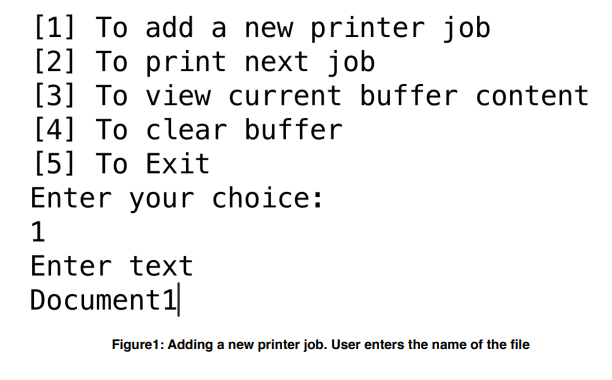
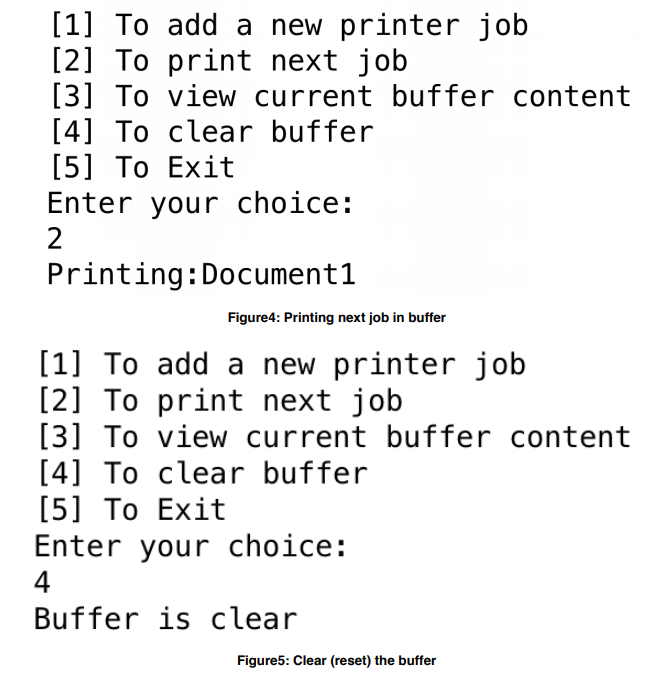
The run of your program should like the following screen shots:
Implementation:
Class PrinterJob: This class represents the printing job. Has two data members:
Job ID: This is an auto-increment field. First object is assigned 1, second is assigned 2, etc. To implement this you will need to use a static data member that serves as an object counter and increment each time a new instance is created.
Job Text: This represents the name of the file
Class CircularBuffer: In this class you will have the implementation to a circular queue similar to the one we discussed in class. The only difference is that this circular buffer has a limited capacity. You dont have to expand it if its full. You will also need to add a method isFull() that returns true of the queue reached maximum capacity.
PrinterTest:This is the class that contains the main function with the menu that appears to the user.
Thank you in advance.
[1] To add a new printer job 21 To print next job [3] To view current buffer content [4] To clear buffer [5] To Exit Enter your choice: Enter text Documentl Figure1: Adding a new printer job. User enters the name of the file [1] To add a new printer job 21 To print next job [3] To view current buffer content [4] To clear buffer [5] To Exit Enter your choice: Enter text Documentl Figure1: Adding a new printer job. User enters the name of the file
Step by Step Solution
There are 3 Steps involved in it

Get step-by-step solutions from verified subject matter experts
 Study Help