







Question: java Create a project named Proj8. In this project, do the following: 1. Create a class named Colorable. 2. Create a class named Circle that
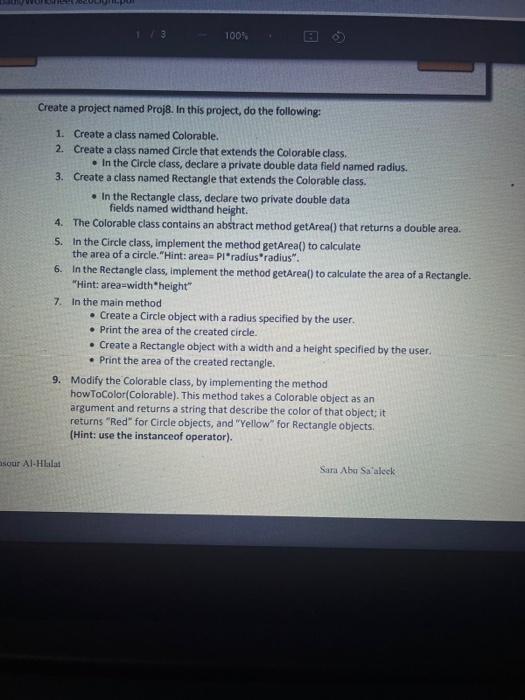
Create a project named Proj8. In this project, do the following: 1. Create a class named Colorable. 2. Create a class named Circle that extends the Colorable class. - In the Circle class, declare a private double data field named radius. 3. Create a class named Rectangle that extends the Colorable class. - In the Rectangle class, declare two private double data fields named widthand height. 4. The Colorable class contains an abstract method getArea() that returns a double area. 5. In the Circle class, implement the method getArea() to calculate the area of a circle. "Hint: area= PI" radius" "radius". 6. In the Rectangle class, implement the method getArea() to calculate the area of a Rectangle. "Hint: area=width" height" 7. In the main method - Create a Circle object with a radius specified by the user. - Print the area of the created circle. - Create a Rectangle object with a width and a height specified by the user. - Print the area of the created rectangle. 9. Modify the Colorable class, by implementing the method howToColor(Colorable). This method takes a Colorable object as an argument and returns a string that describe the color of that object; it returns "Red" for Circle objects, and "Yellow" for Rectangle objects. (Hint: use the instanceof operator). Al-Hlalat Sara Nbu Sa aleck
Step by Step Solution
There are 3 Steps involved in it

Get step-by-step solutions from verified subject matter experts
 Study Help