







Question: java .. E2.10 In the Java library, a color is specified by its red, green, and PeskyMonkeyiStockphoto. blue components between 0 and 255 (see Table
java
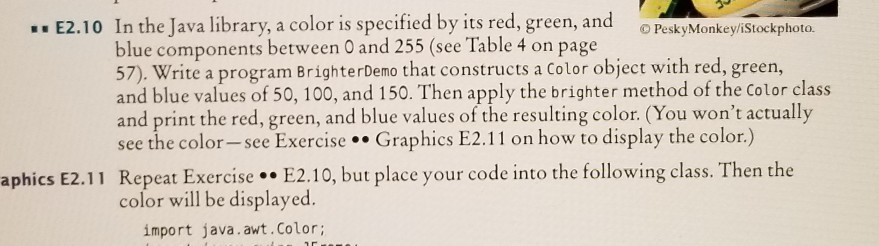
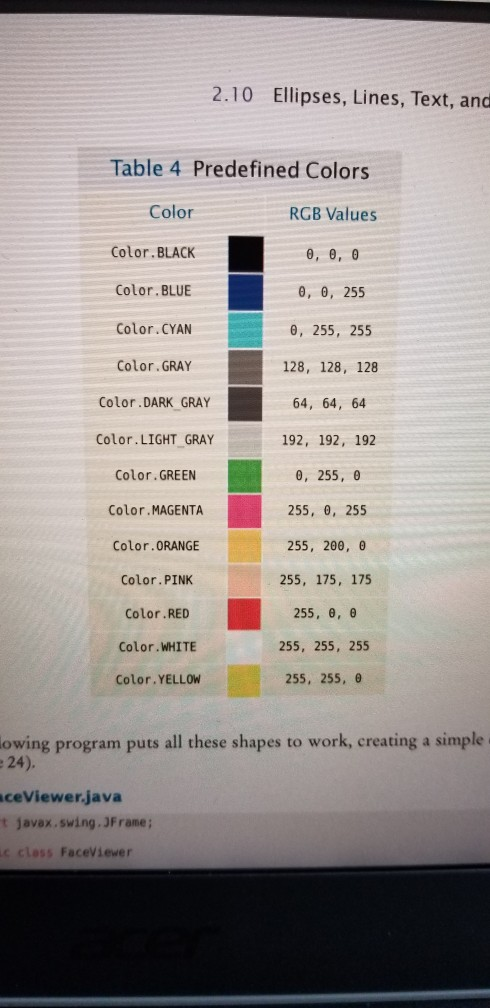
.. E2.10 In the Java library, a color is specified by its red, green, and PeskyMonkeyiStockphoto. blue components between 0 and 255 (see Table 4 on page 57). Write a program BrighterDemo that constructs a Color object with red, green, and blue values of 50, 100, and 150. Then apply the brighter method of the Color class and print the red, green, and blue values of the resulting color. (You won't actually see the color-see Exercise.Graphics E2.11 on how to display the color.) Repeat Exercise .. E2.10, but place your code into the following class. Then the color will be displayed. aphics E2.11 import java.awt.Color; 2.10 Ellipses, Lines, Text, and Table 4 Predefined Colors RGB Values , , , , 255 , 255, 255 128, 128, 128 4, 64, 64 192, 192, 192 8, 255, 255, 0, 255 255, 200, 255, 175,175 255, , 255, 255, 255 255, 255, Color Color.BLACK Color.BLUE Color. CYAN Color.GRAY Color.DARK GRAY Color.LIGHT_GRAY Color. GREEN Color MAGENTA Color.ORANGE Color. PINK Color.RED Color.WHITE Color.YELLOW owing program puts all these shapes to work, creating a simple : 24) ceViewer.java t javax.swing. JFrame c cless Faceviewer
Step by Step Solution
There are 3 Steps involved in it

Get step-by-step solutions from verified subject matter experts
 Study Help