







Question: Java eclipse IDE 1. Create a Java project called Rectangle and a class with the same name inside the project 2. Create a single class
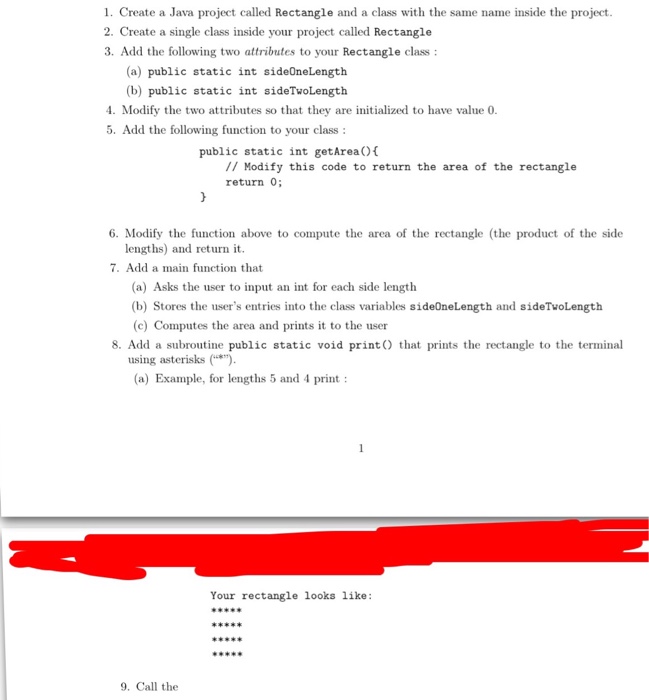
1. Create a Java project called Rectangle and a class with the same name inside the project 2. Create a single class inside your project called Rectangle 3. Add the following two attributes to your Rectangle class: (a) public static int sideOneLength (b) public static int sideTwoLength 4. Modify the two attributes so that they are initialized to have value 0. 5. Add the following function to your class public static int getAreao // Modify this code to return the area of the rectangle return 0; 6. Modify the function above to compute the area of the rectangle (the product of the side lengths) and return it. 7. Add a main function that (a) Asks the user to input an int for each side lenugth (b) Stores the user's entries into the class variables sideOneLength and sideTwoLength (c) Computes the area and prints it to the user 8. Add a subroutine public static void printO that prints the rectangle to the terminal using asterisks() (a) Example, for lengths 5 and 4 print Your rectangle looks like: 9 9. Call the
Step by Step Solution
There are 3 Steps involved in it

Get step-by-step solutions from verified subject matter experts
 Study Help