







Question: java II Complete the security checklist import java.util.*; 1. Finding Arrays Click each array declaration in the above code public class Overflow f static final
java II
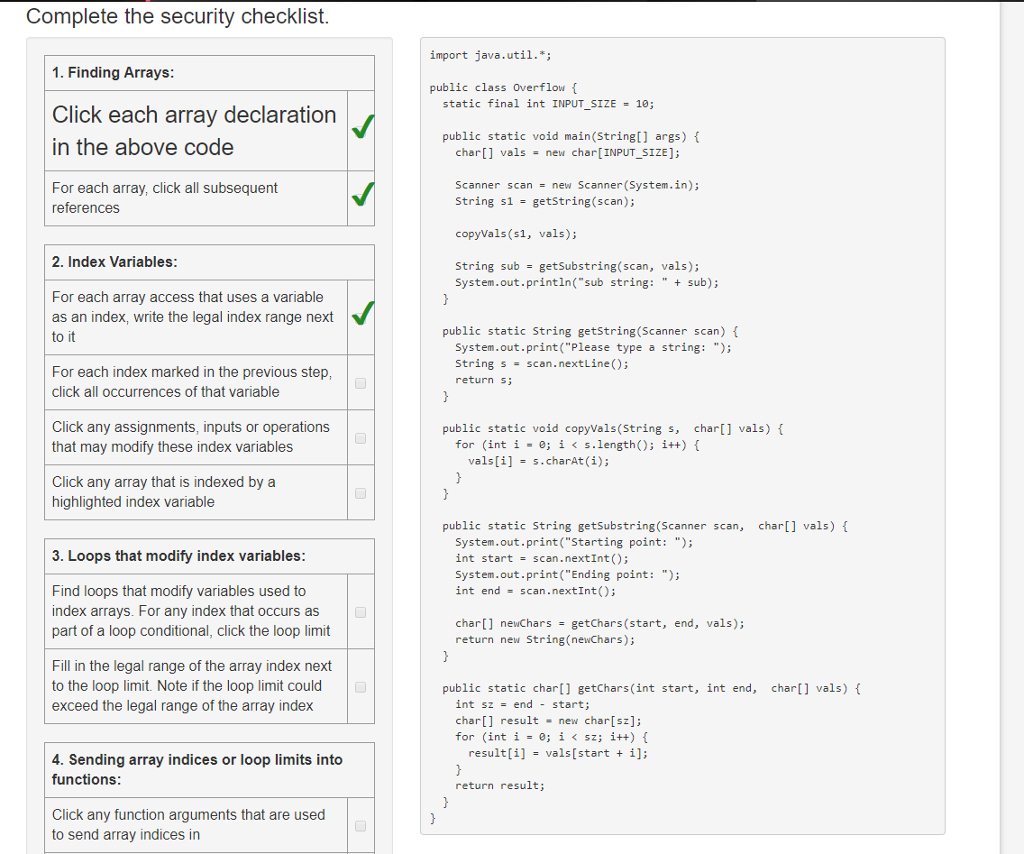
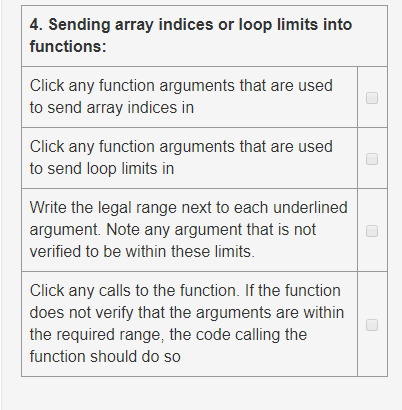
Complete the security checklist import java.util.*; 1. Finding Arrays Click each array declaration in the above code public class Overflow f static final int INPUT SIZE = 10; public static void main(String[] args) f char[] vals new char[INPUT-SIZE]; = Scanner scan = new Scanner(System.in); For each array, click all subsequent references String s1-getString (scan); copyVals (s1, vals); String sub = getSubstring(scan, 2. Index Variables vals); System.out.println("sub string:"ub); For each array access that uses a variable as an index, write the legal index range next to it public static String getstring (Scanner scan) System.out.print("Please type a string: "); string s = scan.next Line(); return s; For each index marked in the previous step click all occurrences of that variable Click any assignments, inputs or operations that may modify these index variables public static void copyVals(String char[] vals) f for (int i-0; is.length); i++) { vals[i] = s.charAt(1); Click any array that is indexed by a highlighted index variable public static String getSubstring (Scanner scan, char] vals) System.out.print("Starting point: "); int start scan.nextInt(); System.out.print("Ending point: "); int end = scan.nextInt(); 3.Loops that modity index variables: Find loops that modify variables used to index arrays. For any index that occurs as part of a loop conditional, click the loop limit newChars getChars(start, new String (newChars); char[] end, vals); return Fill in the legal range of the array index next to the loop limit. Note if the loop limit could exceed the legal range of the array index public static cha] getchars (int start, int end, char[] vals) f int sz = end - start; char[] result new char[sz]; for (int i 0; i
Step by Step Solution
There are 3 Steps involved in it

Get step-by-step solutions from verified subject matter experts
 Study Help