







Question: JAVA import using only: java.util.Scanner and java.util.Random. do not use: var () and System.exit Create a class called RandomMath Print out the following: 1, Powers
JAVA
import using only: java.util.Scanner and java.util.Random.
do not use: var () and System.exit
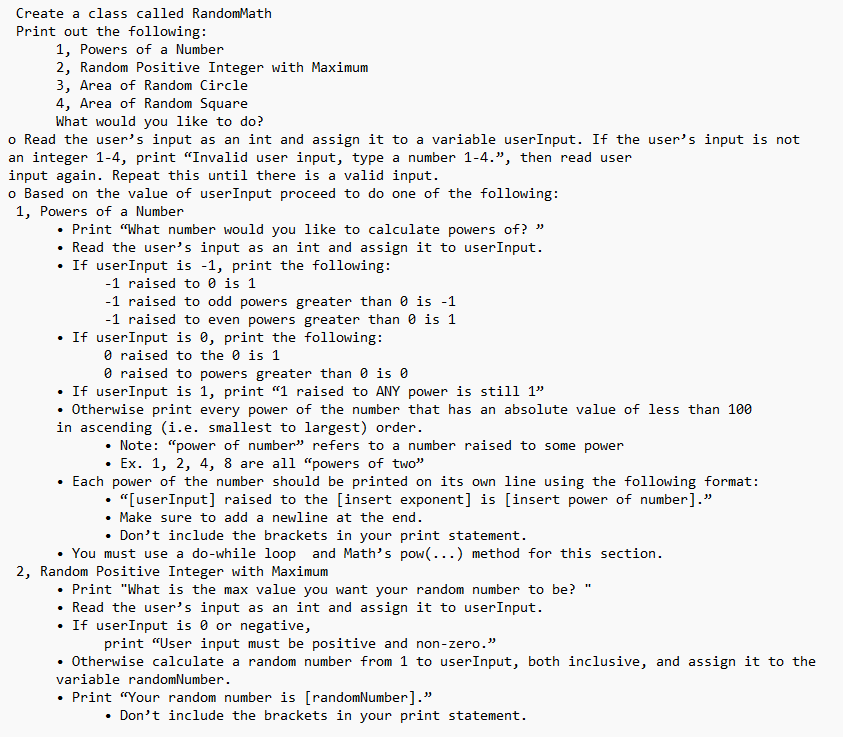
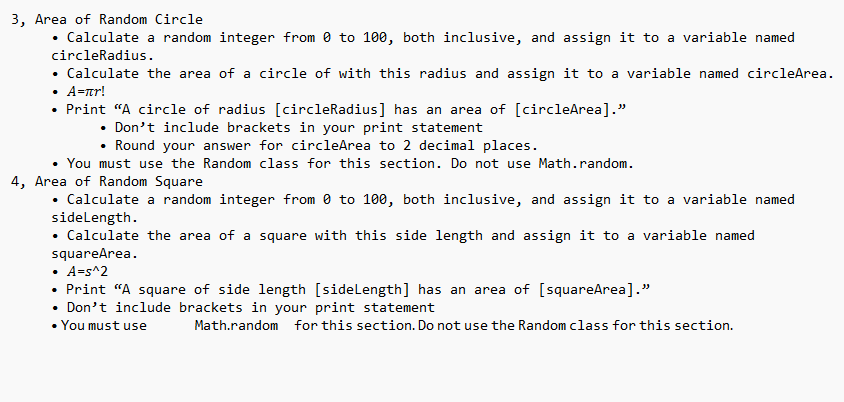
Create a class called RandomMath Print out the following: 1, Powers of a Number 2, Random Positive Integer with Maximum 3, Area of Random Circle 4, Area of Random Square What would you like to do? o Read the user's input as an int and assign it to a variable userInput. If the user's input is not an integer 1-4, print "Invalid user input, type a number 1-4.", then read user input again. Repeat this until there is a valid input. o Based on the value of userInput proceed to do one of the following: 1, Powers of a Number - Print "What number would you like to calculate powers of?" - Read the user's input as an int and assign it to userInput. - If userinput is 1, print the following: 1 raised to 0 is 1 - 1 raised to odd powers greater than 0 is 1 1 raised to even powers greater than 0 is 1 - If userInput is , print the following: raised to the is 1 0 raised to powers greater than is - If userInput is 1 , print "1 raised to ANY power is still 1" - Otherwise print every power of the number that has an absolute value of less than 100 in ascending (i.e. smallest to largest) order. - Note: "power of number" refers to a number raised to some power - Ex. 1, 2, 4, 8 are all "powers of two" - Each power of the number should be printed on its own line using the following format: - "[userInput] raised to the [insert exponent] is [insert power of number]." - Make sure to add a newline at the end. - Don't include the brackets in your print statement. - You must use a do-while loop and Math's pow(...) method for this section. 2, Random Positive Integer with Maximum - Print "What is the max value you want your random number to be?" - Read the user's input as an int and assign it to userInput. - If userInput is 0 or negative, print "User input must be positive and non-zero." - Otherwise calculate a random number from 1 to userInput, both inclusive, and assign it to the variable randomNumber. - Print "Your random number is [randomNumber]." - Don't include the brackets in your print statement. 3, Area of Random Circle - Calculate a random integer from 0 to 100 , both inclusive, and assign it to a variable named circleRadius. - Calculate the area of a circle of with this radius and assign it to a variable named circleArea. - A=r! - Print "A circle of radius [circleRadius] has an area of [circleArea]." - Don't include brackets in your print statement - Round your answer for circleArea to 2 decimal places. - You must use the Random class for this section. Do not use Math.random. 4, Area of Random Square - Calculate a random integer from 0 to 100 , both inclusive, and assign it to a variable named sideLength. - Calculate the area of a square with this side length and assign it to a variable named squareArea. - A=s2 - Print "A square of side length [sideLength] has an area of [squareArea]." - Don't include brackets in your print statement - Youmust use Math.random for this section. Do not use the Randomclass for this
Step by Step Solution
There are 3 Steps involved in it

Get step-by-step solutions from verified subject matter experts
 Study Help