







Question: java Instructions: This activity is designed to help you familiarize yourself with creating a project in IntelliJ, setting a breakpoint, and hitting the breakpoint in
java
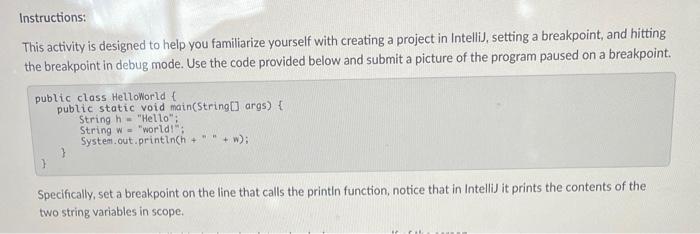
Instructions: This activity is designed to help you familiarize yourself with creating a project in IntelliJ, setting a breakpoint, and hitting the breakpoint in debug mode. Use the code provided below and submit a picture of the program paused on a breakpoint. public class HelloWorld { public static void main(String args) { String h = "Hello"; String w = "world!"; System. out. printInch + " " + w); Specifically, set a breakpoint on the line that calls the printin function, notice that in IntelliJ it prints the contents of the two string variables in scope
Step by Step Solution
There are 3 Steps involved in it
1 Expert Approved Answer
Step: 1 Unlock

Question Has Been Solved by an Expert!
Get step-by-step solutions from verified subject matter experts
Step: 2 Unlock
Step: 3 Unlock
 Study Help