







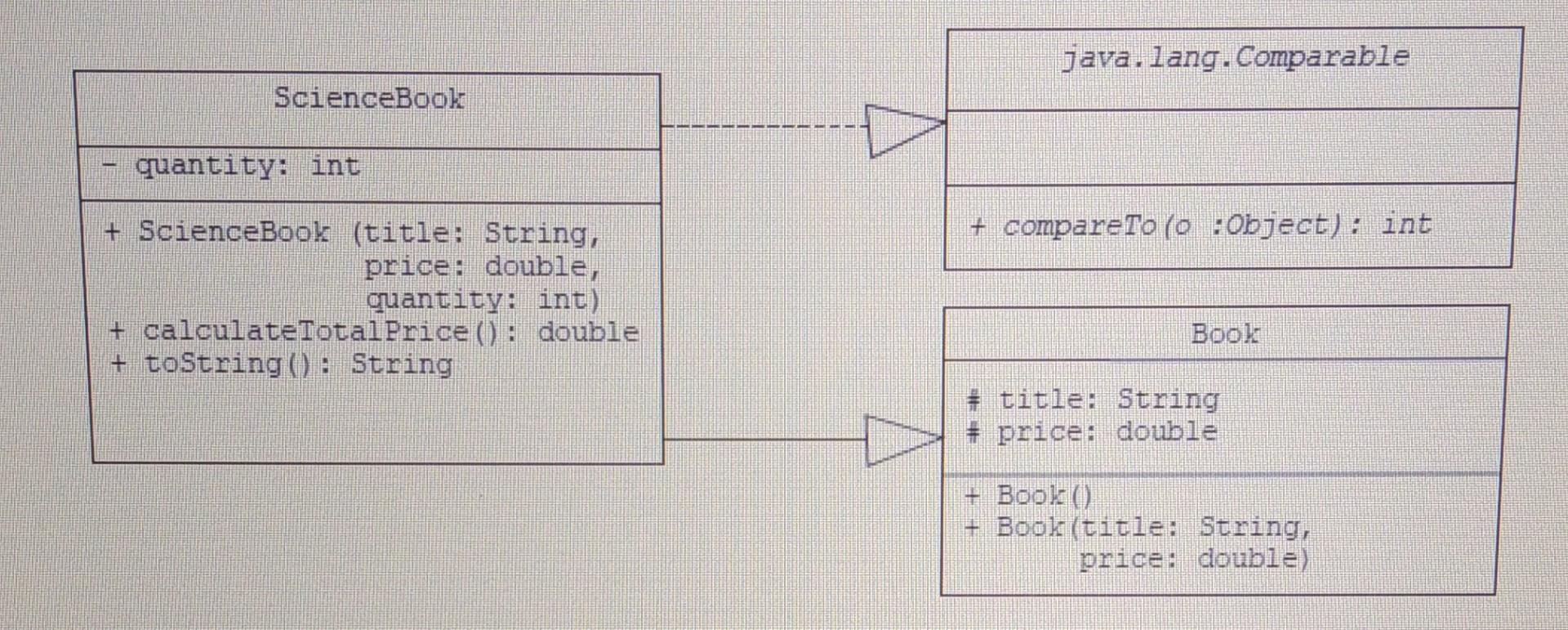
Question: #Java java.lang. Comparable ScienceBook quantity: int + compareTo o :Object): int + ScienceBook (title: String, price: double, quantity: int) + calculateTotalPrice (): double + toString():
#Java
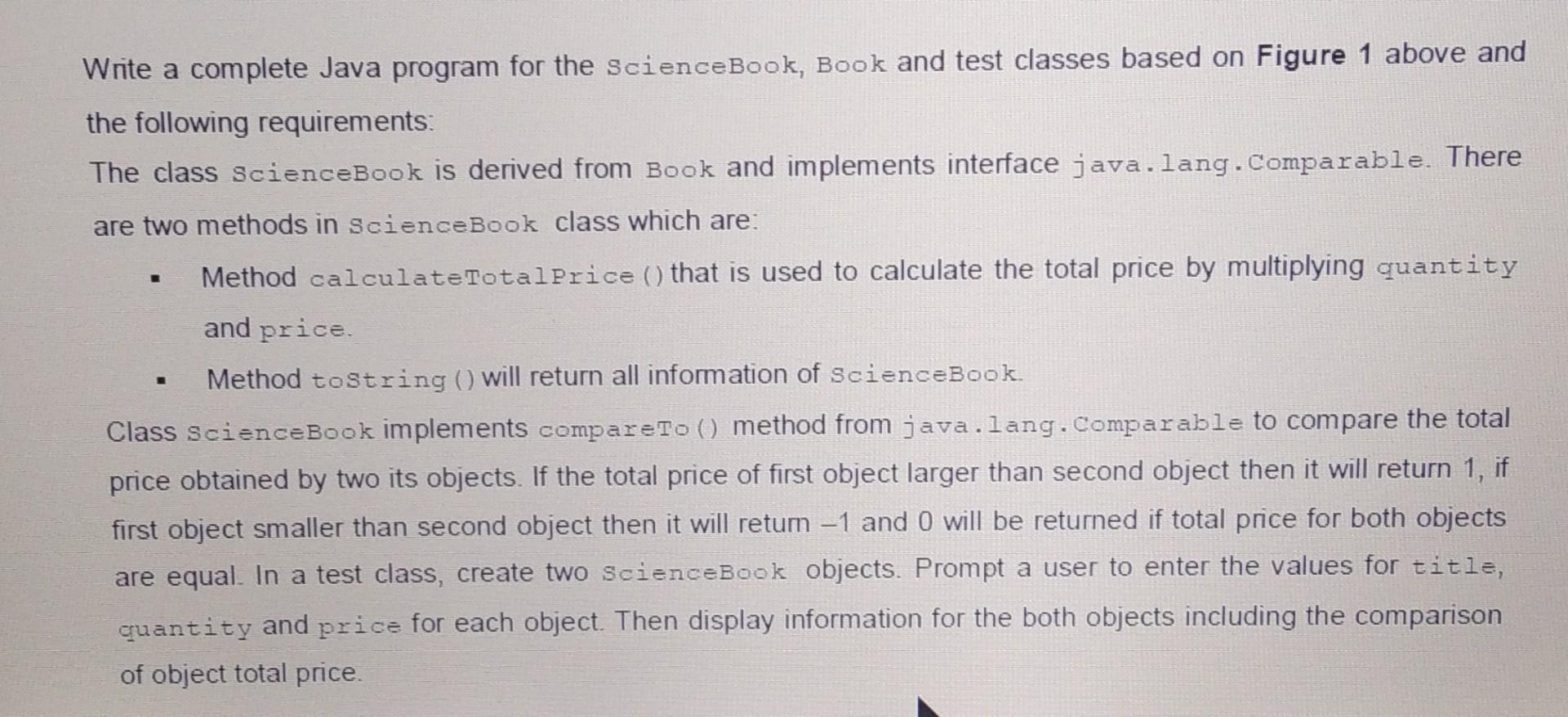
java.lang. Comparable ScienceBook quantity: int + compareTo o :Object): int + ScienceBook (title: String, price: double, quantity: int) + calculateTotalPrice (): double + toString(): String Book # title: String # price: double + Book() + Book(title: String, price: double) Write a complete Java program for the scienceBook, Book and test classes based on Figure 1 above and the following requirements: The class ScienceBook is derived from Book and implements interface java.lang.Comparable. There are two methods in ScienceBook class which are: Method calculateTotalPrice () that is used to calculate the total price by multiplying quantity and price Method toString (will return all information of scienceBook Class ScienceBook implements compareTo () method from java.lang.Comparable to compare the total price obtained by two its objects. If the total price of first object larger than second object then it will return 1, if first object smaller than second object then it will retum -1 and 0 will be returned if total price for both objects are equal. In a test class, create two ScienceBook objects. Prompt a user to enter the values for title, quantity and price for each object. Then display information for the both objects including the comparison of object total price
Step by Step Solution
There are 3 Steps involved in it

Get step-by-step solutions from verified subject matter experts
 Study Help