







Question: JAVA Lab Manual to Accompany Starting out with Java 5: From Control Structures to Objects Task #3 Working with Strings 2. 3. Use the charAt
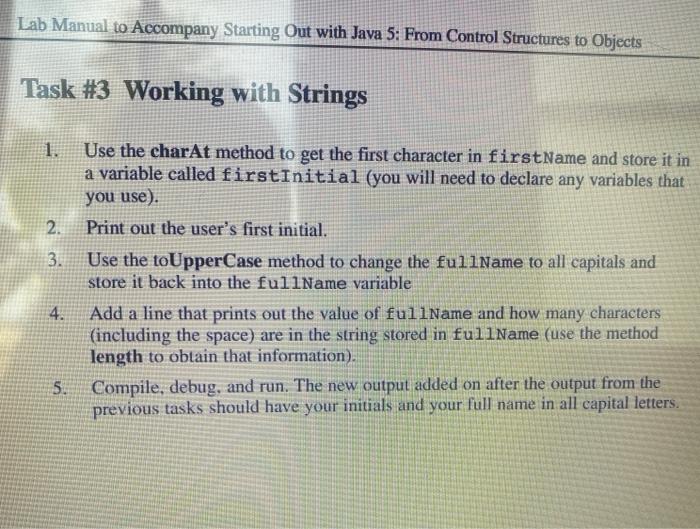
Lab Manual to Accompany Starting out with Java 5: From Control Structures to Objects Task #3 Working with Strings 2. 3. Use the charAt method to get the first character in firstName and store it in a variable called firstInitial (you will need to declare any variables that you use). Print out the user's first initial. Use the toUpperCase method to change the fullName to all capitals and store it back into the fullName variable Add a line that prints out the value of fullName and how many characters (including the space) are in the string stored in fullName (use the method length to obtain that information). Compile, debug, and run. The new output added on after the output from the previous tasks should have your initials and your full name in all capital letters. 4. 5
Step by Step Solution
There are 3 Steps involved in it

Get step-by-step solutions from verified subject matter experts
 Study Help