







Question: JAVA or C++ 2D Graph Project This project exposes you to the world of Java 2D and enables you to create and edit a 2D
JAVA or C++
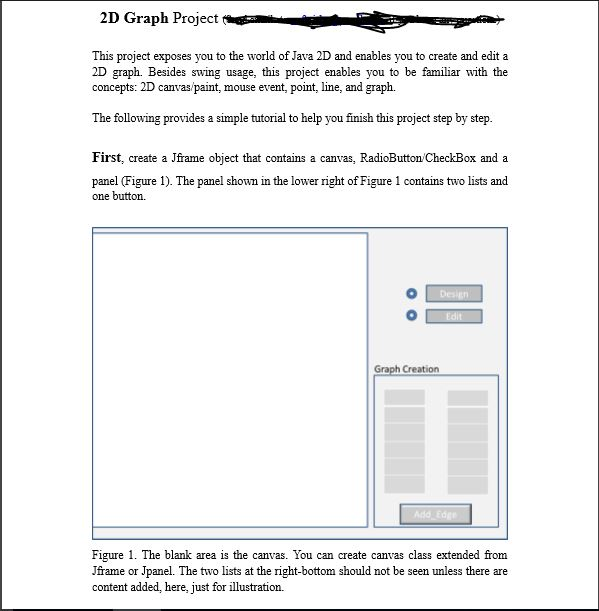
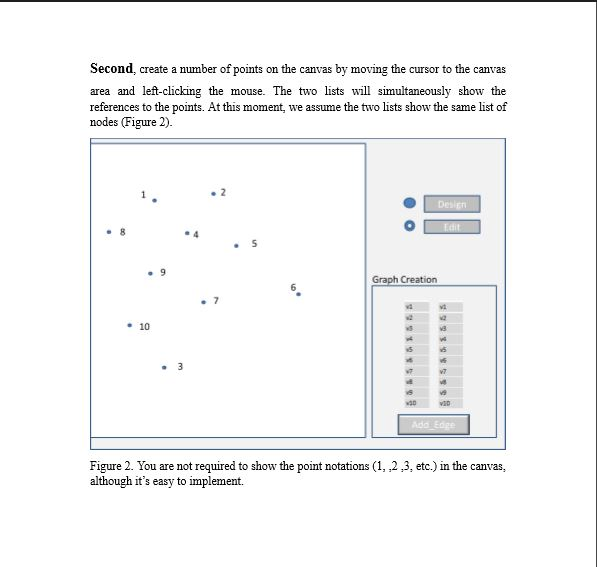
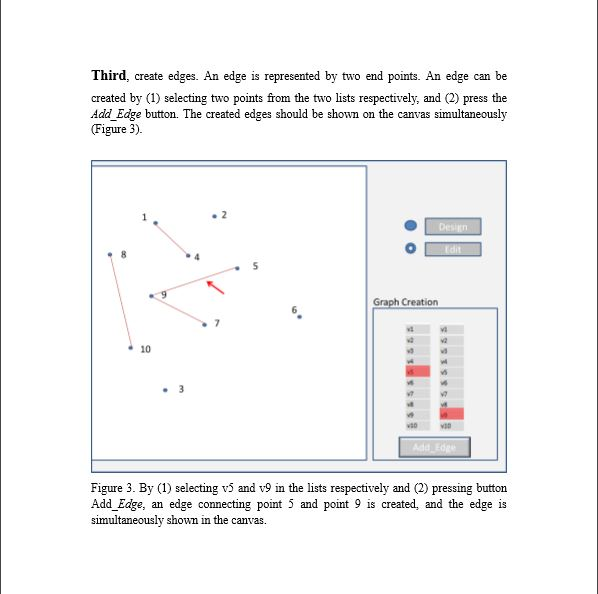
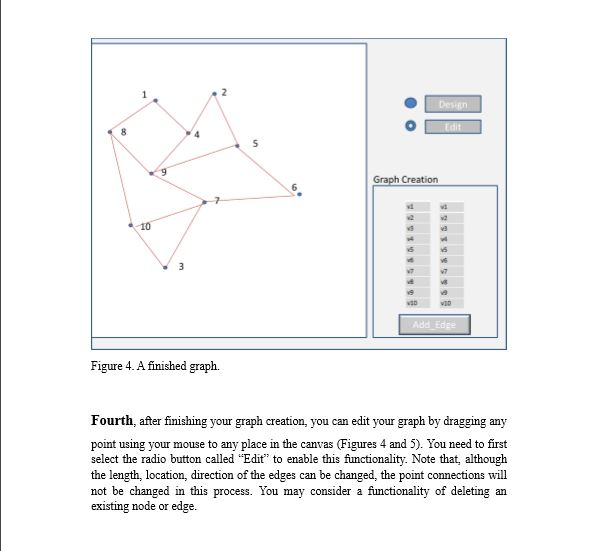
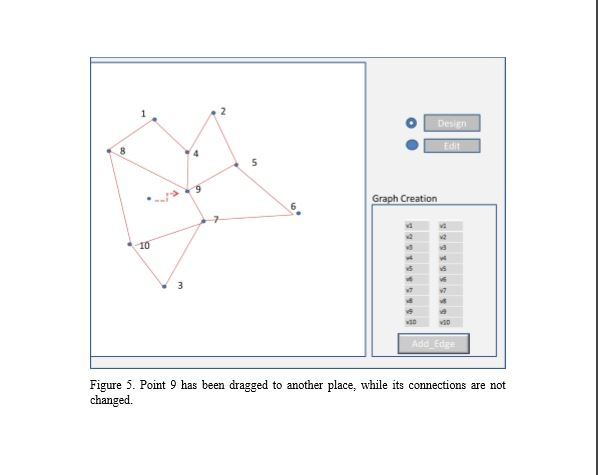
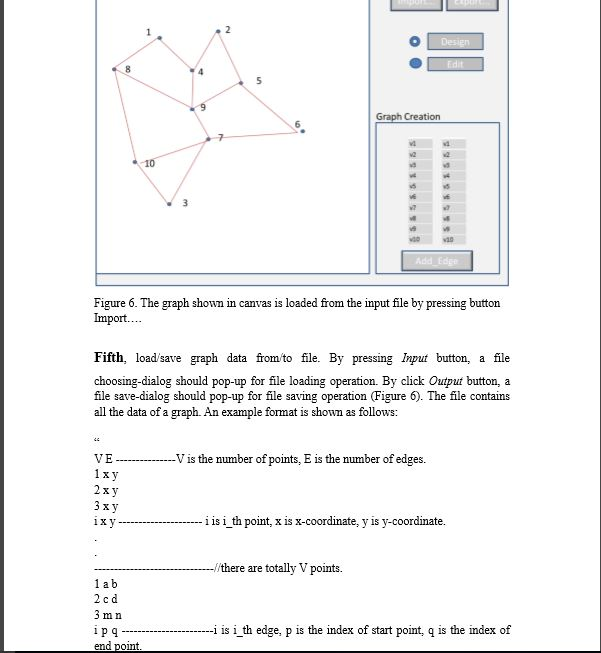
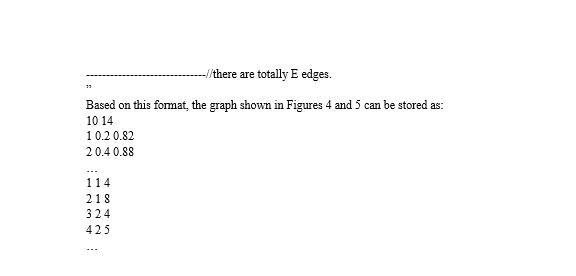
2D Graph Project This project exposes you to the world of Java 2D and enables you to create and edit a 2D graph. Besides swing usage, this project enables you to be familiar with the concepts: 2D canvas paint, mouse event, point, line, and graph. The following provides a simple tutorial to help you finish this project step by step First, create a Jframe object that contains a canvas, RadioButton CheckBox and a panel (Figure 1). The panel shown in the lower right of Figure 1 contains two lists and one button. 0 Graph Creation Figure 1. The blank area is the canvas. You can create canvas class extended from frame or Jpanel. The two lists at the right-bottom should not be seen unless there are content added, here, just for illustration. 2D Graph Project This project exposes you to the world of Java 2D and enables you to create and edit a 2D graph. Besides swing usage, this project enables you to be familiar with the concepts: 2D canvas paint, mouse event, point, line, and graph. The following provides a simple tutorial to help you finish this project step by step First, create a Jframe object that contains a canvas, RadioButton CheckBox and a panel (Figure 1). The panel shown in the lower right of Figure 1 contains two lists and one button. 0 Graph Creation Figure 1. The blank area is the canvas. You can create canvas class extended from frame or Jpanel. The two lists at the right-bottom should not be seen unless there are content added, here, just for illustration
Step by Step Solution
There are 3 Steps involved in it

Get step-by-step solutions from verified subject matter experts
 Study Help