







Question: Java please CSCI 2251 - Programming Assignment TicTacToe - Part 1 This assignment is based on the textbook exercise 8.18 (page 325). INSTRUCTIONS For part
Java please
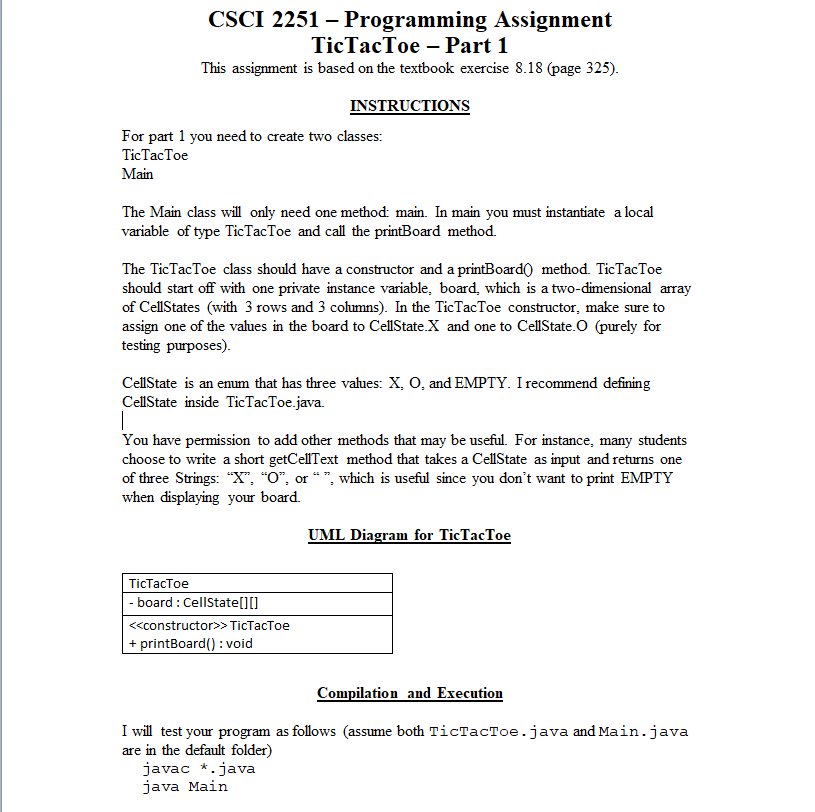
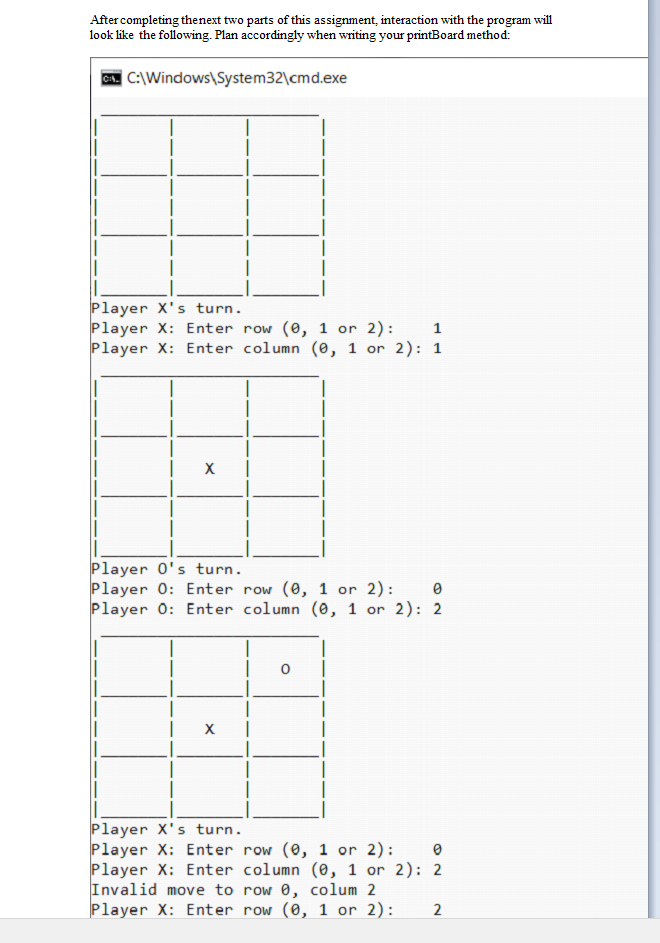
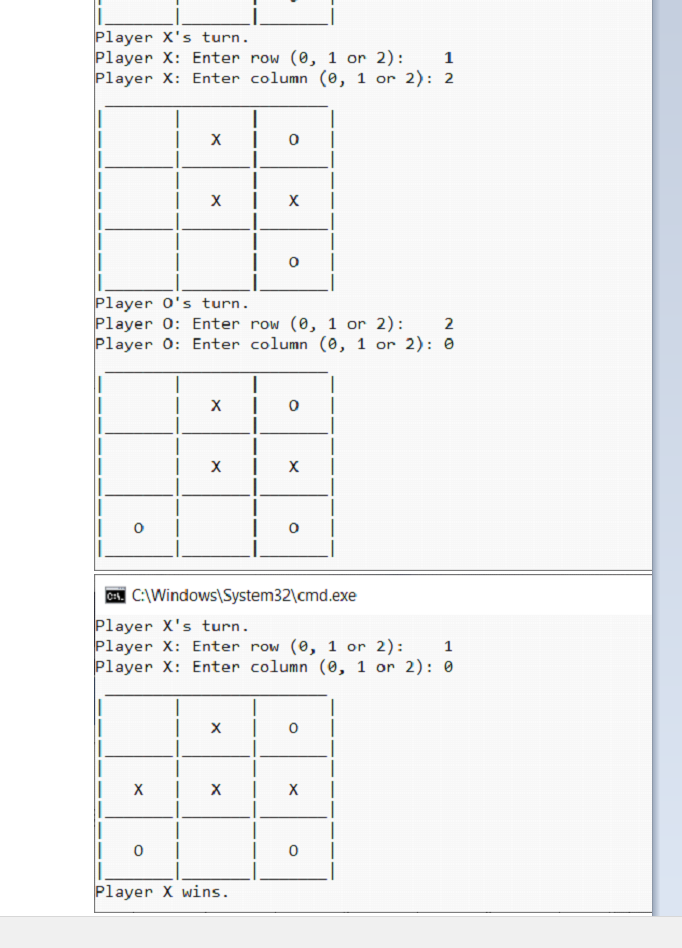
CSCI 2251 - Programming Assignment TicTacToe - Part 1 This assignment is based on the textbook exercise 8.18 (page 325). INSTRUCTIONS For part 1 you need to create two classes: TicTacToe Main The Main class will only need one method: main. In main you must instantiate a local variable of type TicTacToe and call the printBoard method. The TicTacToe class should have a constructor and a printBoard0 method. TicTacToe should start off with one private instance variable, board, which is a two-dimensional array of CellStates (with 3 rows and 3 columns). In the TicTacToe constructor, make sure to assign one of the values in the board to CellState.X and one to CellState.O (purely for testing purposes). CellState is an enum that has three values: X,O, and EMPTY. I recommend defining CellState inside TicTacToe.java. You have permission to add other methods that may be useful. For instance, many students choose to write a short getCellText method that takes a CellState as input and returns one of three Strings: " X, "O", or "", which is useful since you don't want to print EMPTY when displaying your board. UML Diagram for TicTacToe Compilation and Execution I will test your program as follows (assume both TicTacToe.java and Main.java are in the default folder) javac * java Main After completing thenext two parts of this assignment, interaction with the program will look like the following. Plan accordingly when writing your printBoard method: Player X's turn. Player X : Enter row (0,1 or 2): 1 Player X: Enter column ( 0,1 or 2): 1 Player 0 's turn. Player 0: Enter row (,1 or 2): 0 Player 0: Enter column (0,1 or 2):2 Player X 's turn. Player X: Enter row (0,1 or 2): 0 Player X: Enter column ( 0,1 or 2):2 Invalid move to row 0 , colum 2 Player X : Enter row (0,1 or 2) : 2 Player X s turn. Player X: Enter row (0,1 or 2): Player X: Enter column (0,1 or 2):2 Player O s turn. Player 0: Enter row (0,1 or 2): Player 0: Enter column (0,1 or 2):0 cos. C: \ Windows \ System32\cmd.exe Player X s turn. Player X : Enter row (0,1 or 2) : 1 Player X: Enter column (0,1 or 2):0
Step by Step Solution
There are 3 Steps involved in it

Get step-by-step solutions from verified subject matter experts
 Study Help