







Question: Java program for exception handling Implement methods parseBinary(String binaryString) , which converts a binary string into a decimal number and parseHex(String hexString) which converts a
Java program for exception handling
Implement methods parseBinary(String binaryString), which converts a binary string into a decimal number and parseHex(String hexString) which converts a hexadecimal string into a decimal number. Implement parseBinary method to throw a BinaryNumberFormatException if the string is not a valid binary string. Implement parseHex method to throw a HexNumberFormatException if the string is not a valid hexadecimal string. Create custom Exception classes BinaryNumberFormatException and HexNumberFormatException extending NumberFormatException that is predefined in Java. The custom exception classes must keep track of the first illegal character that occurred in the string. Create a program called Assignment2.java with UI to get user inputs and display output. Use figure 1 as guideline (doesnt have to be exactly like the figure). Textfields are used to receive user input and display the decimal string or an error message in case an exception occurs as shown in figure 2 and 3. This program should use the parseBinary and parseHex methods to perform the conversion and display the results. In case exception occurs, display an error message that includes the illegal character as shown in figure 3.
(Hint: For the UI, Create a Frame with a panel on it. Add text fields and a buttons on the panel)
.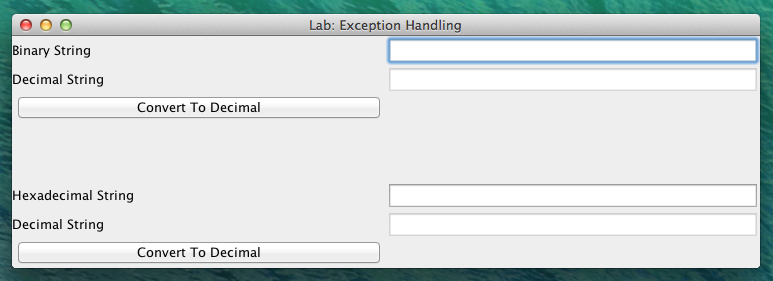


Binary String Decimal String Convert To Decimal Hexadecimal String Decimal String Convert To Decimal Lab: Exception Handling
Step by Step Solution
There are 3 Steps involved in it

Get step-by-step solutions from verified subject matter experts
 Study Help