







Question: Java programming a) Consider the Server side code written in class (use Port 7777 instead of Port 90 since Port 90 is restricted). Save this
Java programming
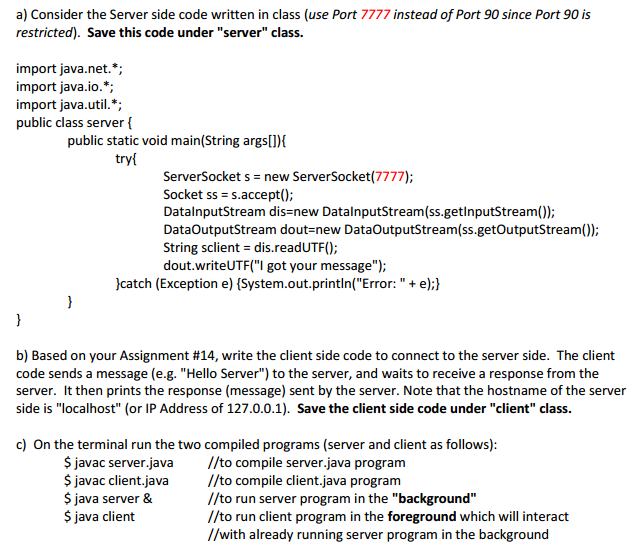
a) Consider the Server side code written in class (use Port 7777 instead of Port 90 since Port 90 is restricted). Save this code under "server" class. import java.net.*; import java.io.*; import java.util.*; public class server {public static void main (String args[]){try {ServerSocket s = new ServerSocket(7777); Socket ss = accept(); DataInputStream dis = new DataInputStream(ss.getInputStream()); DataOutput Stream dout = new DataOutputStream(ss.getoutputStream()); String sclient = dis.readUTF(); dout.writeUTF("I got your message");}catch (Exception e) {System.out.printIn("Error: " + e);}}} b) Based on your Assignment #14, write the client side code to connect to the server side. The client code sends a message (e.g. "Hello Server") to the server, and waits to receive a response from the server. It then prints the response (message) sent by the server. Note that the hostname of the server side is "localhost" (or IP Address of 127.0.0.1). Save the client side code under "client" class. c) On the terminal run the two compiled programs (server and client as follows): $javac server.java//to compile server java program $javac client.java//to compile client.java program $java server &//to run server program in the "background" java client//to run client program in the foreground which will interact//with already running server program in the
Step by Step Solution
There are 3 Steps involved in it

Get step-by-step solutions from verified subject matter experts
 Study Help