







Question: Java Project 2: Due: How to Submit: Bonus Calculator Sunday, October 21st, by 11:59pm Use the Java Project 2 assignment link in Bb to upload
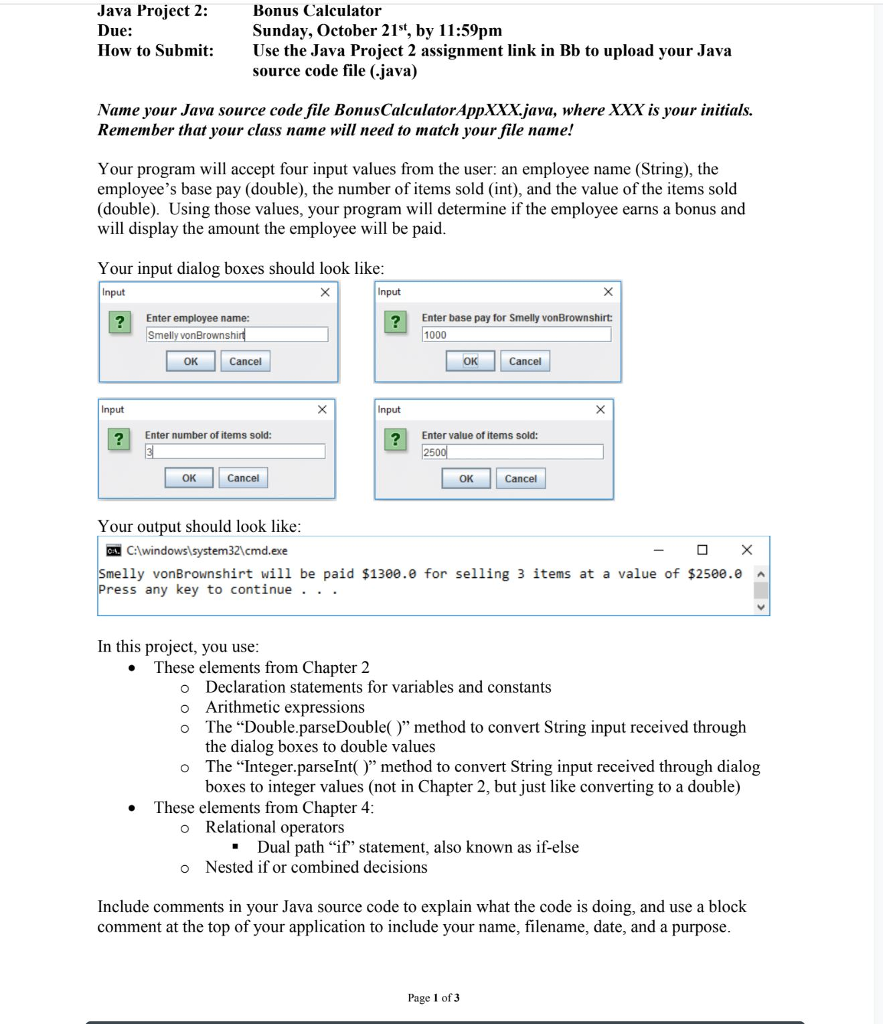
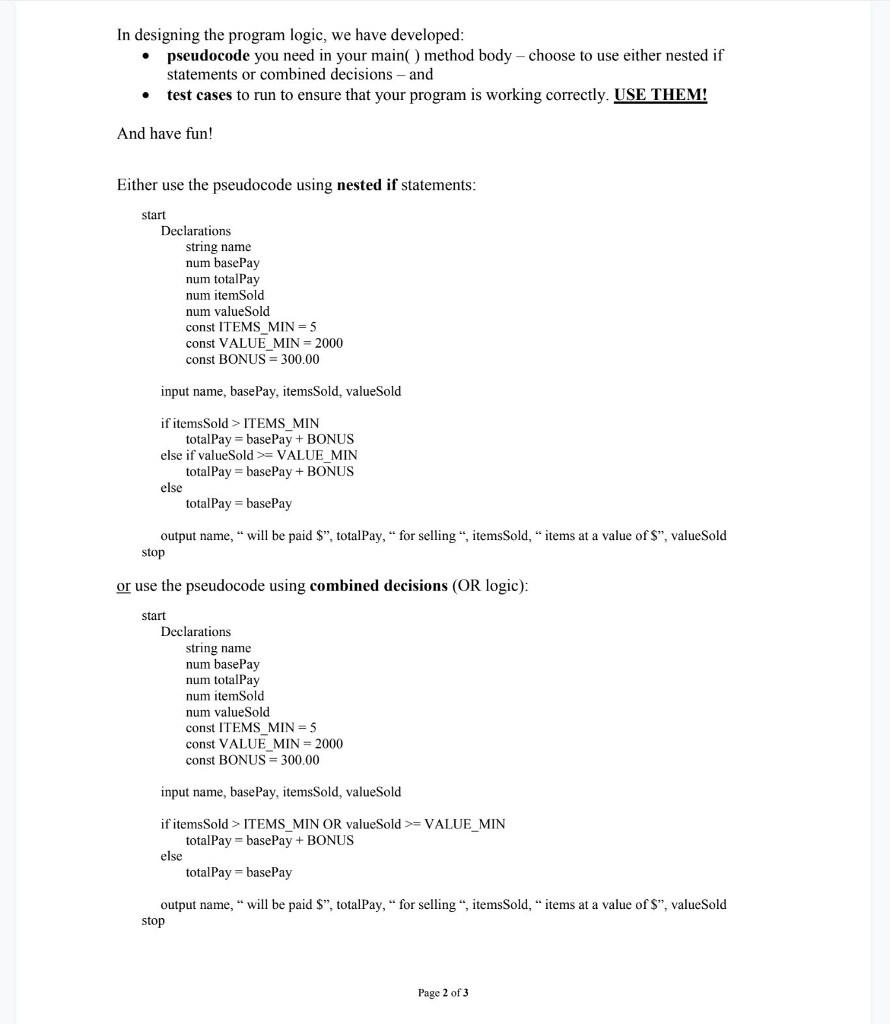
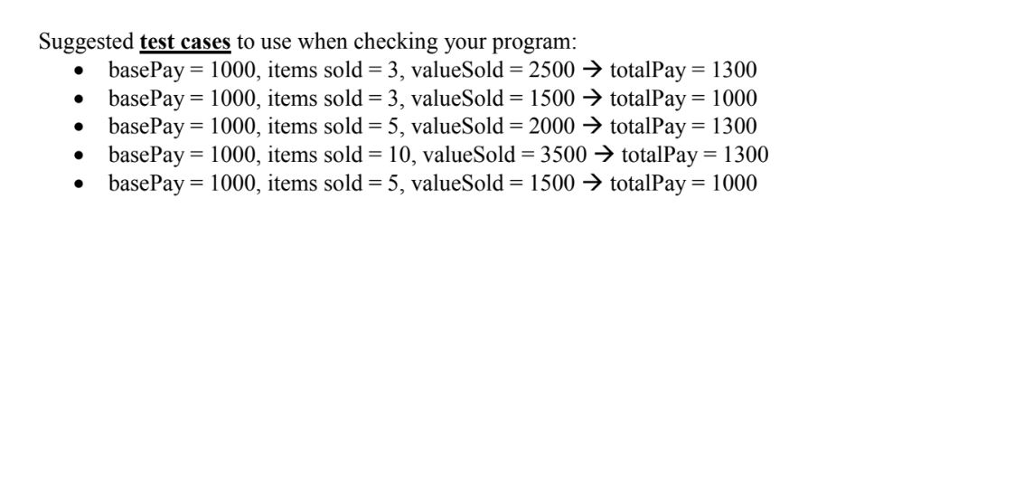
Java Project 2: Due: How to Submit: Bonus Calculator Sunday, October 21st, by 11:59pm Use the Java Project 2 assignment link in Bb to upload your Java source code file (.java) Name your Java source code file BonusCalculatorAppXXXjava, where XXX is your initials. Remember that your class name will need to match your file name.! Your program will accept four input values from the user: an employee name (String), the employee's base pay (double), the number of items sold (int), and the value of the items sold (double). Using those values, your program will determine if the employee earns a bonus and will display the amount the employee will be paid Your input dialog boxes should look like Input Input ?Enter employee name: Enter base pay for Smelly vonBrownshirt: vonBrownshi 1000 OK Cancel Input Input Enter number of items sold: Enter value of items sold: OK OK Your output should look like EN C:lwindows1system32cmd.exe lly vonBrownshirt will be paid $1300.0 for selling 3 items at a value of $250e.e A Press any key to continue . . . In this project, you use These elements from Chapter 2 . o Declaration statements for variables and constants o Arithmetic expressions o The "Double.parseDouble)" method to convert String input received through the dialog boxes to double values o The "Integer.parseInt()" method to convert String input received through dialog boxes to integer values (not in Chapter 2, but just like converting to a double) o Relational operators o Nested if or combined decisions These elements from Chapter 4 . Dual path "if" statement, also known as if-else * Include comments in your Java source code to explain what the code is doing, and use a block comment at the top of your application to include your name, filename, date, and a purpose Page 1 of 3
Step by Step Solution
There are 3 Steps involved in it

Get step-by-step solutions from verified subject matter experts
 Study Help