







Question: Read this entire document before you begin. This assignment focuses on using the Git version control system, within an Eclipse Environment. Expectation: you have
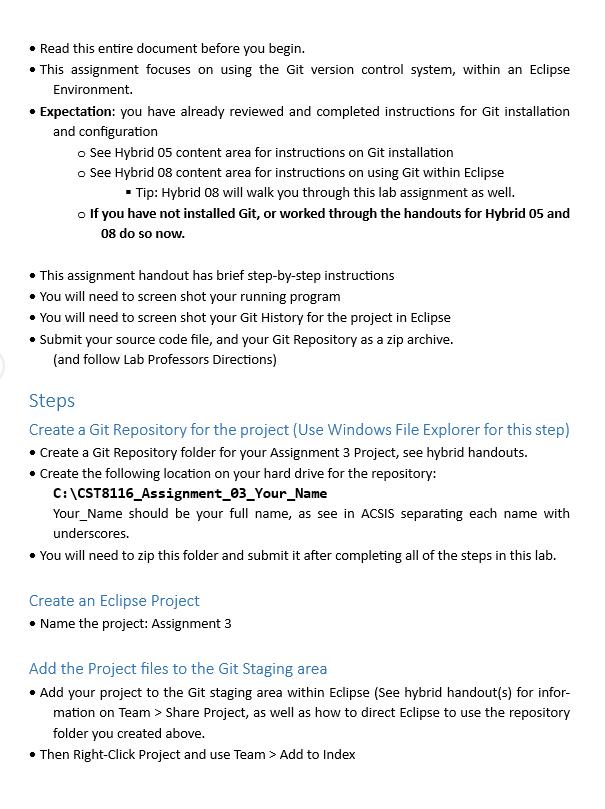
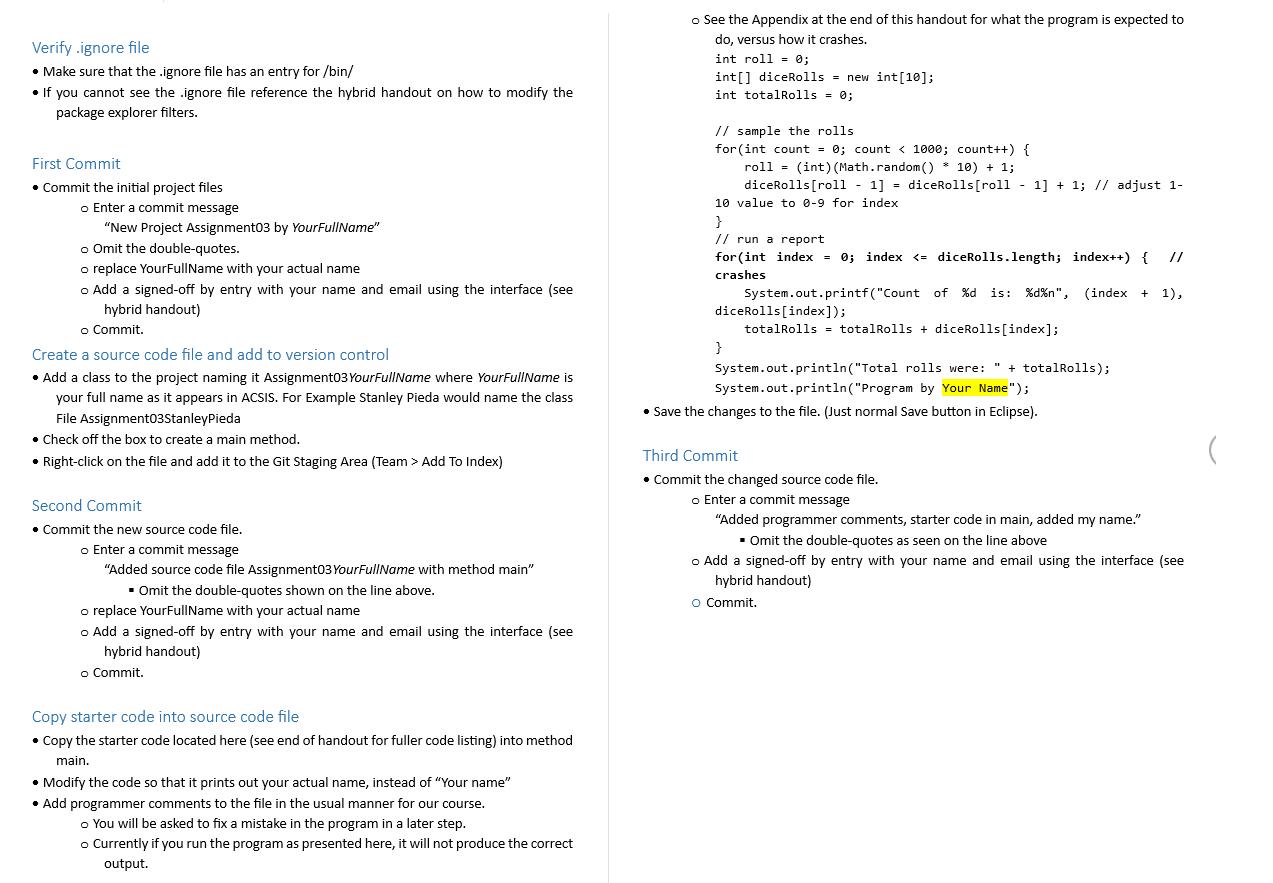
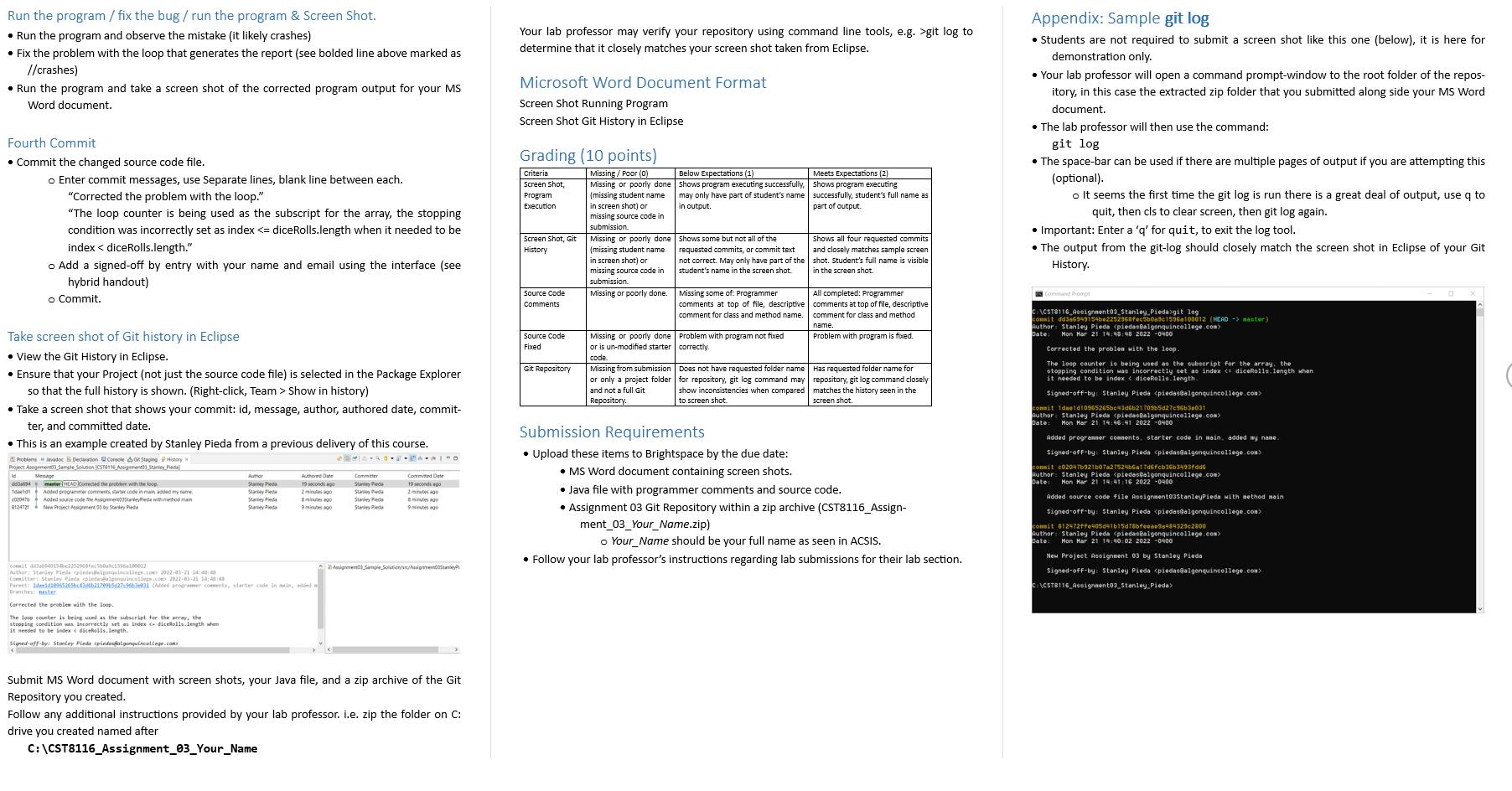
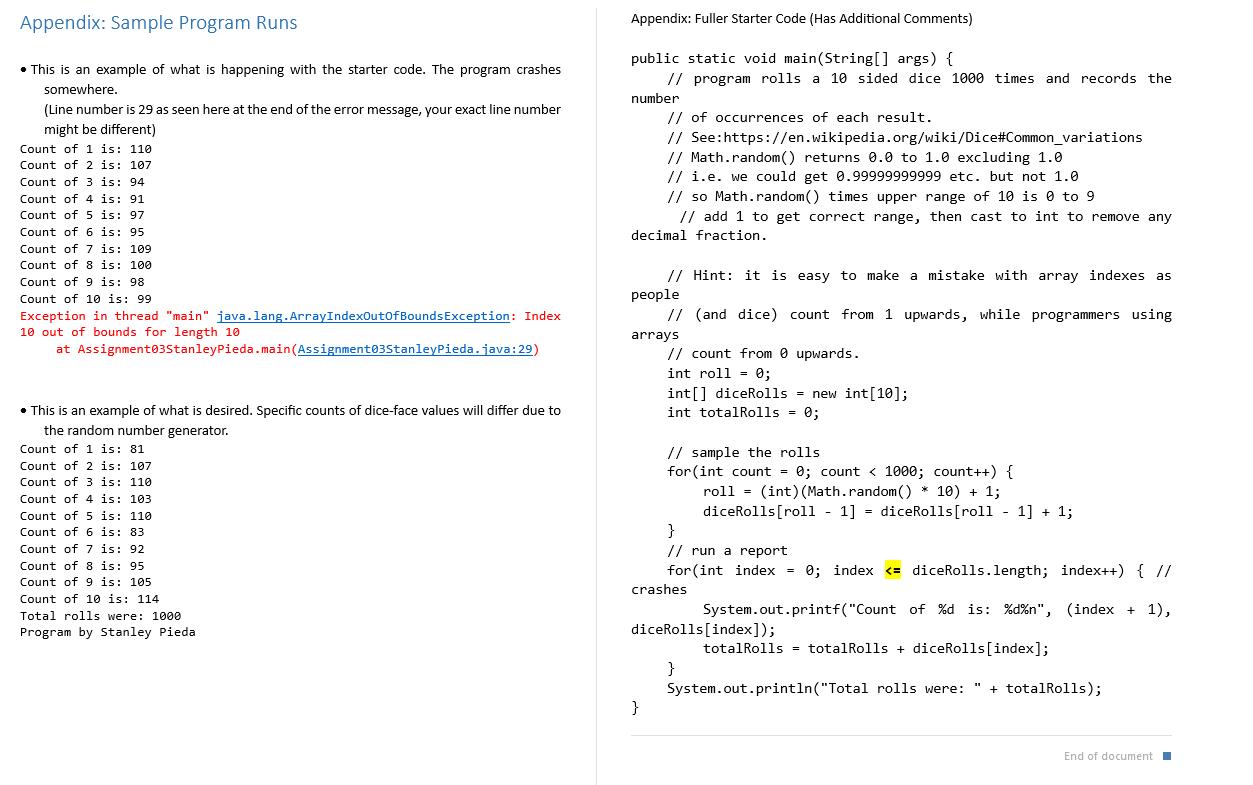
Read this entire document before you begin. This assignment focuses on using the Git version control system, within an Eclipse Environment. Expectation: you have already reviewed and completed instructions for Git installation and configuration o See Hybrid 05 content area for instructions on Git installation o See Hybrid 08 content area for instructions on using Git within Eclipse Tip: Hybrid 08 will walk you through this lab assignment as well. o If you have not installed Git, or worked through the handouts for Hybrid 05 and 08 do so now. This assignment handout has brief step-by-step instructions You will need to screen shot your running program You will need to screen shot your Git History for the project in Eclipse Submit your source code file, and your Git Repository as a zip archive. (and follow Lab Professors Directions) Steps Create a Git Repository for the project (Use Windows File Explorer for this step) Create a Git Repository folder for your Assignment 3 Project, see hybrid handouts. Create the following location on your hard drive for the repository: C:\CST8116_Assignment_03_Your_Name Your Name should be your full name, as see in ACSIS separating each name with underscores. You will need to zip this folder and submit it after completing all of the steps in this lab. Create an Eclipse Project Name the project: Assignment 3 Add the Project files to the Git Staging area Add your project to the Git staging area within Eclipse (See hybrid handout(s) for infor- mation on Team > Share Project, as well as how to direct Eclipse to use the repository folder you created above. Then Right-Click Project and use Team > Add to Index Verify .ignore file Make sure that the .ignore file has an entry for /bin/ If you cannot see the .ignore file reference the hybrid handout on how to modify the package explorer filters. First Commit Commit the initial project files o Enter a commit message "New Project Assignment03 by YourFullName" o Omit the double-quotes. o replace YourFullName with your actual name o Add a signed-off by entry with your name and email using the interface (see hybrid handout) o Commit. Create a source code file and add to version control Add a class to the project naming it Assignment03 YourFullName where YourFullName is your full name as it appears in ACSIS. For Example Stanley Pieda would name the class File Assignment03StanleyPieda Check off the box to create a main method. Right-click on the file and add it to the Git Staging Area (Team > Add To Index) Second Commit Commit the new source code file. o Enter a commit message "Added source code file Assignment03 YourFullName with method main" Omit the double-quotes shown on the line above. o replace YourFullName with your actual name o Add a signed-off by entry with your name and email using the interface (see hybrid handout) o Commit. Copy starter code into source code file Copy the starter code located here (see end of handout for fuller code listing) into method main. Modify the code so that it prints out your actual name, instead of "Your name" Add programmer comments to the file in the usual manner for our course. o You will be asked to fix a mistake in the program in a later step. o Currently if you run the program as presented here, it will not produce the correct output. o See the Appendix at the end of this handout for what the program is expected to do, versus how it crashes. int roll 0; int[] diceRolls = new int [10]; int total Rolls = 0; // sample the rolls for (int count = 0; count < 1000; count++) { roll (int) (Math.random()* 10) + 1; diceRolls [roll - 1] = diceRolls [roll - 1] + 1; // adjust 1- 10 value to 0-9 for index = } // run a report for (int index= 0; index Run the program / fix the bug / run the program & Screen Shot. Run the program and observe the mistake (it likely crashes) Fix the problem with the loop that generates the report (see bolded line above marked as //crashes) Run the program and take a screen shot of the corrected program output for your MS Word document. Fourth Commit Commit the changed source code file. o Enter commit messages, use Separate lines, blank line between each. "Corrected the problem with the loop." "The loop counter is being used as the subscript for the array, the stopping condition was incorrectly set as index Appendix: Sample Program Runs This is an example of what is happening with the starter code. The program crashes somewhere. (Line number is 29 as seen here at the end of the error message, your exact line number might be different) Count of 1 is: 110 Count of 2 is: 107 Count of 3 is: 94 Count of 4 is: 91. Count of 5 is: 97 Count of 6 is: 95 Count of 7 is: 109 Count of 8 is: 100 Count of 9 is: 98 Count of 10 is: 99 Exception in thread "main" java.lang.ArrayIndexOutOf Bounds Exception: Index 10 out of bounds for length 10 at Assignment03StanleyPieda.main (Assignment03Stanleypieda.java:29) This is an example of what is desired. Specific counts of dice-face values will differ due to the random number generator. Count of 1 is: 81 Count of 2 is: 107 Count of 3 is: 110 Count of 4 is: 103. Count of 5 is: 110 Count of 6 is: 83 Count of 7 is: 92 Count of 8 is: 95 Count of 9 is: 105 Count of 10 is: 114 Total rolls were: 1000 Program by Stanley Pieda Appendix: Fuller Starter Code (Has Additional Comments) public static void main(String[] args) { // program rolls a 10 sided dice 1000 times and records the number // of occurrences of each result. // See:https://en.wikipedia.org/wiki/Dice#Common_variations // Math.random() returns 0.0 to 1.0 excluding 1.0 // i.e. we could get 0.99999999999 etc. but not 1.0 // so Math.random() times upper range of 10 is 0 to 9 // add 1 to get correct range, then cast to int to remove any decimal fraction. // Hint: it is easy to make a mistake with array indexes as people //(and dice) count from 1 upwards, while programmers using // count from @ upwards. int roll = 0; arrays int[] diceRolls = new int [10]; int totalRolls = 0; } // sample the rolls for (int count = 0; count < 1000; count++) { roll= (int) (Math.random()* 10) + 1; diceRolls [roll - 1] = diceRolls [roll - 1] + 1; } // run a report for (int index = 0; index
Step by Step Solution
There are 3 Steps involved in it
Answer Hi there I have completed the code part of the solution The Code import javautil public cl... View full answer

Get step-by-step solutions from verified subject matter experts
 Study Help