







Question: Java swing questions this is my code, how do i make the save button on the right side and the start button under the save
Java swing questions
this is my code, how do i make the save button on the right side and the start button under the save button on the right
then how to add like Jpanel under it? I explain it on the picture bellow
import java.awt.BorderLayout; import java.awt.Button; import java.awt.Dimension; import java.awt.GridLayout; import java.awt.Label; import java.awt.Toolkit;
import javax.swing.JFrame;
public class GUI extends JFrame {
public static void main(String[] args) { GUI a = new GUI(); }
public GUI() {
setVisible(true); setDefaultCloseOperation(EXIT_ON_CLOSE);
setTitle("JButton try"); Dimension screenSize = Toolkit.getDefaultToolkit().getScreenSize(); pack(); setSize(screenSize.width/5,screenSize.height/3); GridLayout g = new GridLayout(9, 1); setLayout(g); add(new Button("Button 1")); add(new Button("Button 2")); add(new Button("Button 3")); add(new Button("Button 4")); add(new Button("Button 5")); add(new Button("Button 6")); add(new Button("Button 7")); add(new Button("Button 8")); add(new Button("Button 9")); // add(new Button("Save")); // add(new Button("Start"));
} }
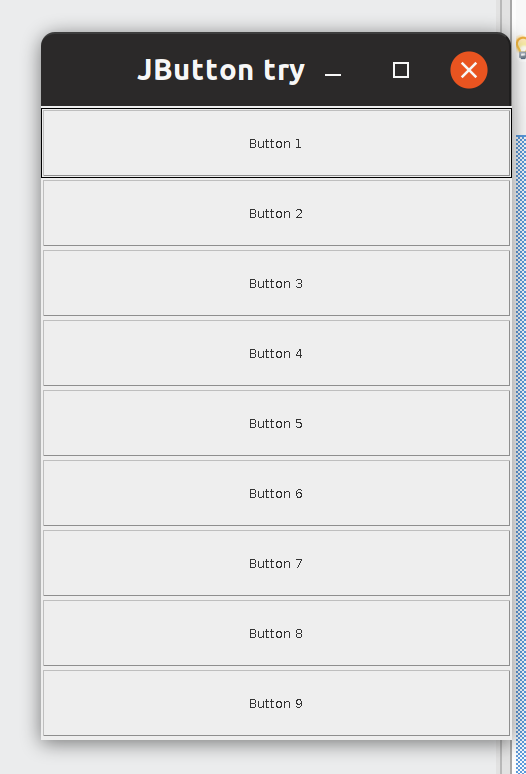
Currently like this
what i want like this i figure the notification for example when press button will come out hello world is using JPanel
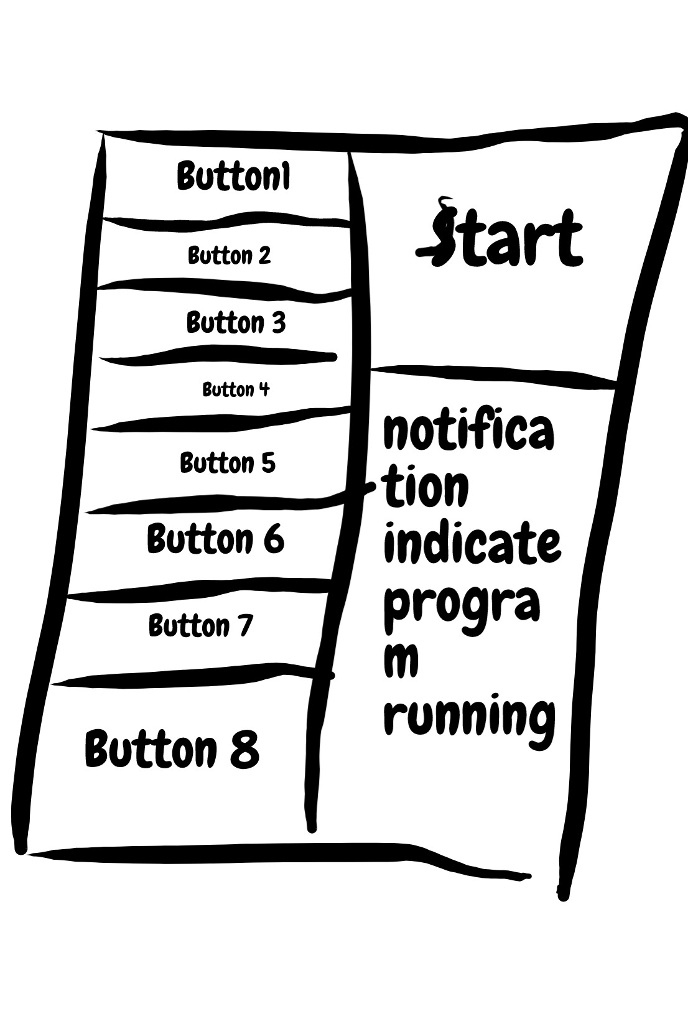
JButton tryO Button 1 Button 2 Button 3 Button 4 Button 5 Button 6 Button 7 Button 8 Button Buttonl tart Button 2 Button 3 Button t Butn s notifica 5 tion Button 6 indicate Button7 progra running Button 8
Step by Step Solution
There are 3 Steps involved in it

Get step-by-step solutions from verified subject matter experts
 Study Help