







Question: Java The following is Java sample code to read an integer from the keyboard and convert it to binary string. Finish this program by adding
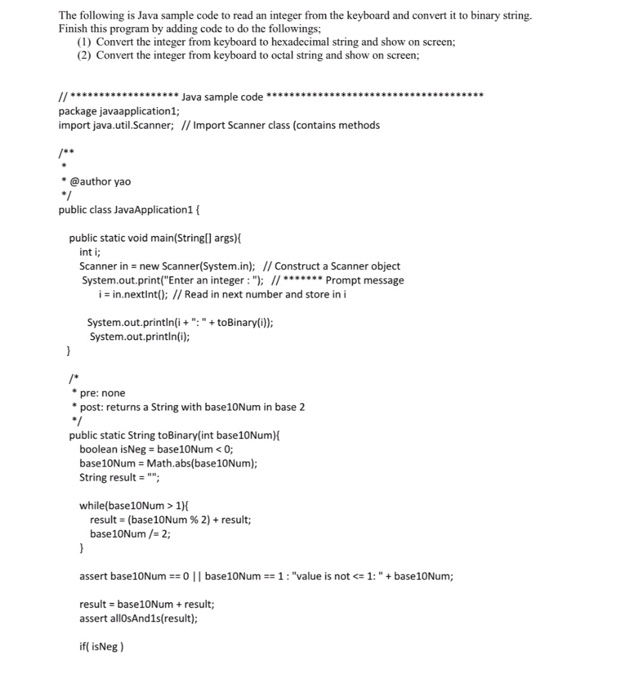
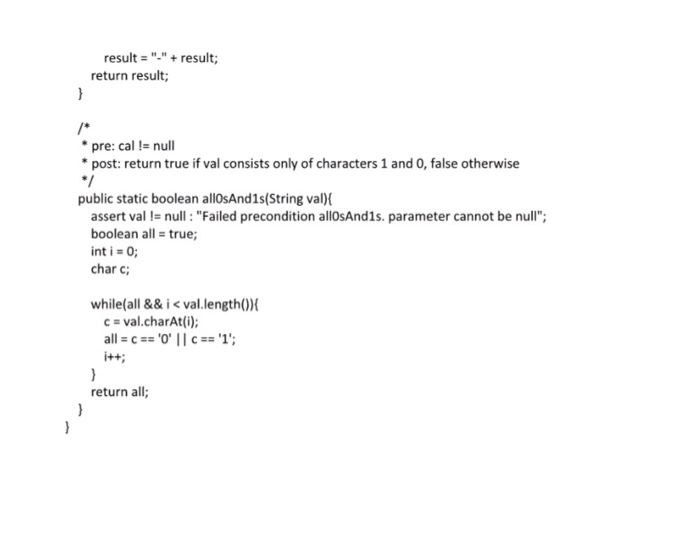
The following is Java sample code to read an integer from the keyboard and convert it to binary string. Finish this program by adding code to do the followings (1) Convert the integer from keyboard to hexadecimal string and show on screen; (2) Convert the integer from keyboard to octal string and show on screen; package javaapplication1; import java.util.Scanner; I/ Import Scanner class (contains methods @author yao public class JavaApplication1 public static void main(Stringl) args) int i Scanner in new Scanner(System..n); // Construct a Scanner object System.out.print("Enter an integer:"; IPrompt message i in.nextlnt(): // Read in next number and store in i System.out.printin(i+toBinary(i)): pre: none post: returns a String with base10Num in base 2 public static String toBinary(int base10NumX boolean isNeg base10Num 1) results (base!ONum % 2) + result; base10Num /2 assert base10Num =:01 | base10Num- 1 : "value is not
Step by Step Solution
There are 3 Steps involved in it

Get step-by-step solutions from verified subject matter experts
 Study Help