







Question: javascript Tools Window Help BOB-Input Validation.pdf Q Q Q Search Page 2 of 3 1) Make a copy of your finished work of B07-Exercise and
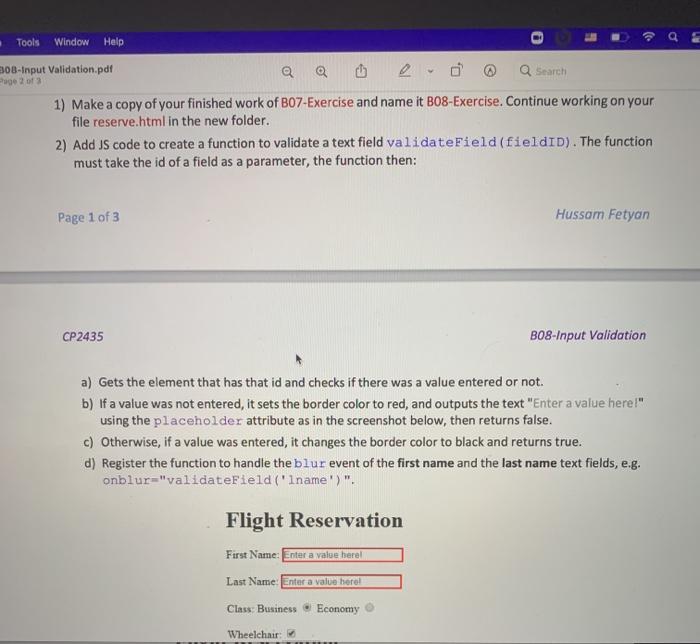
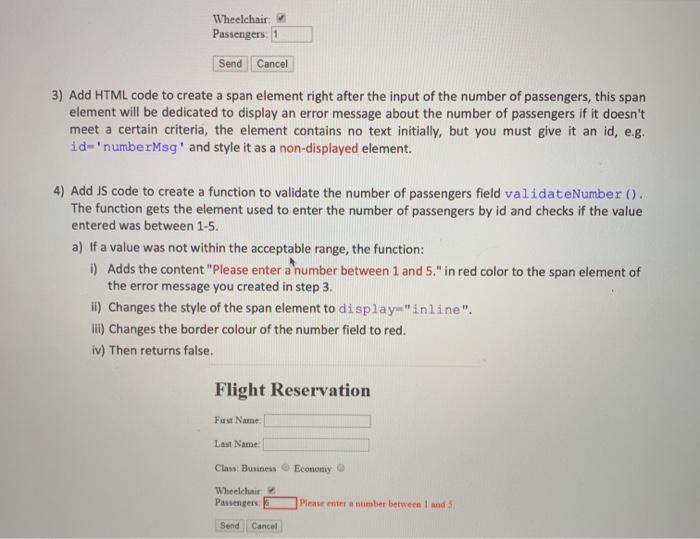
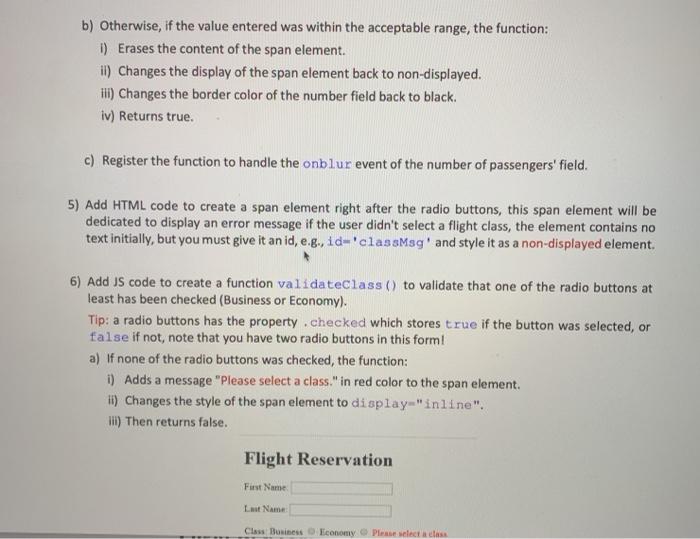
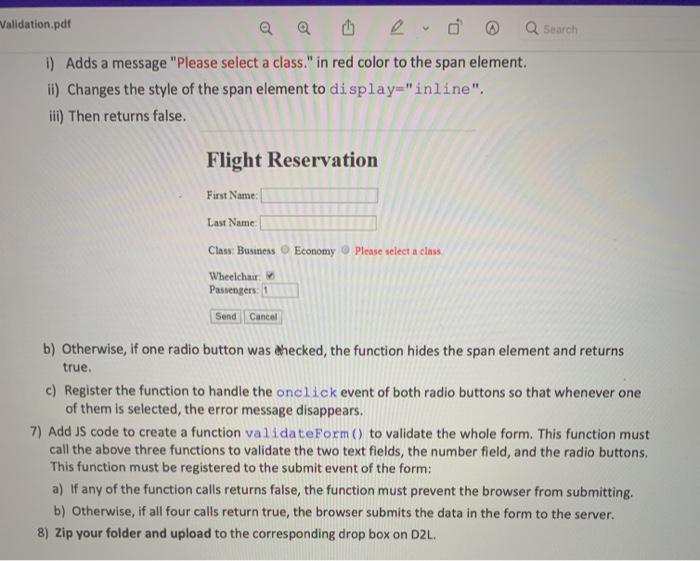

Tools Window Help BOB-Input Validation.pdf Q Q Q Search Page 2 of 3 1) Make a copy of your finished work of B07-Exercise and name it B08-Exercise. Continue working on your file reserve.html in the new folder. 2) Add JS code to create a function to validate a text field validateField(fieldID). The function must take the id of a field as a parameter, the function then: Page 1 of 3 Hussam Fetyan CP2435 B08-Input Validation a) Gets the element that has that id and checks if there was a value entered or not. b) If a value was not entered, it sets the border color to red, and outputs the text "Enter a value here!" using the placeholder attribute as in the screenshot below, then returns false. c) Otherwise, if a value was entered, it changes the border color to black and returns true. d) Register the function to handle the blur event of the first name and the last name text fields, e.g. onblur="validateField('iname')". Flight Reservation First Name: Enter a valse here Last Name Enter a value here! Class Business Economy Wheelchair Wheelchair: Passengers: 1 Send Cancel 3) Add HTML code to create a span element right after the input of the number of passengers, this span element will be dedicated to display an error message about the number of passengers if it doesn't meet a certain criteria, the element contains no text initially, but you must give it an id, e.g. id='numberMsg' and style it as a non-displayed element. 4) Add US code to create a function to validate the number of passengers field validateNumber(). The function gets the element used to enter the number of passengers by id and checks if the value entered was between 1-5. a) If a value was not within the acceptable range, the function: i) Adds the content "Please enter a number between 1 and 5." in red color to the span element of the error message you created in step 3. ii) Changes the style of the span element to display "inline". III) Changes the border colour of the number field to red. iv) Then returns false. Flight Reservation First Name Last Name Class: Business Economy Wheelchair Passengers Please enter a number between 1 and 3 Send Cancel b) Otherwise, if the value entered was within the acceptable range, the function: 1) Erases the content of the span element. il) Changes the display of the span element back to non-displayed. ili) Changes the border color of the number field back to black. iv) Returns true. c) Register the function to handle the onblur event of the number of passengers' field. 5) Add HTML code to create a span element right after the radio buttons, this span element will be dedicated to display an error message if the user didn't select a flight class, the element contains no text initially, but you must give it an id, e.g., id-'classMag' and style it as a non-displayed element. 6) Add US code to create a function validateClass() to validate that one of the radio buttons at least has been checked (Business or Economy). Tip: a radio buttons has the property.checked which stores true if the button was selected, or false if not, note that you have two radio buttons in this form! a) If none of the radio buttons was checked, the function: i) Adds a message "Please select a class." in red color to the span element. II) Changes the style of the span element to display-"inline". i) Then returns false. Flight Reservation First Name Last Name Class Business Economy Please select a class Validation.pdf Q Search i) Adds a message "Please select a class." in red color to the span element. i) Changes the style of the span element to display="inline". iii) Then returns false. Flight Reservation First Name Last Name Class: Business Economy Please select a class Wheelchair Passengers: 1 Send Cancel b) Otherwise, if one radio button was checked, the function hides the span element and returns true. c) Register the function to handle the onclick event of both radio buttons so that whenever one of them is selected, the error message disappears. 7) Add JS code to create a function validateForm() to validate the whole form. This function must call the above three functions to validate the two text fields, the number field, and the radio buttons. This function must be registered to the submit event of the form: a) If any of the function calls returns false, the function must prevent the browser from submitting. b) Otherwise, if all four calls return true, the browser submits the data in the form to the server. 8) Zip your folder and upload to the corresponding drop box on D2L.
Step by Step Solution
There are 3 Steps involved in it

Get step-by-step solutions from verified subject matter experts
 Study Help