







Question: JavaScript Zybooks 7.4.1 Form Validation Here's my code that I attempted, the phoneNumber output works, but for some reason the userName output isn't. if (isNaN(phoneNumber))
JavaScript Zybooks
7.4.1 Form Validation
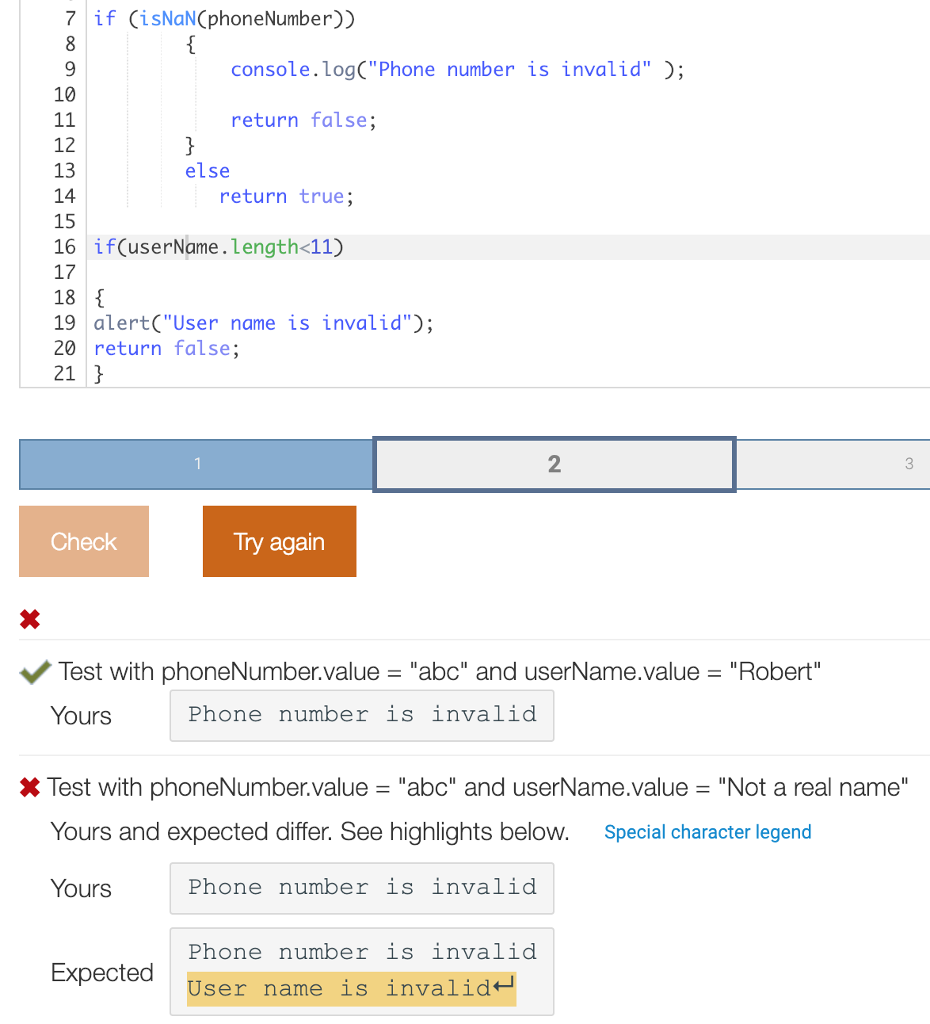
Here's my code that I attempted, the phoneNumber output works, but for some reason the userName output isn't.
if (isNaN(phoneNumber)) { console.log("Phone number is invalid" ); return false; } else return true;
if(userName.length
{ alert("User name is invalid"); return false; }
This is what I get when I check my code
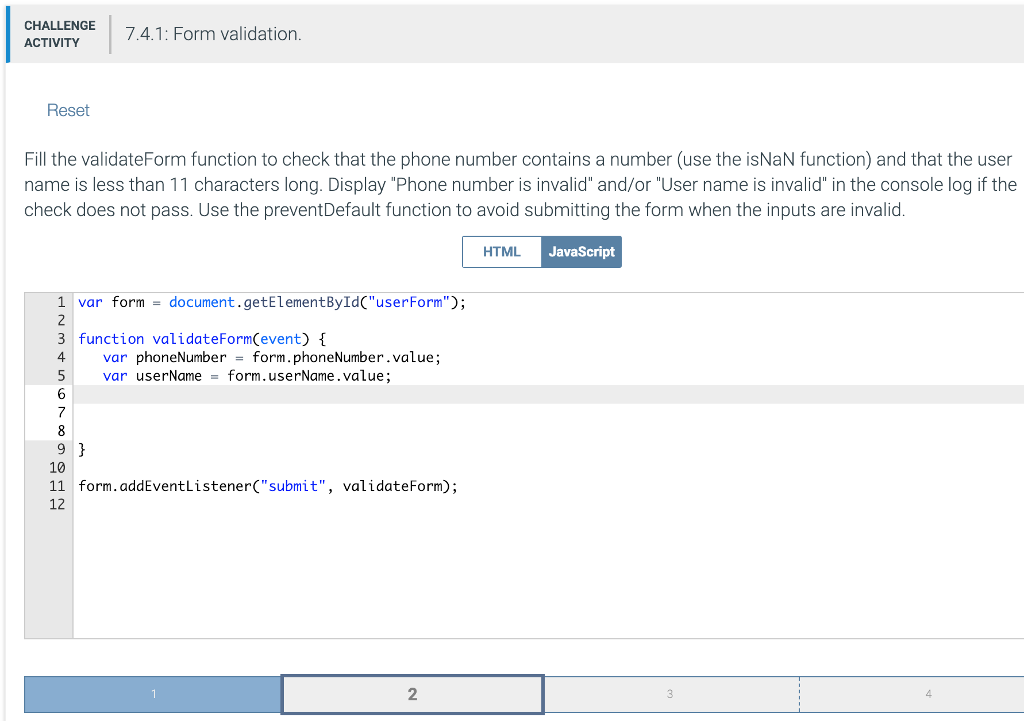
CHALLENGE ACTIVITY CCAIVE7.4.1: Form validation. Reset Fill the validateForm function to check that the phone number contains a number (use the isNaN function) and that the user name is less than 11 characters long. Display "Phone number is invalid" and/or "User name is invalid" in the console log if the check does not pass. Use the preventDefault function to avoid submitting the form when the inputs are invalid HTML JavaScript 1 var form - document.getElementByIdC"userForm"); 3 function validateFormCevent) 4 var phoneNumber=form.phoneNumber.value; 5 var userName form.userName.value; 7 10 11 form.addEventListener("submit", validateForm); 12 2 4
Step by Step Solution
There are 3 Steps involved in it

Get step-by-step solutions from verified subject matter experts
 Study Help