







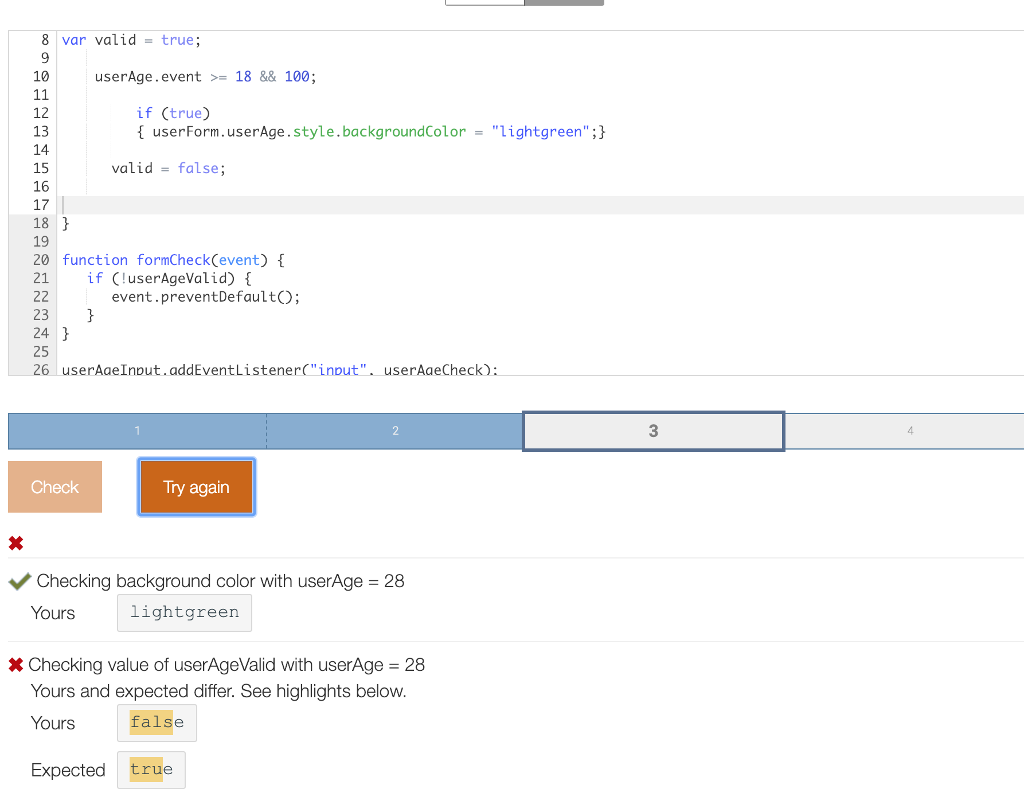
Question: JavaScript Zybooks 7.4.1 Form Validation Have it halfway right, can't figure out the rest Then here's my code so far CHALLENGE7.4.1: Form validation ACTIVITY Reset
JavaScript Zybooks
7.4.1 Form Validation
Have it halfway right, can't figure out the rest
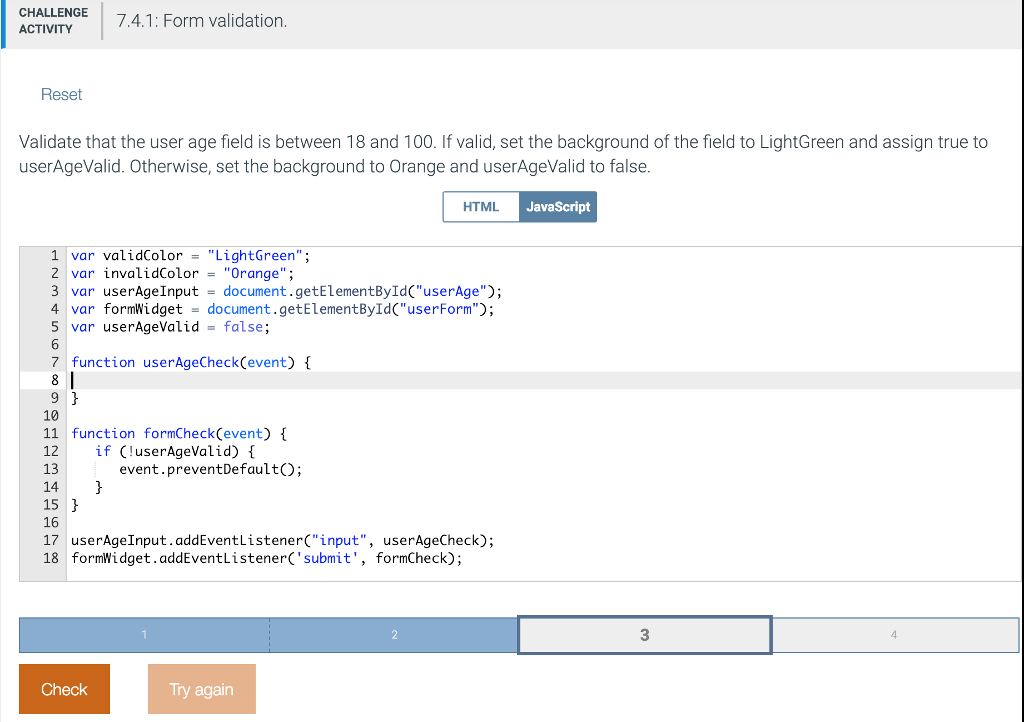
Then here's my code so far
CHALLENGE7.4.1: Form validation ACTIVITY Reset Validate that the user age field is between 18 and 100. If valid, set the background of the field to LightGreen and assign true to userAgeValid. Otherwise, set the background to Orange and userAgeValid to false HTML JavaScript 1 var validColor-"LightGreen"; 2 var invalidColor"Orange" 3 var userAgeInput -document.getElementByIdC"userAge"); 4 var formWidget -document.getElementByIdC"userForm"); 5 var userAgeValid - false; 7 function userAgeCheck(event) 10 11 function formCheck(event) 12 if (luserAgeValid) { 13 14 15 16 17 userAgeInput.addEventListener("input", userAgeCheck); 18 formWidget.addEventListener('submit', formCheck); event.preventDefault); 3 Check Iry again
Step by Step Solution
There are 3 Steps involved in it

Get step-by-step solutions from verified subject matter experts
 Study Help