







Question: Just part one and two. Lab 1 - Wireshark&App layer 1) Install Wireshark on your computer. 2) Start Wireshark and begin packet capture (Capture- Start)
Just part one and two. 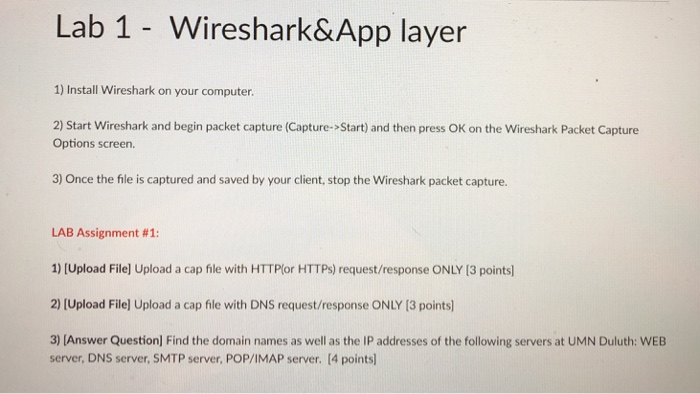
Lab 1 - Wireshark&App layer 1) Install Wireshark on your computer. 2) Start Wireshark and begin packet capture (Capture- Start) and then press OK on the Wireshark Packet Capture Options screen 3) Once the file is captured and saved by your client, stop the Wireshark packet capture. LAB Assignment # 1: 1) [Upload Filel Upload a cap file with HTTPlor HTTPs) request/response ONLY 13 points 2) [Upload File] Upload a cap file with DNS request/response ONLY (3 points 3) [Answer Question] Find the domain names as well as the IP addresses of the following servers at UMN Duluth: WEB server, DNS server, SMTP server, POP/IMAP server. [4 points)
Step by Step Solution
There are 3 Steps involved in it

Get step-by-step solutions from verified subject matter experts
 Study Help