







Question: Kernel Tabs Settings Help birthwt.tut X Pima.Det Chapter 02.ipynb Markdown 02/ B + X D o Python 3 reemple 4: Creating variables for our plote
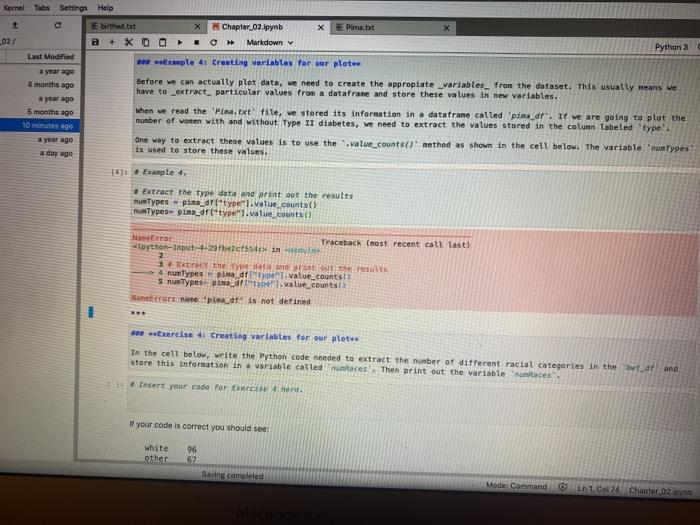
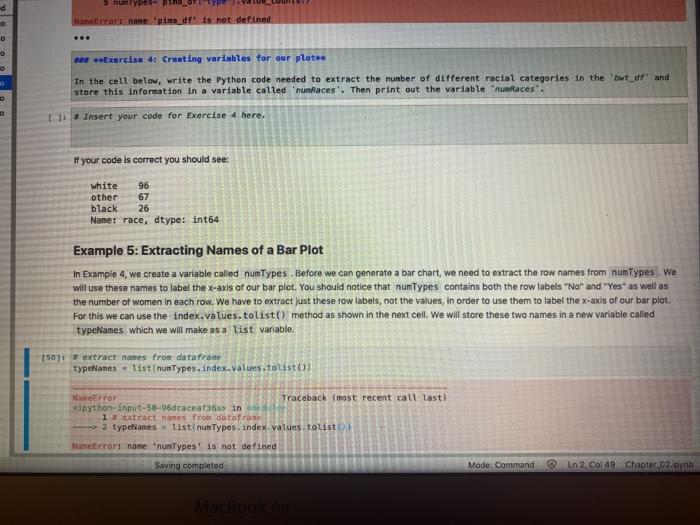
Kernel Tabs Settings Help birthwt.tut X Pima.Det Chapter 02.ipynb Markdown 02/ B + X D o Python 3 reemple 4: Creating variables for our plote Before we can actually plot data, we need to create the appropiate variables from the dataset. This usually means we have to extract particular values from a datafrane and store these values in new variables. Last Modified a year ago 4 months ago a year ago 5 months ago 10 minutes ago a year ago a day ago When we read the 'Pin.txt file, we stored its Information in a datafrane called 'pina_dr. If we are going to plot the number of women with and without Type II diabetes, we need to extract the values stored in the column labeled 'type'. Une way to extract these values is to use the value_countsd method as shown in the cell below. The variable numTypes is used to store these values. 1970 Example 4. Extract the type data and print out the results numTypes-pimarltype].valuecounts() nunTypes pina_df type.value_counts Nanero Traceback (most recent call last) clpython-input-4-29be24 inch 3 in the year and out the rest 4 numTypes in die value_counts SnusTypes- pirtype value_counts Nanerrors ate pind is not defined Exercise 4: Creating variables for our plote in the cell below, write the Python code needed to extract the number of different racial categories in the war and store this information in a variable called mes. Then print out the variable unlaces'. Insert your code for Exercise here. if your code is correct you should see: white other 96 67 Saving completed Mode Command on 1 Col 74 Chapter 02 d D Nerrort nane pins df is not defined D Exercise 4: Creating variables for our plates In the cell below, write the Python code needed to extract the number of different racial categories in the out_drand store this information in a variable called "hunRaces'. Then print out the variable aces'. 1. Insert your code for Exercise 4 here. #your code is correct you should see: white 96 other 67 black 26 Name: race, dtype: int64 Example 5: Extracting Names of a Bar Plot In Example 4, we create a variable called numTypes. Before we can generate a bar chart, we need to extract the row names from numTypes. We will use these names to label the x-axis of our bar plot. You should notice that numTypes contains both the row labels"No" and "Yes" as well as the number of women in each row. We have to extract just these row labels, not the values, in order to use them to label the x-axis of our bar plot. For this we can use the index.values.tolist() method as shown in the next cell. We will store these two names in a new variable called typeNames which we will make as a list variable. 150 extract names from dataframe typellanes - list nunTypes. Index.values.talist (1) NameError Traceback (most recent call last) sipython-input-58-96dcaceaf36a in 1 extract names from datafran 2 typeNames list nunTypes. index values touist Manerror: name numTypes' is not defined Saving completed Mode: Command In 2 Col 49 Chapter 02 eynb MacBook Kernel Tabs Settings Help birthwt.tut X Pima.Det Chapter 02.ipynb Markdown 02/ B + X D o Python 3 reemple 4: Creating variables for our plote Before we can actually plot data, we need to create the appropiate variables from the dataset. This usually means we have to extract particular values from a datafrane and store these values in new variables. Last Modified a year ago 4 months ago a year ago 5 months ago 10 minutes ago a year ago a day ago When we read the 'Pin.txt file, we stored its Information in a datafrane called 'pina_dr. If we are going to plot the number of women with and without Type II diabetes, we need to extract the values stored in the column labeled 'type'. Une way to extract these values is to use the value_countsd method as shown in the cell below. The variable numTypes is used to store these values. 1970 Example 4. Extract the type data and print out the results numTypes-pimarltype].valuecounts() nunTypes pina_df type.value_counts Nanero Traceback (most recent call last) clpython-input-4-29be24 inch 3 in the year and out the rest 4 numTypes in die value_counts SnusTypes- pirtype value_counts Nanerrors ate pind is not defined Exercise 4: Creating variables for our plote in the cell below, write the Python code needed to extract the number of different racial categories in the war and store this information in a variable called mes. Then print out the variable unlaces'. Insert your code for Exercise here. if your code is correct you should see: white other 96 67 Saving completed Mode Command on 1 Col 74 Chapter 02 d D Nerrort nane pins df is not defined D Exercise 4: Creating variables for our plates In the cell below, write the Python code needed to extract the number of different racial categories in the out_drand store this information in a variable called "hunRaces'. Then print out the variable aces'. 1. Insert your code for Exercise 4 here. #your code is correct you should see: white 96 other 67 black 26 Name: race, dtype: int64 Example 5: Extracting Names of a Bar Plot In Example 4, we create a variable called numTypes. Before we can generate a bar chart, we need to extract the row names from numTypes. We will use these names to label the x-axis of our bar plot. You should notice that numTypes contains both the row labels"No" and "Yes" as well as the number of women in each row. We have to extract just these row labels, not the values, in order to use them to label the x-axis of our bar plot. For this we can use the index.values.tolist() method as shown in the next cell. We will store these two names in a new variable called typeNames which we will make as a list variable. 150 extract names from dataframe typellanes - list nunTypes. Index.values.talist (1) NameError Traceback (most recent call last) sipython-input-58-96dcaceaf36a in 1 extract names from datafran 2 typeNames list nunTypes. index values touist Manerror: name numTypes' is not defined Saving completed Mode: Command In 2 Col 49 Chapter 02 eynb MacBook
Step by Step Solution
There are 3 Steps involved in it

Get step-by-step solutions from verified subject matter experts
 Study Help