







Question: l dont need the full explanation its multiple choice ,thank you so much god bless u Kate needs to insert 10 text boxes in a
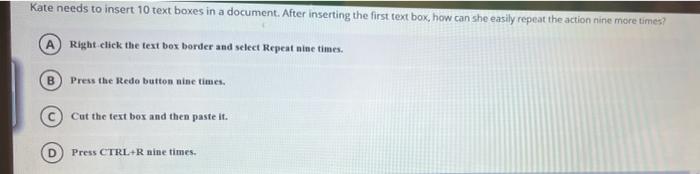
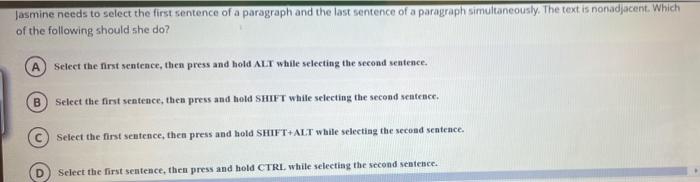
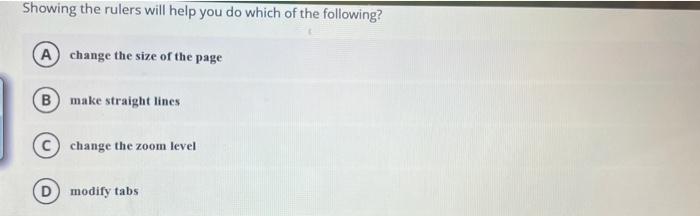
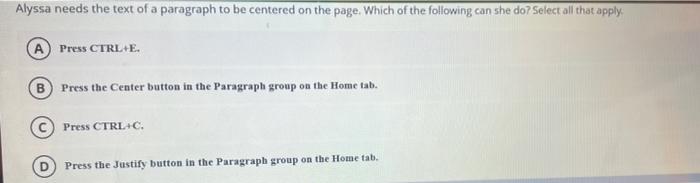
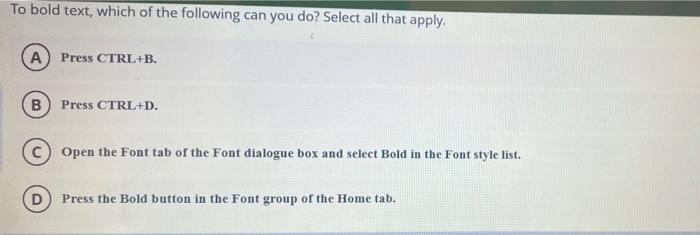
Kate needs to insert 10 text boxes in a document. After inserting the first text box, how can she easily repeat the action nine more times? A Right click the text box border and select Repeat nine times. Press the Rede button nine times. Cut the text box and then paste it. Press CTRL+R nine times Jasmine needs to select the first sentence of a paragraph and the last sentence of a paragraph simultaneously. The text is nonadjacent. Which of the following should she do? A Select the first sentence, then press and hold ALT while selecting the second sentence. B Select the first sentence, then press and hold SHIFT while selecting the second sentence. Select the first sentence, then press and hold SHIFT+ALT while selecting the second sentence. Select the first sentence, then press and hold CTRL while selecting the second sentence. Showing the rulers will help you do which of the following? A change the size of the page B make straight lines C) change the zoom level D) modify tabs Alyssa needs the text of a paragraph to be centered on the page. Which of the following can she do? Select all that apply: A Press CTRL+E. B Press the Center button in the Paragraph group on the Home tab. Press CTRL+C. D Press the Justify button in the Paragraph group on the Home tab, To bold text, which of the following can you do? Select all that apply. A) Press CTRL+B. B Press CTRL+D. Open the Font tab of the Font dialogue box and select Bold in the Font style list. Press the Bold button in the Font group of the Home tab
Step by Step Solution
There are 3 Steps involved in it

Get step-by-step solutions from verified subject matter experts
 Study Help