







Question: l dont need the full explanation its multiple choice ,thank you so much god bless u Test Which of the following describes how to change
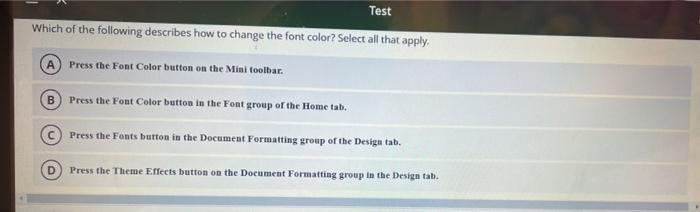
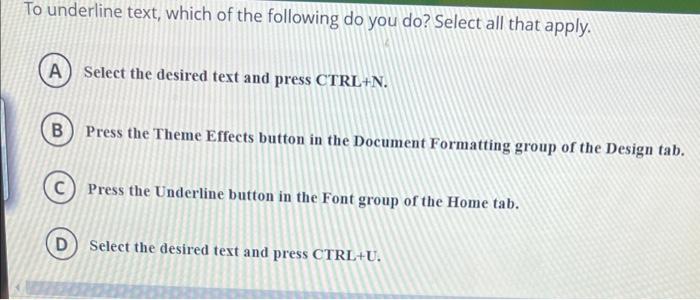
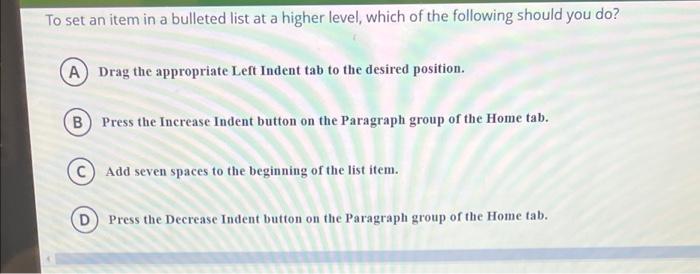
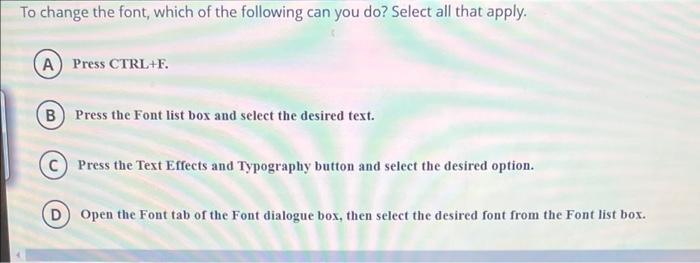
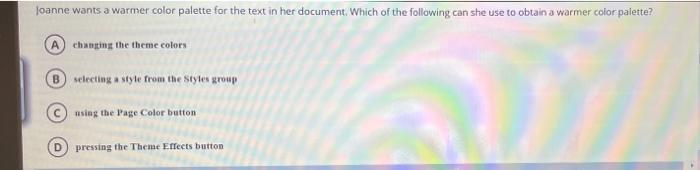
Test Which of the following describes how to change the font color? Select all that apply. Press the Font Color button on the Mini toolbar. B Press the Font Color button in the Font group of the Home tab. Press the Fonts button in the Document Formatting group of the Design tat. D Press the Theme Effects button on the Document Formatting group in the Design tab. To underline text, which of the following do you do? Select all that apply. (A) Select the desired text and press CTRL+N. B) Press the Theme Effects button in the Document Formatting group of the Design tab. Press the Underline button in the Font group of the Home tab. D) Select the desired text and press CTRL+U. To set an item in a bulleted list at a higher level, which of the following should you do? A Drag the appropriate Left Indent tab to the desired position. B) Press the Increase Indent button on the Paragraph group of the Home tab. Add seven spaces to the beginning of the list item. Press the Decrease Indent button on the Paragraph group of the Home tab. To change the font, which of the following can you do? Select all that apply. A Press CTRL+F. B Press the Font list box and select the desired text. Press the Text Effects and Typography button and select the desired option. Open the Font tab of the Font dialogue box, then select the desired font from the Font list box. Joanne wants a warmer color palette for the text in her document. Which of the following can she use to obtain a warmer color palette? A changing the theme colors B selecting a style from the styles group using the Page Color button D pressing the Theme Effects button
Step by Step Solution
There are 3 Steps involved in it

Get step-by-step solutions from verified subject matter experts
 Study Help