







Question: Lab 2-Simple Web Page Generation Background A natural arch is a rock formation with an opening underneath it. There are a variety of natural
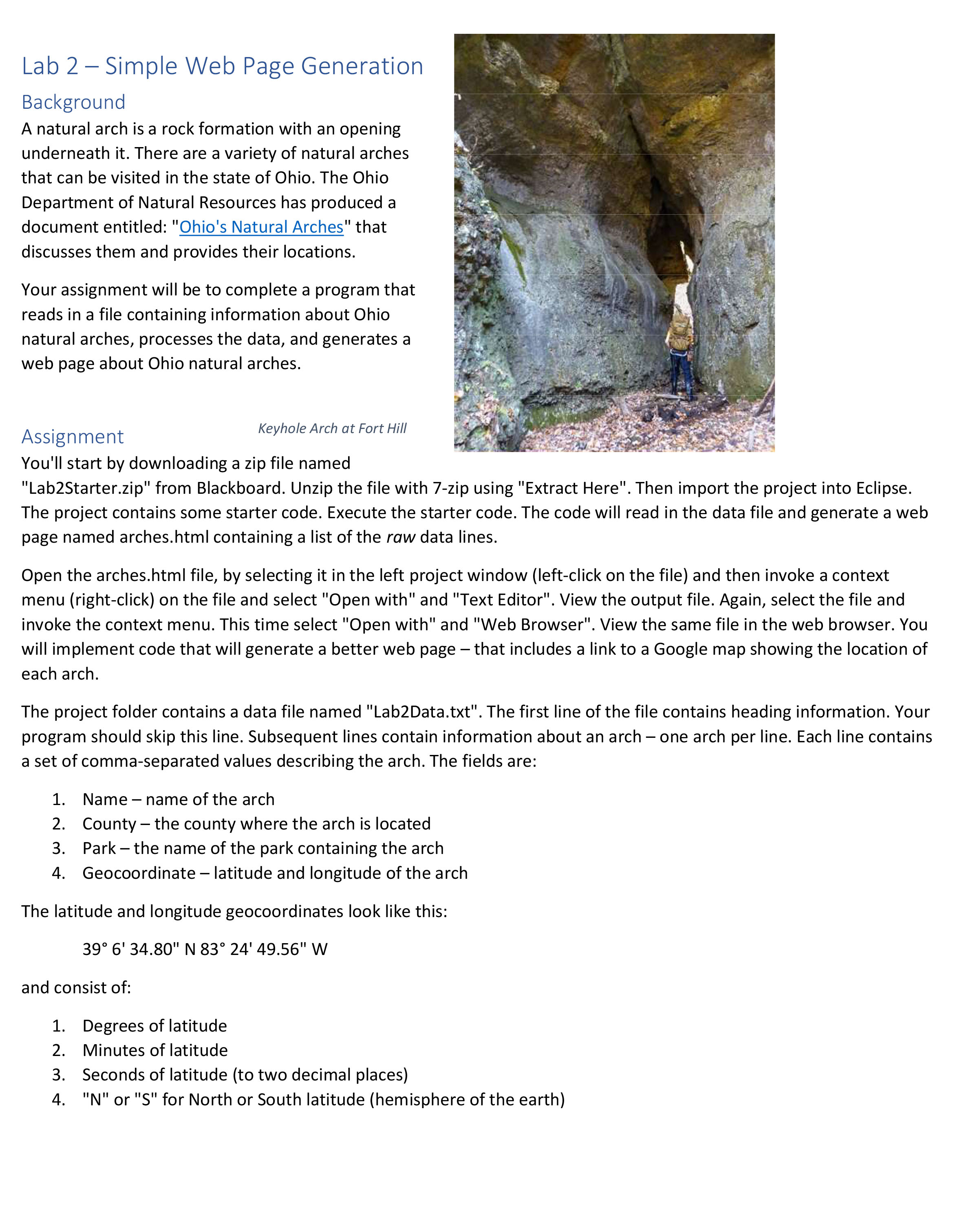
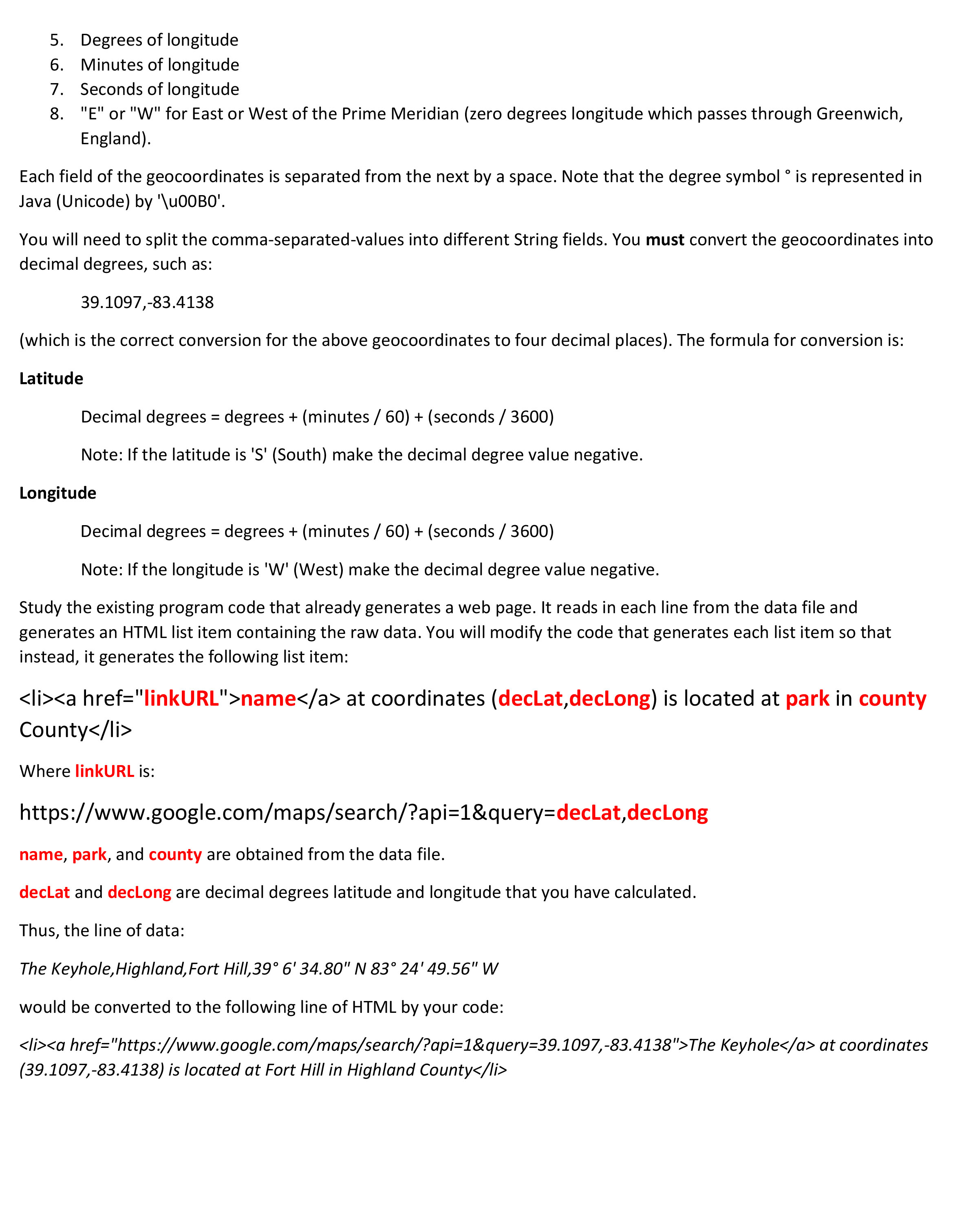
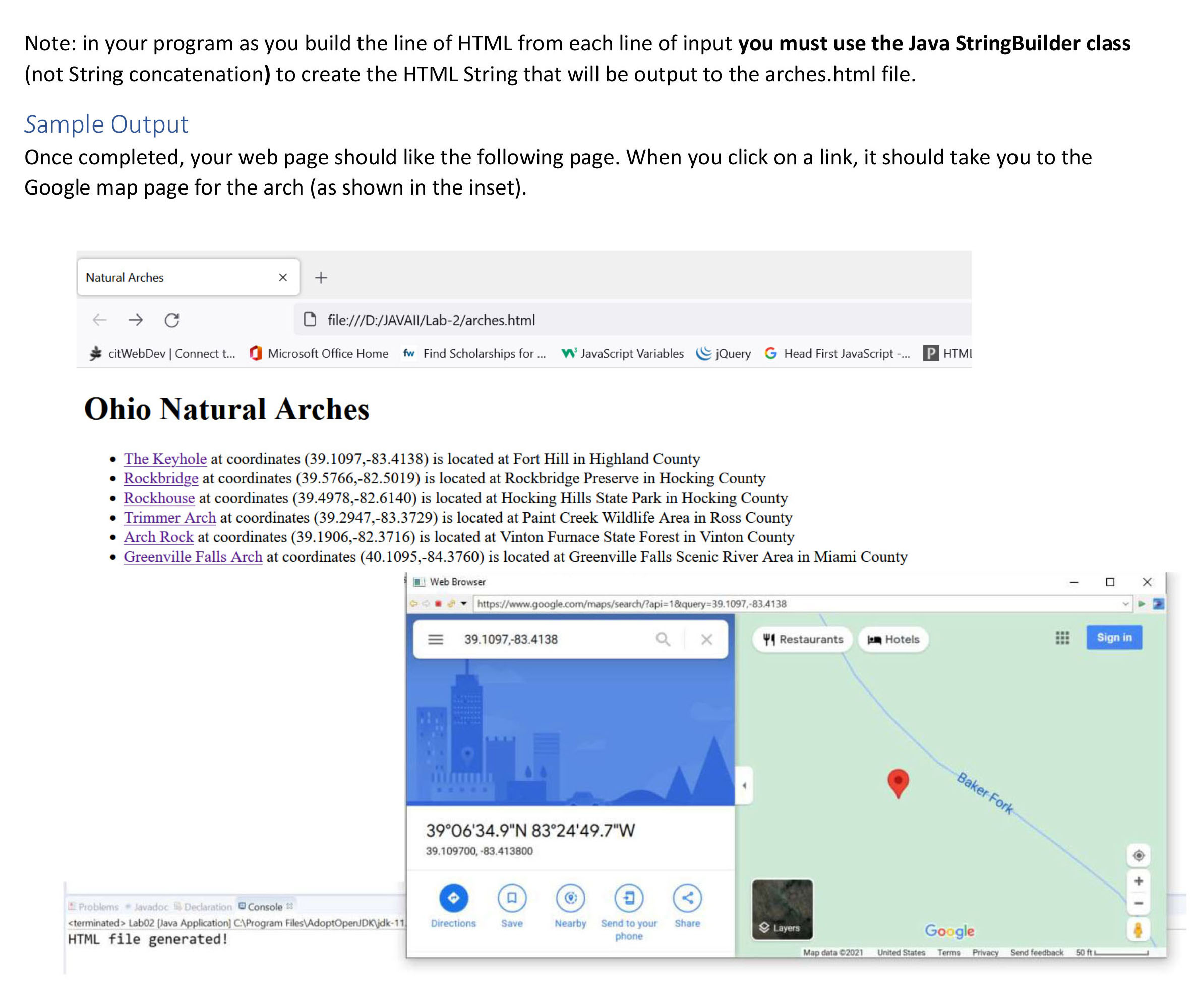
Lab 2-Simple Web Page Generation Background A natural arch is a rock formation with an opening underneath it. There are a variety of natural arches that can be visited in the state of Ohio. The Ohio Department of Natural Resources has produced a document entitled: "Ohio's Natural Arches" that discusses them and provides their locations. Your assignment will be to complete a program that reads in a file containing information about Ohio natural arches, processes the data, and generates a web page about Ohio natural arches. Assignment Keyhole Arch at Fort Hill You'll start by downloading a zip file named "Lab2Starter.zip" from Blackboard. Unzip the file with 7-zip using "Extract Here". Then import the project into Eclipse. The project contains some starter code. Execute the starter code. The code will read in the data file and generate a web page named arches.html containing a list of the raw data lines. Open the arches.html file, by selecting it in the left project window (left-click on the file) and then invoke a context menu (right-click) on the file and select "Open with" and "Text Editor". View the output file. Again, select the file and invoke the context menu. This time select "Open with" and "Web Browser". View the same file in the web browser. You will implement code that will generate a better web page - that includes a link to a Google map showing the location of each arch. The project folder contains a data file named "Lab2Data.txt". The first line of the file contains heading information. Your program should skip this line. Subsequent lines contain information about an arch - one arch per line. Each line contains a set of comma-separated values describing the arch. The fields are: 1. Name name of the arch 2. County the county where the arch is located - 3. Park the name of the park containing the arch 4. Geocoordinate - latitude and longitude of the arch The latitude and longitude geocoordinates look like this: 39 6' 34.80" N 83 24' 49.56" W and consist of: 1. Degrees of latitude 2. Minutes of latitude 3. Seconds of latitude (to two decimal places) 4. "N" or "S" for North or South latitude (hemisphere of the earth) 5. Degrees of longitude 6. Minutes of longitude 7. Seconds of longitude 8. "E" or "W" for East or West of the Prime Meridian (zero degrees longitude which passes through Greenwich, England). Each field of the geocoordinates is separated from the next by a space. Note that the degree symbol is represented in Java (Unicode) by '\u00B0'. You will need to split the comma-separated-values into different String fields. You must convert the geocoordinates into decimal degrees, such as: 39.1097,-83.4138 , (which is the correct conversion for the above geocoordinates to four decimal places). The formula for conversion is: Latitude Decimal degrees = degrees + (minutes / 60) + (seconds / 3600) Note: If the latitude is 'S' (South) make the decimal degree value negative. Longitude Decimal degrees = degrees + (minutes / 60) + (seconds / 3600) Note: If the longitude is 'W' (West) make the decimal degree value negative. Study the existing program code that already generates a web page. It reads in each line from the data file and generates an HTML list item containing the raw data. You will modify the code that generates each list item so that instead, it generates the following list item: name at coordinates (declat, decLong) is located at park in county County Where linkURL is: https://www.google.com/maps/search/?api=1&query=decLat,decLong name, park, and county are obtained from the data file. declat and decLong are decimal degrees latitude and longitude that you have calculated. Thus, the line of data: The Keyhole, Highland, Fort Hill, 39 6' 34.80" N 83 24' 49.56" W would be converted to the following line of HTML by your code: The Keyhole at coordinates (39.1097,-83.4138) is located at Fort Hill in Highland County Note: in your program as you build the line of HTML from each line of input you must use the Java StringBuilder class (not String concatenation) to create the HTML String that will be output to the arches.html file. Sample Output Once completed, your web page should like the following page. When you click on a link, it should take you to the Google map page for the arch (as shown in the inset). Natural Arches + file:///D:/JAVAIl/Lab-2/arches.html citWebDev | Connect t... Microsoft Office Home fw Find Scholarships for ... JavaScript Variables jQuery G Head First JavaScript -... P HTMI Ohio Natural Arches The Keyhole at coordinates (39.1097,-83.4138) is located at Fort Hill in Highland County Rockbridge at coordinates (39.5766,-82.5019) is located at Rockbridge Preserve in Hocking County Rockhouse at coordinates (39.4978,-82.6140) is located at Hocking Hills State Park in Hocking County Trimmer Arch at coordinates (39.2947,-83.3729) is located at Paint Creek Wildlife Area in Ross County Arch Rock at coordinates (39.1906,-82.3716) is located at Vinton Furnace State Forest in Vinton County Greenville Falls Arch at coordinates (40.1095,-84.3760) is located at Greenville Falls Scenic River Area in Miami County Problems Javadoc Declaration Console Lab02 [Java Application] C:\Program Files\AdoptOpenJDK\jdk-11 HTML file generated! Web Browser https://www.google.com/maps/search/?api=1&query=39.1097,-83.4138 39.1097,-83.4138 3906'34.9"N 8324'49.7"W 39.109700, -83.413800 ax Restaurants Hotels Sign in Baker Fork V Directions Save Nearby Send to your phone Share Layers Google Map data 2021 United States Terms Privacy Send feedback 50 ft L
Step by Step Solution
3.39 Rating (149 Votes )
There are 3 Steps involved in it
Solutions Step 1 Answer Igneous rock types a b and f Explanation a igneous rock type ... View full answer

Get step-by-step solutions from verified subject matter experts
 Study Help