







Question: Lab #4 For this lab create you will create a class to represent a form. Create a file called formClass.php 1. Your class should have
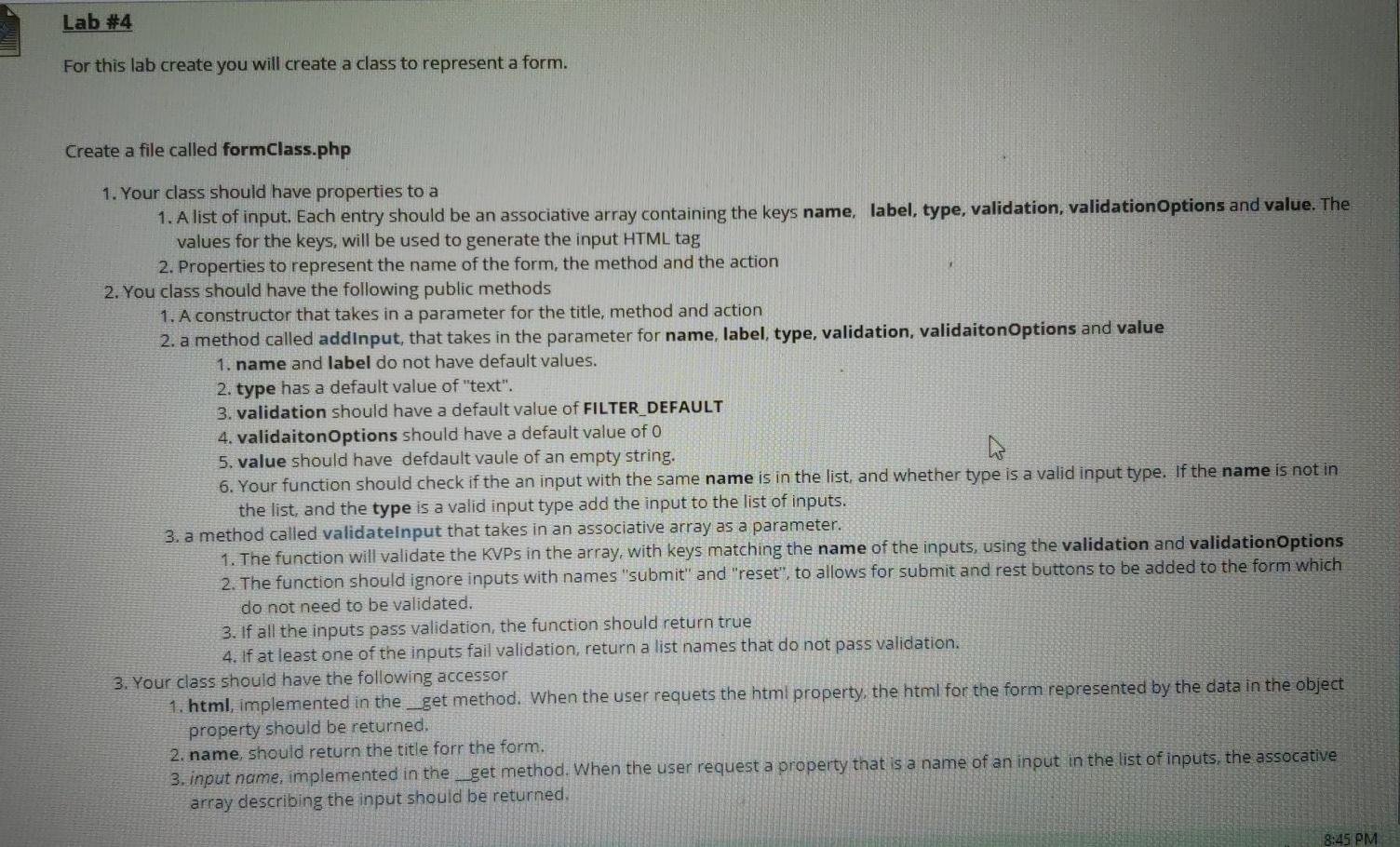
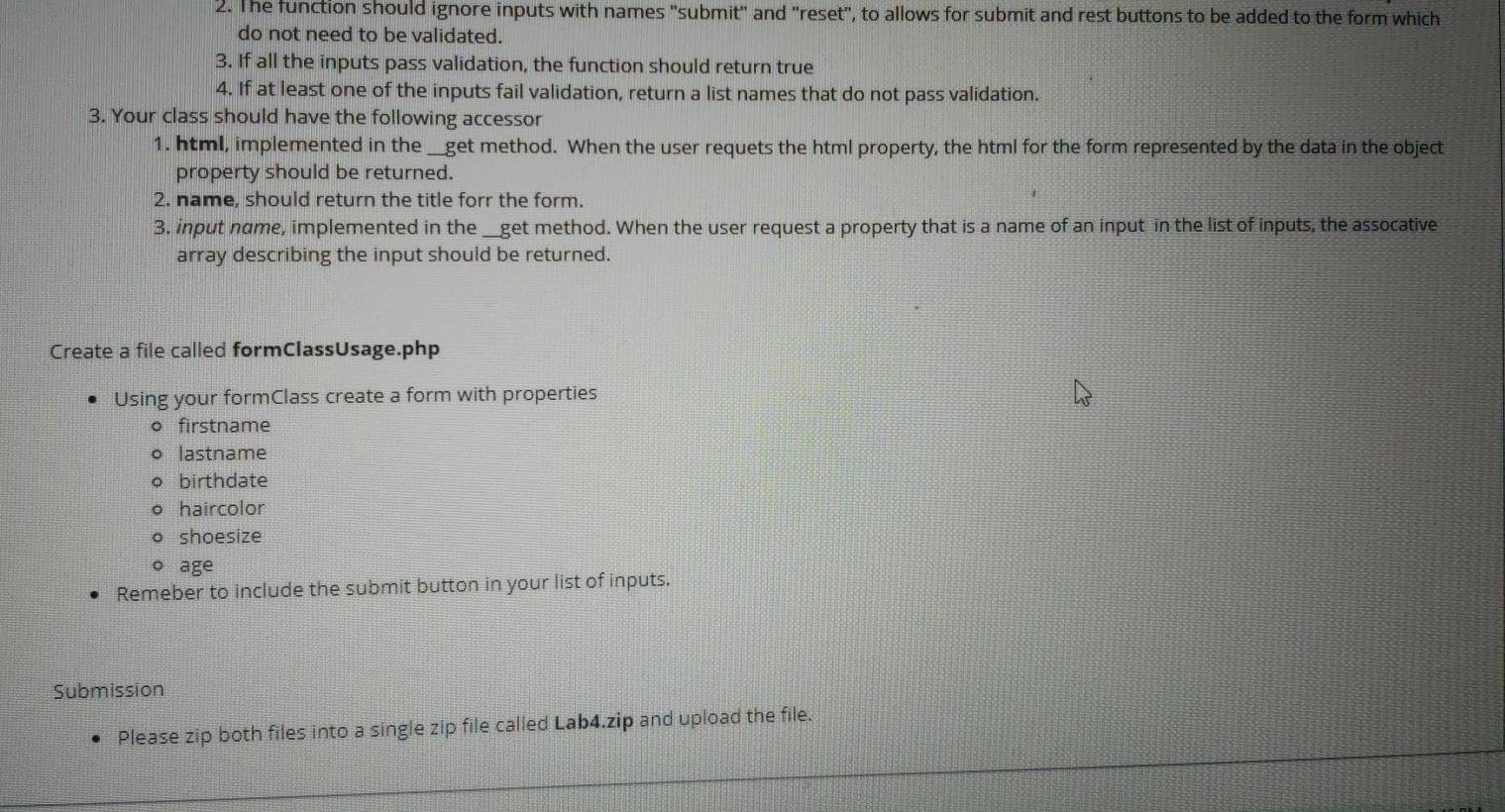
Lab #4 For this lab create you will create a class to represent a form. Create a file called formClass.php 1. Your class should have properties to a 1. A list of input. Each entry should be an associative array containing the keys name, label, type, validation, validation Options and value. The values for the keys, will be used to generate the input HTML tag 2. Properties to represent the name of the form, the method and the action 2. You class should have the following public methods 1. A constructor that takes in a parameter for the title, method and action 2. a method called addinput, that takes in the parameter for name, label, type, validation, validaiton Options and value 1. name and label do not have default values. 2. type has a default value of "text". 3. validation should have a default value of FILTER_DEFAULT 4. validaiton Options should have a default value of o 5. value should have defdault vaule of an empty string. 6. Your function should check if the an input with the same name is in the list, and whether type is a valid input type. If the name is not in the list, and the type is a valid input type add the input to the list of inputs. 3. a method called validateinput that takes in an associative array as a parameter. 1. The function will validate the KVPs in the array, with keys matching the name of the inputs, using the validation and validation Options 2. The function should ignore inputs with names "submit" and "reset", to allows for submit and rest buttons to be added to the form which do not need to be validated. 3. If all the inputs pass validation, the function should return true 4. If at least one of the inputs fail validation, return a list names that do not pass validation. 3. Your class should have the following accessor 1. html, implemented in the __get method. When the user requets the html property, the html for the form represented by the data in the object property should be returned. 2. name, should return the title forr the form. 3. input name, implemented in the __get method. When the user request a property that is a name of an input in the list of inputs, the assocative array describing the input should be returned. 8:45 PM 2. The function should ignore inputs with names "submit" and "reset", to allows for submit and rest buttons to be added to the form which do not need to be validated. 3. If all the inputs pass validation, the function should return true 4. If at least one of the inputs fail validation, return a list names that do not pass validation. 3. Your class should have the following accessor 1. html. implemented in the_get method. When the user requets the html property, the html for the form represented by the data in the object property should be returned. 2. name, should return the title forr the form. 3. input name, implemented in the_get method. When the user request a property that is a name of an input in the list of inputs, the assocative array describing the input should be returned. Create a file called formClassUsage.php Using your formClass create a form with properties o firstname o lastname o birthdate o haircolor o shoesize o age Remeber to include the submit button in your list of inputs. Submission Please zip both files into a single zip file called Lab4.zip and upload the file. Lab #4 For this lab create you will create a class to represent a form. Create a file called formClass.php 1. Your class should have properties to a 1. A list of input. Each entry should be an associative array containing the keys name, label, type, validation, validation Options and value. The values for the keys, will be used to generate the input HTML tag 2. Properties to represent the name of the form, the method and the action 2. You class should have the following public methods 1. A constructor that takes in a parameter for the title, method and action 2. a method called addinput, that takes in the parameter for name, label, type, validation, validaiton Options and value 1. name and label do not have default values. 2. type has a default value of "text". 3. validation should have a default value of FILTER_DEFAULT 4. validaiton Options should have a default value of o 5. value should have defdault vaule of an empty string. 6. Your function should check if the an input with the same name is in the list, and whether type is a valid input type. If the name is not in the list, and the type is a valid input type add the input to the list of inputs. 3. a method called validateinput that takes in an associative array as a parameter. 1. The function will validate the KVPs in the array, with keys matching the name of the inputs, using the validation and validation Options 2. The function should ignore inputs with names "submit" and "reset", to allows for submit and rest buttons to be added to the form which do not need to be validated. 3. If all the inputs pass validation, the function should return true 4. If at least one of the inputs fail validation, return a list names that do not pass validation. 3. Your class should have the following accessor 1. html, implemented in the __get method. When the user requets the html property, the html for the form represented by the data in the object property should be returned. 2. name, should return the title forr the form. 3. input name, implemented in the __get method. When the user request a property that is a name of an input in the list of inputs, the assocative array describing the input should be returned. 8:45 PM 2. The function should ignore inputs with names "submit" and "reset", to allows for submit and rest buttons to be added to the form which do not need to be validated. 3. If all the inputs pass validation, the function should return true 4. If at least one of the inputs fail validation, return a list names that do not pass validation. 3. Your class should have the following accessor 1. html. implemented in the_get method. When the user requets the html property, the html for the form represented by the data in the object property should be returned. 2. name, should return the title forr the form. 3. input name, implemented in the_get method. When the user request a property that is a name of an input in the list of inputs, the assocative array describing the input should be returned. Create a file called formClassUsage.php Using your formClass create a form with properties o firstname o lastname o birthdate o haircolor o shoesize o age Remeber to include the submit button in your list of inputs. Submission Please zip both files into a single zip file called Lab4.zip and upload the file
Step by Step Solution
There are 3 Steps involved in it

Get step-by-step solutions from verified subject matter experts
 Study Help